 Ali WaseemandDanny White
fa8f49b261
Ali WaseemandDanny White
fa8f49b261
## Summary

Adds the first batch of keyboard shortcuts for the SQL editor, following
the registry pattern established for the table editor.

## Shortcuts

| Shortcut | Action | Notes |
| --- | --- | --- |
| `Esc` | Blur the SQL editor | Registered as a Monaco command with a
context-key precondition so inline widgets keep owning `Esc` (suggest,
find, parameter hints, snippet/rename mode, accessibility help, inline
suggestions, and selection cancellation). |
| `Shift+E` | Focus the SQL editor | Pairs with `Esc` for mouse-free
round-trip. |
| `Alt+Shift+F` | Prettify SQL | Now wired through the registry; the
tooltip and dropdown badge in `UtilityActions` read the keybind from the
same source of truth. Works from inside the editor (Monaco action) and
from anywhere on the page (`useShortcut`). |
| `Mod+Shift+Enter` | Run EXPLAIN ANALYZE | Routes results into the
Explain tab. Surfaces in the Monaco context menu next to "Run Query". |
| `Shift+N` | Open a new SQL snippet | Navigates to `/sql/new?skip=true`
to avoid the redirect-to-last-visited effect that fires on plain
`/sql/new`. |

All entries appear in the command menu (`Mod+P`) under "Shortcuts" while
their host components are mounted. None are surfaced in Account →
Preferences → Keyboard shortcuts yet (`showInSettings: false`), matching
how the table editor shortcuts shipped.

## Notes

- The blur shortcut intentionally lives on the Monaco instance rather
than the document-level hotkey listener — the document listener can't
preempt Monaco's own `Esc` handling. Other shortcuts that need to fire
while the editor has focus (run, save, format, explain) are registered
as Monaco actions; everything else uses `useShortcut`.
- Format and explain are double-registered (Monaco action +
`useShortcut`) so they fire whether the editor is focused or not. The
Monaco actions don't read the user's enable/disable preference yet —
same asymmetry as the existing run/save actions.
- `Shift+N` is scoped to the SQL editor route. To make it work globally
we'd register it at a higher layout level.

## Test plan

- [x] Inside editor: `Esc` blurs; suggest/find/parameter hints still
close on `Esc`; multi-cursor selection collapses on first `Esc`, blurs
on second.
- [x] Outside editor: `Shift+E` returns focus to the editor.
- [x] `Alt+Shift+F` formats from inside and outside the editor; tooltip
+ dropdown badge show the correct keybind.
- [x] `Mod+Shift+Enter` runs EXPLAIN ANALYZE and switches to the Explain
tab.
- [x] `Shift+N` opens a fresh snippet without bouncing back to the
previous one.
- [x] All five shortcuts appear in `Mod+P` with the right badges.

<!-- This is an auto-generated comment: release notes by coderabbit.ai
-->
## Summary by CodeRabbit

* **New Features**
* Keyboard shortcuts for SQL editor: format SQL, run EXPLAIN ANALYZE,
focus/blur editor, and open a new SQL snippet.
* Added "Prettify SQL" and "Run EXPLAIN ANALYZE" actions to the editor
context menu with shortcuts.
* Centralized registration of SQL editor shortcuts so they appear across
the app.

* **UX Improvements**
* Escape key blurs editor focus when appropriate to allow easy exit
without disrupting editor widgets.

* **Style**
  * Adjusted success toast capitalization for copied Markdown.
<!-- end of auto-generated comment: release notes by coderabbit.ai -->

---------

Co-authored-by: Danny White <3104761+dnywh@users.noreply.github.com>

Supabase
Supabase is the Postgres development platform. We're building the features of Firebase using enterprise-grade open source tools.
- Hosted Postgres Database. Docs
- Authentication and Authorization. Docs
- Auto-generated APIs.
- Functions.
- File Storage. Docs
- AI + Vector/Embeddings Toolkit. Docs
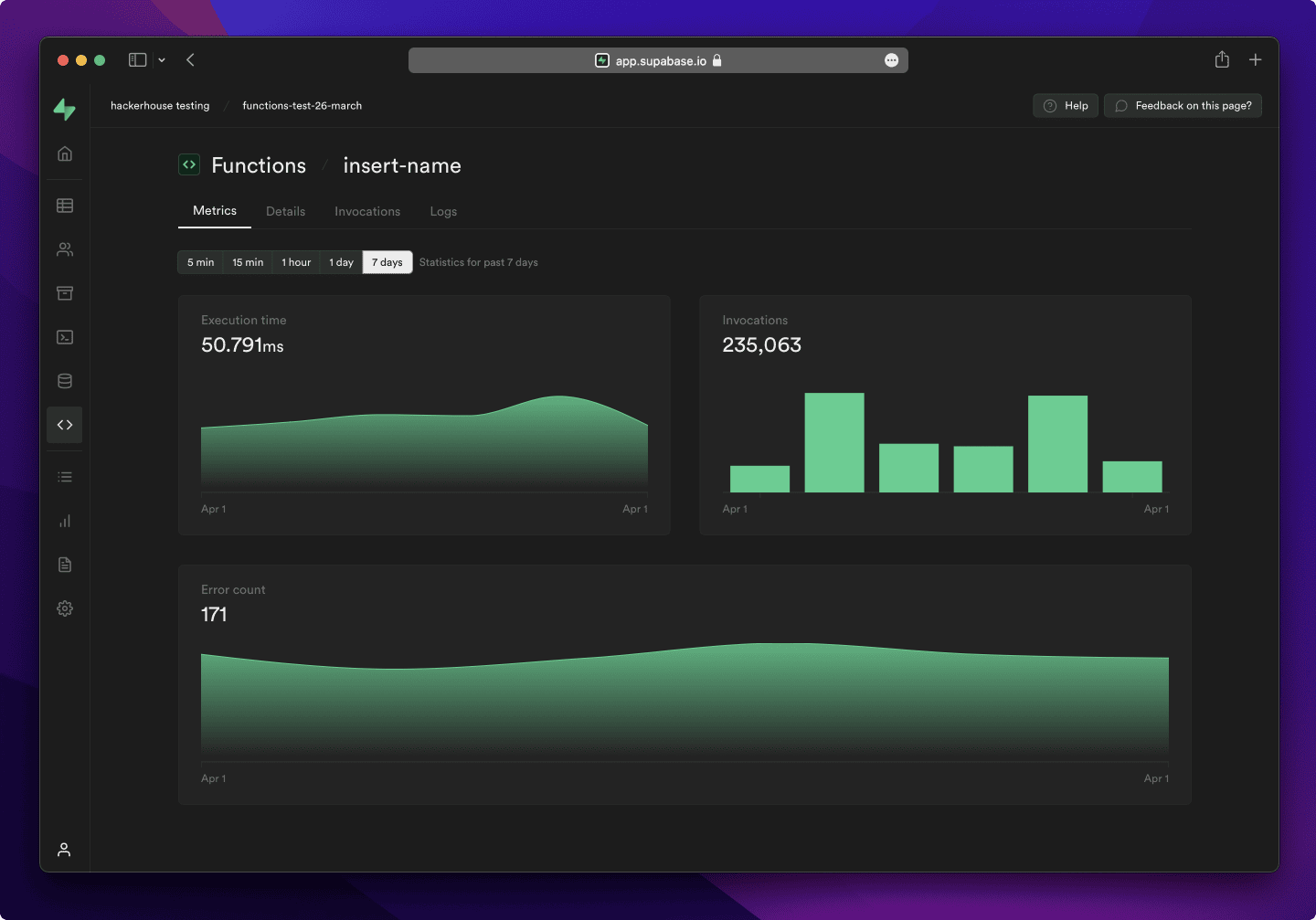
- Dashboard
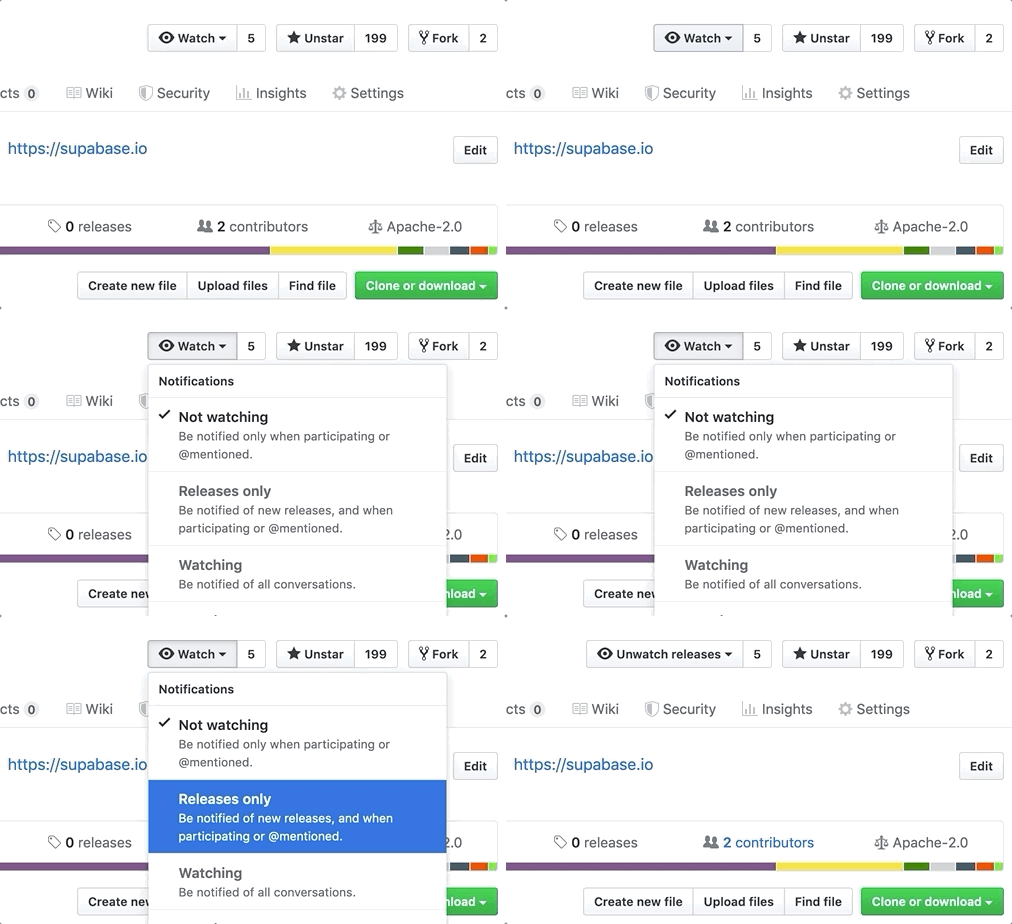
Watch "releases" of this repo to get notified of major updates.
Documentation
For full documentation, visit supabase.com/docs
To see how to Contribute, visit Getting Started
Community & Support
- Community Forum. Best for: help with building, discussion about database best practices.
- GitHub Issues. Best for: bugs and errors you encounter using Supabase.
- Email Support. Best for: problems with your database or infrastructure.
- Discord. Best for: sharing your applications and hanging out with the community.
How it works
Supabase is a combination of open source tools. We’re building the features of Firebase using enterprise-grade, open source products. If the tools and communities exist, with an MIT, Apache 2, or equivalent open license, we will use and support that tool. If the tool doesn't exist, we build and open source it ourselves. Supabase is not a 1-to-1 mapping of Firebase. Our aim is to give developers a Firebase-like developer experience using open source tools.
Architecture
Supabase is a hosted platform. You can sign up and start using Supabase without installing anything. You can also self-host and develop locally.

- Postgres is an object-relational database system with over 30 years of active development that has earned it a strong reputation for reliability, feature robustness, and performance.
- Realtime is an Elixir server that allows you to listen to PostgreSQL inserts, updates, and deletes using websockets. Realtime polls Postgres' built-in replication functionality for database changes, converts changes to JSON, then broadcasts the JSON over websockets to authorized clients.
- PostgREST is a web server that turns your PostgreSQL database directly into a RESTful API.
- GoTrue is a JWT-based authentication API that simplifies user sign-ups, logins, and session management in your applications.
- Storage a RESTful API for managing files in S3, with Postgres handling permissions.
- pg_graphql a PostgreSQL extension that exposes a GraphQL API.
- postgres-meta is a RESTful API for managing your Postgres, allowing you to fetch tables, add roles, and run queries, etc.
- Kong is a cloud-native API gateway.
Client libraries
Our approach for client libraries is modular. Each sub-library is a standalone implementation for a single external system. This is one of the ways we support existing tools.
| Language | Client | Feature-Clients (bundled in Supabase client) | ||||
|---|---|---|---|---|---|---|
| Supabase | PostgREST | GoTrue | Realtime | Storage | Functions | |
| ⚡️ Official ⚡️ | ||||||
| JavaScript (TypeScript) | supabase-js | postgrest-js | auth-js | realtime-js | storage-js | functions-js |
| Flutter | supabase-flutter | postgrest-dart | gotrue-dart | realtime-dart | storage-dart | functions-dart |
| Swift | supabase-swift | postgrest-swift | auth-swift | realtime-swift | storage-swift | functions-swift |
| Python | supabase-py | postgrest-py | gotrue-py | realtime-py | storage-py | functions-py |
| 💚 Community 💚 | ||||||
| C# | supabase-csharp | postgrest-csharp | gotrue-csharp | realtime-csharp | storage-csharp | functions-csharp |
| Go | - | postgrest-go | gotrue-go | - | storage-go | functions-go |
| Java | - | - | gotrue-java | - | storage-java | - |
| Kotlin | supabase-kt | postgrest-kt | auth-kt | realtime-kt | storage-kt | functions-kt |
| Ruby | supabase-rb | postgrest-rb | - | - | - | - |
| Rust | - | postgrest-rs | - | - | - | - |
| Godot Engine (GDScript) | supabase-gdscript | - | - | - | - | - |
Badges

[](https://supabase.com)
<a href="https://supabase.com">
  <img
    width="168"
    height="30"
    src="https://supabase.com/badge-made-with-supabase.svg"
    alt="Made with Supabase"
  />
</a>

[](https://supabase.com)
<a href="https://supabase.com">
  <img
    width="168"
    height="30"
    src="https://supabase.com/badge-made-with-supabase-dark.svg"
    alt="Made with Supabase"
  />
</a>
Translations
- Arabic | العربية
- Albanian / Shqip
- Bangla / বাংলা
- Bulgarian / Български
- Catalan / Català
- Croatian / Hrvatski
- Czech / čeština
- Danish / Dansk
- Dutch / Nederlands
- English
- Estonian / eesti keel
- Finnish / Suomalainen
- French / Français
- German / Deutsch
- Greek / Ελληνικά
- Gujarati / ગુજરાતી
- Hebrew / עברית
- Hindi / हिंदी
- Hungarian / Magyar
- Nepali / नेपाली
- Indonesian / Bahasa Indonesia
- Italiano / Italian
- Japanese / 日本語
- Korean / 한국어
- Lithuanian / lietuvių
- Latvian / latviski
- Malay / Bahasa Malaysia
- Norwegian (Bokmål) / Norsk (Bokmål)
- Persian / فارسی
- Polish / Polski
- Portuguese / Português
- Portuguese (Brazilian) / Português Brasileiro
- Romanian / Română
- Russian / Pусский
- Serbian / Srpski
- Sinhala / සිංහල
- Slovak / slovenský
- Slovenian / Slovenščina
- Spanish / Español
- Simplified Chinese / 简体中文
- Swedish / Svenska
- Thai / ไทย
- Traditional Chinese / 繁體中文
- Turkish / Türkçe
- Ukrainian / Українська
- Vietnamese / Tiếng Việt
- List of translations