 Ali Waseem
e6f779ea30
Ali Waseem
e6f779ea30
## Summary

Adds the first batch of keyboard shortcuts for the Database → Schema
Visualizer page, following the registry pattern established for the SQL
editor and table editor.

Fixes [FE-3115](https://linear.app/supabase/issue/FE-3115).

## Shortcuts

| Shortcut | Action |
| --- | --- |
| `Mod+Shift+C` | Copy schema as SQL |
| `Mod+Shift+M` | Copy schema as Markdown |
| `D` then `P` | Download schema as PNG |
| `D` then `S` | Download schema as SVG |
| `O` then `A` | Open the auto-layout confirmation dialog |
| `O` then `S` | Open the schema selector |

All six entries appear in the Cmd+K command menu under "Shortcuts" and
in the global shortcuts sheet (`Mod+/`) under a new "Schema Visualizer"
group while the page is mounted. None are surfaced in Account →
Preferences yet (`showInSettings: false`), matching how the SQL/table
editor batches shipped.

The schema selector and auto-layout button are wrapped in the unified
`Shortcut` component so the keybind is shown on hover (Linear-style).
The dropdown items for copy/download don't get hover hints since
tooltips on dropdown items don't make sense — they're discoverable via
Cmd+K instead.

## Toasts

Each user-visible action now confirms via a sonner toast:

- `Successfully copied as SQL` — fires on Copy as SQL (button or
`Mod+Shift+C`).
- `Successfully copied as Markdown` — fires on Copy as Markdown
(dropdown or `Mod+Shift+M`).
- `Successfully downloaded as PNG` / `Successfully downloaded as SVG` —
already present in `useExportSchemaToImage`; fires on click or `D → P` /
`D → S`.
- `Failed to download current view: …` — error toast on download failure
(also pre-existing).

## Notes

- `Mod+Shift+C` and `Mod+Shift+M` collide with the SQL editor's
`results.copy-csv` / `results.copy-markdown` shortcuts. They coexist
cleanly because `useShortcut` only fires while the hook is mounted, and
the two pages live on different routes. Both labels appear in the global
shortcuts sheet honestly scoped per surface.
- `SchemaSelector` was promoted to a `forwardRef` component that spreads
extra props onto its outer `<div>`. This was needed for `<TooltipTrigger
asChild>` to attach event handlers and the ref properly — previously
they were silently dropped and the hover tooltip didn't render.
- `SchemaSelector` and the auto-layout `AlertDialog` accept controlled
`open` props now so the shortcuts can drive them and the tooltip can be
suppressed while the popover/dialog is open (`Shortcut` gained a
`tooltipOpen` passthrough for this).
- Auto-layout still pops the existing confirmation dialog rather than
running directly — destructive enough to keep the guardrail.

## Test plan

- [x] On the Schema Visualizer page, each of the six shortcuts fires the
corresponding action.
- [x] Hover the schema selector and the Auto layout button — tooltip
shows the action label and keybind badge.
- [x] Open the schema selector popover (click or `O → S`) — hover
tooltip is suppressed while open.
- [x] Open the auto-layout confirm dialog (click or `O → A`) — hover
tooltip is suppressed while open.
- [x] Cmd+K shows all six entries under "Shortcuts" while on the page;
navigating away unregisters them.
- [x] `Mod+/` shortcuts sheet has a "Schema Visualizer" group listing
all six.
- [x] Copy as SQL / Markdown each fire a confirmation toast; PNG / SVG
downloads each fire a confirmation toast.
- [x] On the SQL editor results page, `Mod+Shift+M` / `Mod+Shift+C`
still copy results (no regression from the duplicate keybinds).
- [x] The download dropdown items still work via click; PNG/SVG
downloads succeed.
- [x] All other consumers of `SchemaSelector` (~15 callsites) render
unchanged after the `forwardRef` promotion.

<!-- This is an auto-generated comment: release notes by coderabbit.ai
-->
## Summary by CodeRabbit

* **New Features**
* Keyboard shortcuts for schema visualizer: copy as SQL/Markdown,
download PNG/SVG, auto-layout, and focus selector
  * Success toasts when copying content to clipboard

* **Improvements**
* Schema selector and auto-layout dialog can be opened/closed via
keyboard and programmatically
* Shortcut tooltips can be suppressed when related overlays/dialogs are
open
  * Schema Visualizer added to the shortcuts reference sheet

* **Tests**
  * E2E tests dismiss transient toasts to avoid UI interference
<!-- end of auto-generated comment: release notes by coderabbit.ai -->


Supabase
Supabase is the Postgres development platform. We're building the features of Firebase using enterprise-grade open source tools.
- Hosted Postgres Database. Docs
- Authentication and Authorization. Docs
- Auto-generated APIs.
- Functions.
- File Storage. Docs
- AI + Vector/Embeddings Toolkit. Docs
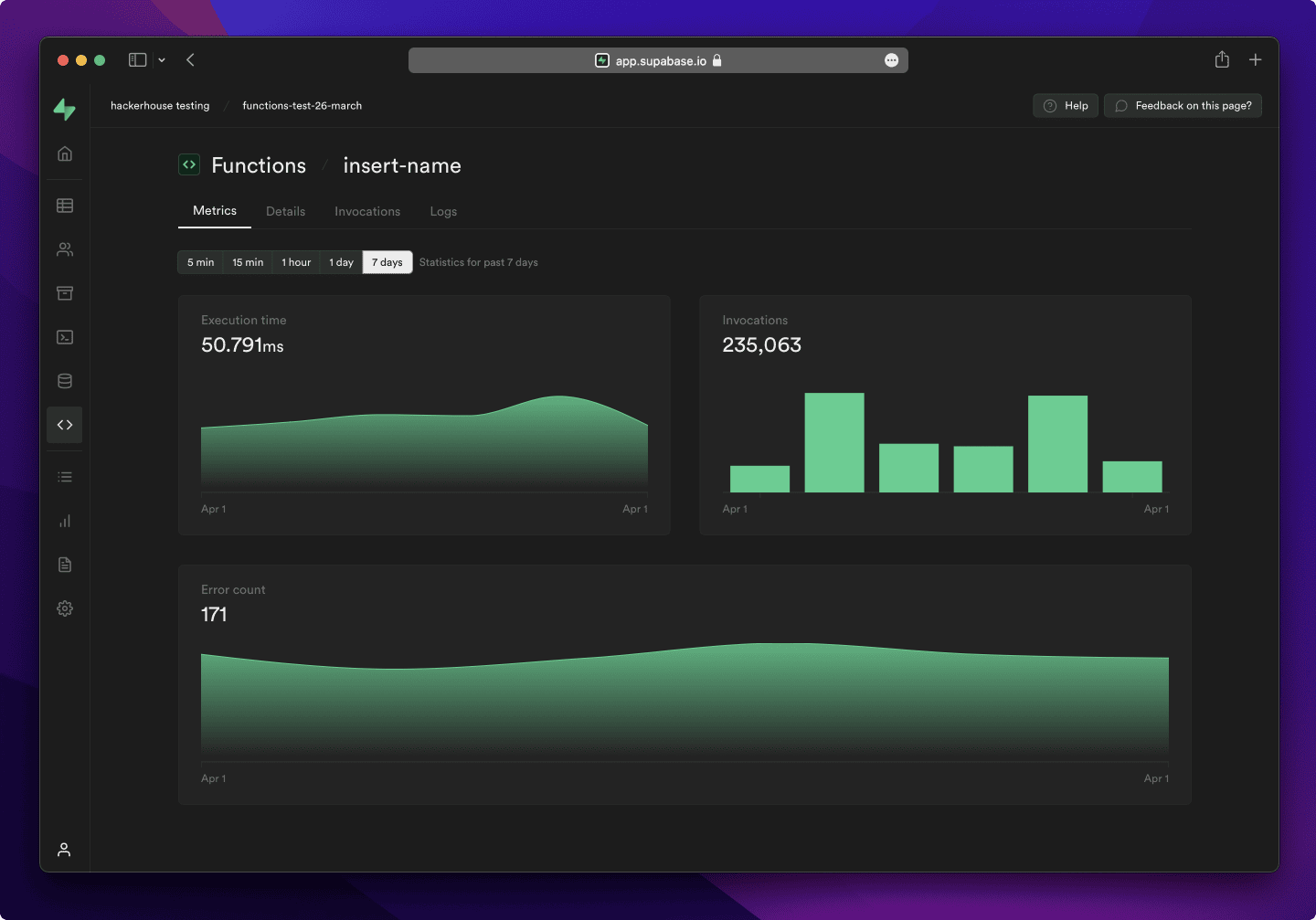
- Dashboard
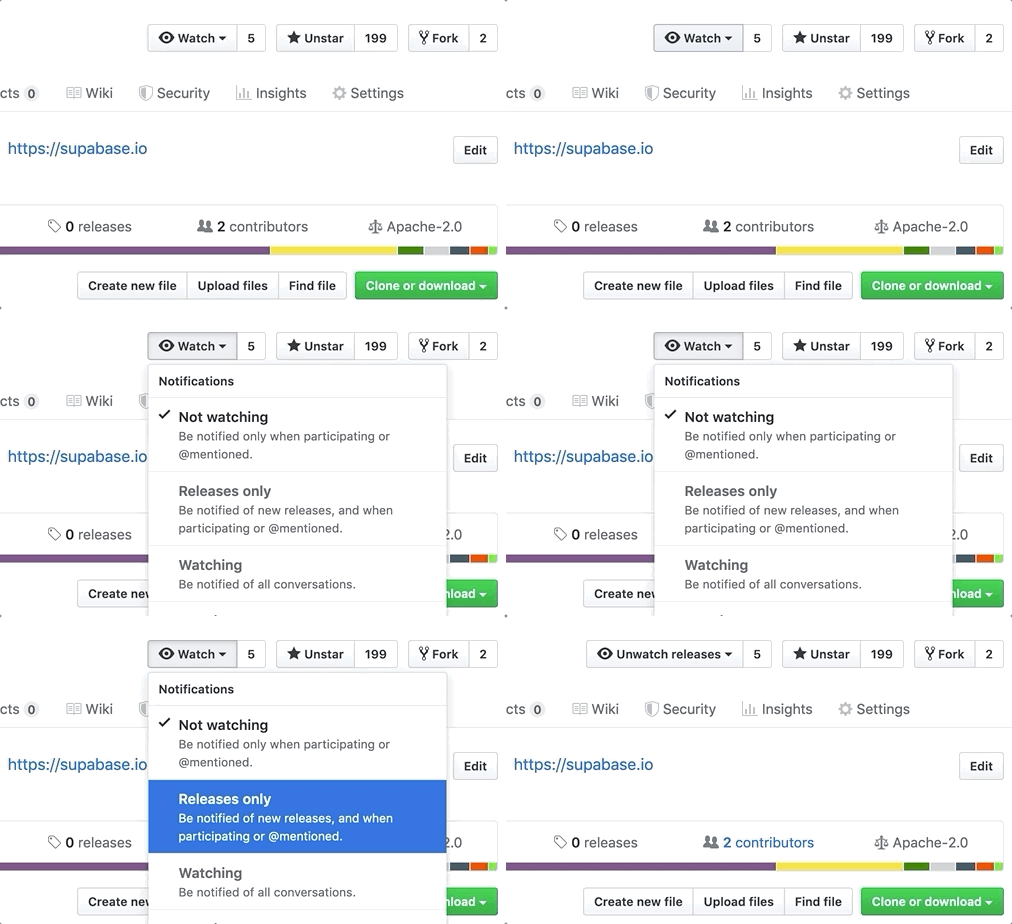
Watch "releases" of this repo to get notified of major updates.
Documentation
For full documentation, visit supabase.com/docs
To see how to Contribute, visit Getting Started
Community & Support
- Community Forum. Best for: help with building, discussion about database best practices.
- GitHub Issues. Best for: bugs and errors you encounter using Supabase.
- Email Support. Best for: problems with your database or infrastructure.
- Discord. Best for: sharing your applications and hanging out with the community.
How it works
Supabase is a combination of open source tools. We’re building the features of Firebase using enterprise-grade, open source products. If the tools and communities exist, with an MIT, Apache 2, or equivalent open license, we will use and support that tool. If the tool doesn't exist, we build and open source it ourselves. Supabase is not a 1-to-1 mapping of Firebase. Our aim is to give developers a Firebase-like developer experience using open source tools.
Architecture
Supabase is a hosted platform. You can sign up and start using Supabase without installing anything. You can also self-host and develop locally.

- Postgres is an object-relational database system with over 30 years of active development that has earned it a strong reputation for reliability, feature robustness, and performance.
- Realtime is an Elixir server that allows you to listen to PostgreSQL inserts, updates, and deletes using websockets. Realtime polls Postgres' built-in replication functionality for database changes, converts changes to JSON, then broadcasts the JSON over websockets to authorized clients.
- PostgREST is a web server that turns your PostgreSQL database directly into a RESTful API.
- GoTrue is a JWT-based authentication API that simplifies user sign-ups, logins, and session management in your applications.
- Storage a RESTful API for managing files in S3, with Postgres handling permissions.
- pg_graphql a PostgreSQL extension that exposes a GraphQL API.
- postgres-meta is a RESTful API for managing your Postgres, allowing you to fetch tables, add roles, and run queries, etc.
- Kong is a cloud-native API gateway.
Client libraries
Our approach for client libraries is modular. Each sub-library is a standalone implementation for a single external system. This is one of the ways we support existing tools.
| Language | Client | Feature-Clients (bundled in Supabase client) | ||||
|---|---|---|---|---|---|---|
| Supabase | PostgREST | GoTrue | Realtime | Storage | Functions | |
| ⚡️ Official ⚡️ | ||||||
| JavaScript (TypeScript) | supabase-js | postgrest-js | auth-js | realtime-js | storage-js | functions-js |
| Flutter | supabase-flutter | postgrest-dart | gotrue-dart | realtime-dart | storage-dart | functions-dart |
| Swift | supabase-swift | postgrest-swift | auth-swift | realtime-swift | storage-swift | functions-swift |
| Python | supabase-py | postgrest-py | gotrue-py | realtime-py | storage-py | functions-py |
| 💚 Community 💚 | ||||||
| C# | supabase-csharp | postgrest-csharp | gotrue-csharp | realtime-csharp | storage-csharp | functions-csharp |
| Go | - | postgrest-go | gotrue-go | - | storage-go | functions-go |
| Java | - | - | gotrue-java | - | storage-java | - |
| Kotlin | supabase-kt | postgrest-kt | auth-kt | realtime-kt | storage-kt | functions-kt |
| Ruby | supabase-rb | postgrest-rb | - | - | - | - |
| Rust | - | postgrest-rs | - | - | - | - |
| Godot Engine (GDScript) | supabase-gdscript | - | - | - | - | - |
Badges

[](https://supabase.com)
<a href="https://supabase.com">
  <img
    width="168"
    height="30"
    src="https://supabase.com/badge-made-with-supabase.svg"
    alt="Made with Supabase"
  />
</a>

[](https://supabase.com)
<a href="https://supabase.com">
  <img
    width="168"
    height="30"
    src="https://supabase.com/badge-made-with-supabase-dark.svg"
    alt="Made with Supabase"
  />
</a>
Translations
- Arabic | العربية
- Albanian / Shqip
- Bangla / বাংলা
- Bulgarian / Български
- Catalan / Català
- Croatian / Hrvatski
- Czech / čeština
- Danish / Dansk
- Dutch / Nederlands
- English
- Estonian / eesti keel
- Finnish / Suomalainen
- French / Français
- German / Deutsch
- Greek / Ελληνικά
- Gujarati / ગુજરાતી
- Hebrew / עברית
- Hindi / हिंदी
- Hungarian / Magyar
- Nepali / नेपाली
- Indonesian / Bahasa Indonesia
- Italiano / Italian
- Japanese / 日本語
- Korean / 한국어
- Lithuanian / lietuvių
- Latvian / latviski
- Malay / Bahasa Malaysia
- Norwegian (Bokmål) / Norsk (Bokmål)
- Persian / فارسی
- Polish / Polski
- Portuguese / Português
- Portuguese (Brazilian) / Português Brasileiro
- Romanian / Română
- Russian / Pусский
- Serbian / Srpski
- Sinhala / සිංහල
- Slovak / slovenský
- Slovenian / Slovenščina
- Spanish / Español
- Simplified Chinese / 简体中文
- Swedish / Svenska
- Thai / ไทย
- Traditional Chinese / 繁體中文
- Turkish / Türkçe
- Ukrainian / Українська
- Vietnamese / Tiếng Việt
- List of translations