 kanadandClaude Fable 5
29f11b85e7
kanadandClaude Fable 5
29f11b85e7
## What kind of change does this PR introduce?

Docs consistency fix for the [CLI getting-started
guide](https://supabase.com/docs/guides/local-development/cli/getting-started).

The page has three install-channel tab groups (Installing, Beta channel,
Updating the Supabase CLI). The first two order tabs **npm → macOS →
Windows → Linux** with npm as the default, but the Updating section put
npm last and defaulted to macOS. This PR aligns all three, plus two
related consistency fixes found while auditing the CLI-focused pages:

- Move the npm tab first in the Updating section and set
`defaultActiveId="npm"`, matching the other two groups
- Rename the Updating section's `#### Linux package manager` heading to
`#### Linux packages` to match the Installing and Beta channel sections
(in-page `#linux-packages` links target the first occurrence in
Installing, so they are unaffected)
- Add `queryGroup="platform"` to all three groups so the selected
platform stays in sync across them and persists in the URL — the same
mechanism the page's Access services tabs (`access-method`) and the
local-development overview (`package-manager`) already use

Other CLI-focused pages were checked (`cli/testing-and-linting`,
`cli-workflows`, `guides/cli`, `local-development` overview) and have no
similar tab inconsistencies.

Noticed in passing, intentionally not changed here: the Updating npm tab
suggests `npm update supabase@beta --save-dev` for the beta channel, but
`npm update` doesn't accept a dist-tag — switching to beta should be
`npm install supabase@beta --save-dev`. Left for a follow-up since it's
a content bug, not an ordering issue.

Validation: `pnpm lint:mdx` and Prettier pass with no findings on this
file.

🤖 Generated with [Claude Code](https://claude.com/claude-code)

<!-- This is an auto-generated comment: release notes by coderabbit.ai
-->
## Summary by CodeRabbit

* **Documentation**
* Improved the Supabase CLI installation and update guide with clearer
platform-specific tab behavior.
* Refined the “Updating the Supabase CLI” tabs to default to npm, and
added stable/beta npm update instructions in the npm panel.
* Updated Linux update wording and re-formatted the step list under the
Linux packages tab for better readability.
<!-- end of auto-generated comment: release notes by coderabbit.ai -->

Co-authored-by: Claude Fable 5 <noreply@anthropic.com>


Supabase
Supabase is the Postgres development platform. We're building the features of Firebase using enterprise-grade open source tools.
- Hosted Postgres Database. Docs
- Authentication and Authorization. Docs
- Auto-generated APIs.
- Functions.
- File Storage. Docs
- AI + Vector/Embeddings Toolkit. Docs
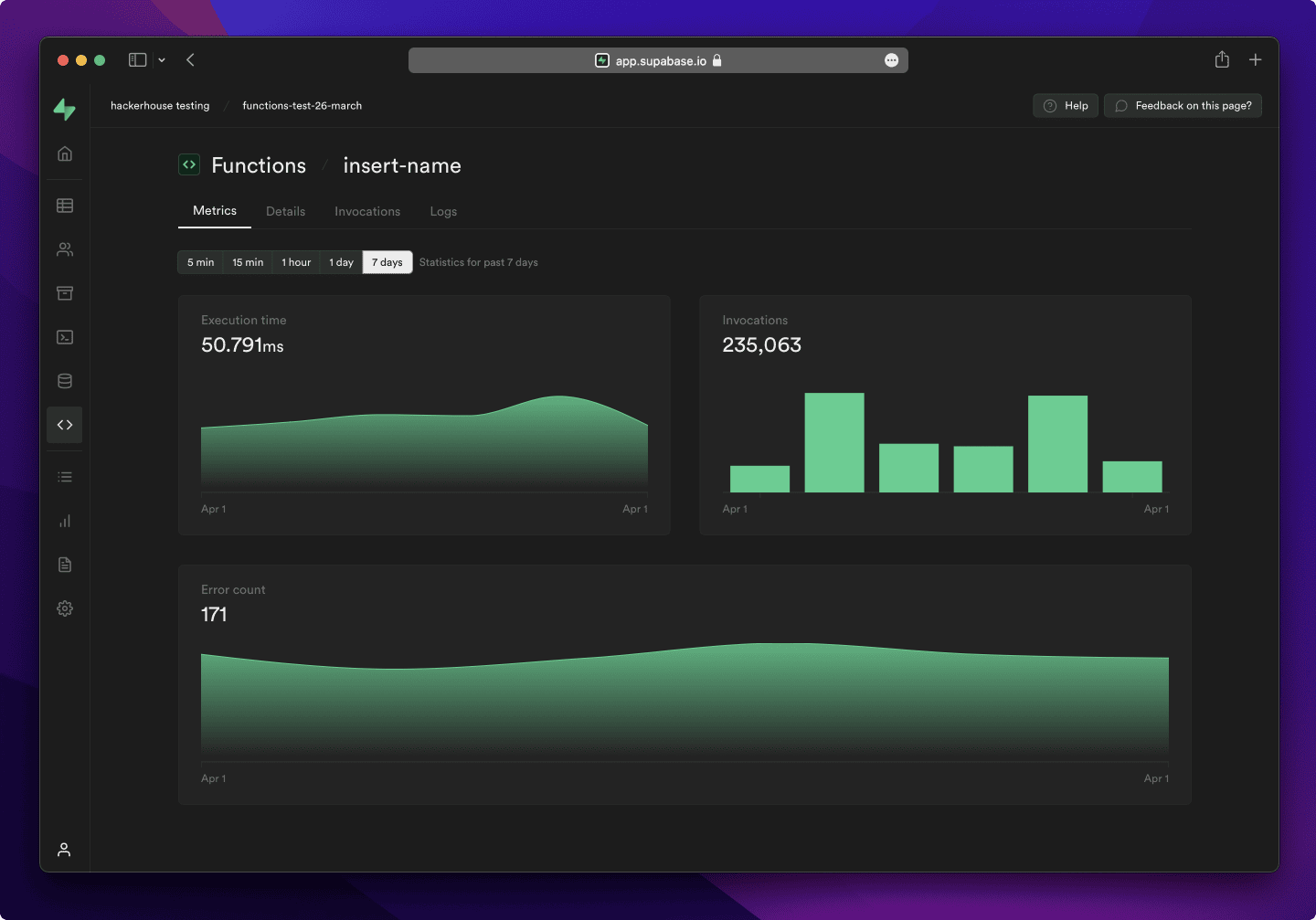
- Dashboard
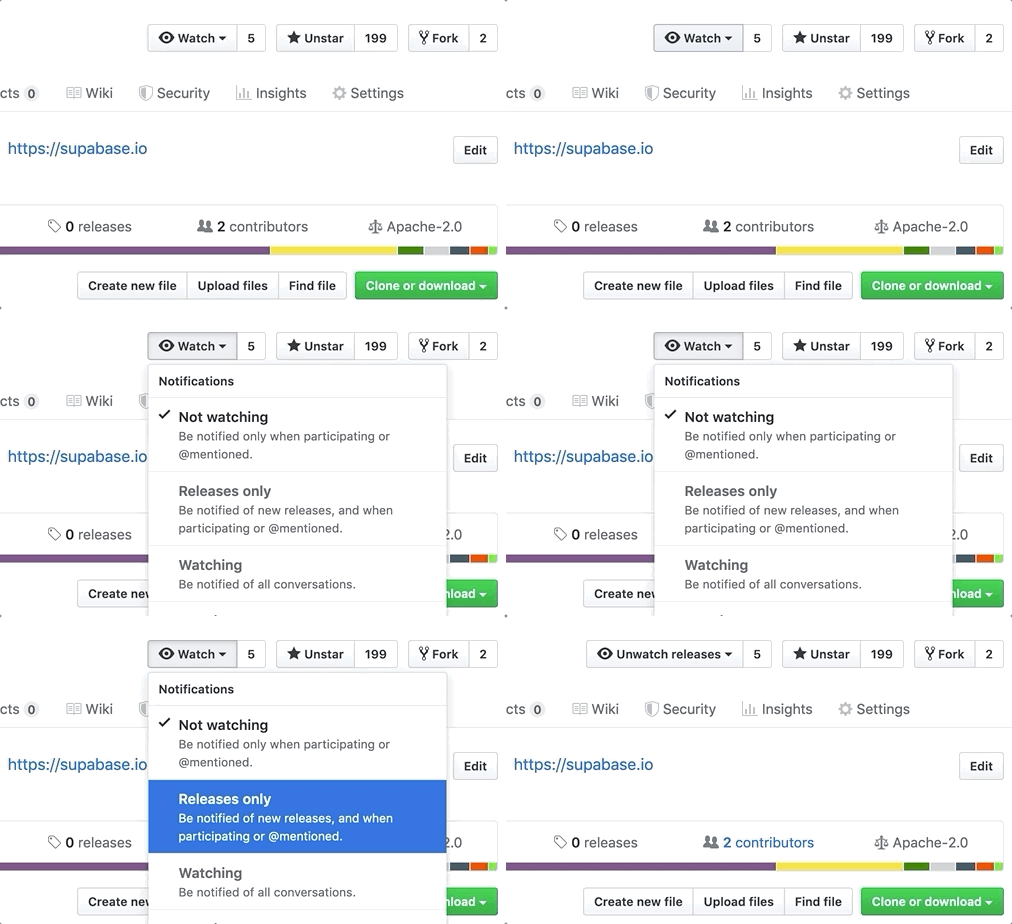
Watch "releases" of this repo to get notified of major updates.
Documentation
For full documentation, visit supabase.com/docs
To see how to Contribute, visit Getting Started
Community & Support
- Community Forum. Best for: help with building, discussion about database best practices.
- GitHub Issues. Best for: bugs and errors you encounter using Supabase.
- Email Support. Best for: problems with your database or infrastructure.
- Discord. Best for: sharing your applications and hanging out with the community.
How it works
Supabase is a combination of open source tools. We’re building the features of Firebase using enterprise-grade, open source products. If the tools and communities exist, with an MIT, Apache 2, or equivalent open license, we will use and support that tool. If the tool doesn't exist, we build and open source it ourselves. Supabase is not a 1-to-1 mapping of Firebase. Our aim is to give developers a Firebase-like developer experience using open source tools.
Architecture
Supabase is a hosted platform. You can sign up and start using Supabase without installing anything. You can also self-host and develop locally.

- Postgres is an object-relational database system with over 30 years of active development that has earned it a strong reputation for reliability, feature robustness, and performance.
- Realtime is an Elixir server that allows you to listen to PostgreSQL inserts, updates, and deletes using websockets. Realtime polls Postgres' built-in replication functionality for database changes, converts changes to JSON, then broadcasts the JSON over websockets to authorized clients.
- PostgREST is a web server that turns your PostgreSQL database directly into a RESTful API.
- GoTrue is a JWT-based authentication API that simplifies user sign-ups, logins, and session management in your applications.
- Storage a RESTful API for managing files in S3, with Postgres handling permissions.
- pg_graphql a PostgreSQL extension that exposes a GraphQL API.
- postgres-meta is a RESTful API for managing your Postgres, allowing you to fetch tables, add roles, and run queries, etc.
- Kong is a cloud-native API gateway.
Client libraries
Our approach for client libraries is modular. Each sub-library is a standalone implementation for a single external system. This is one of the ways we support existing tools.
| Language | Client | Feature-Clients (bundled in Supabase client) | ||||
|---|---|---|---|---|---|---|
| Supabase | PostgREST | GoTrue | Realtime | Storage | Functions | |
| ⚡️ Official ⚡️ | ||||||
| JavaScript (TypeScript) | supabase-js | postgrest-js | auth-js | realtime-js | storage-js | functions-js |
| Flutter | supabase-flutter | postgrest-dart | gotrue-dart | realtime-dart | storage-dart | functions-dart |
| Swift | supabase-swift | postgrest-swift | auth-swift | realtime-swift | storage-swift | functions-swift |
| Python | supabase-py | postgrest-py | gotrue-py | realtime-py | storage-py | functions-py |
| 💚 Community 💚 | ||||||
| C# | supabase-csharp | postgrest-csharp | gotrue-csharp | realtime-csharp | storage-csharp | functions-csharp |
| Go | - | postgrest-go | gotrue-go | - | storage-go | functions-go |
| Java | - | - | gotrue-java | - | storage-java | - |
| Kotlin | supabase-kt | postgrest-kt | auth-kt | realtime-kt | storage-kt | functions-kt |
| Ruby | supabase-rb | postgrest-rb | - | - | - | - |
| Rust | - | postgrest-rs | - | - | - | - |
| Godot Engine (GDScript) | supabase-gdscript | - | - | - | - | - |
Badges

[](https://supabase.com)
<a href="https://supabase.com">
  <img
    width="168"
    height="30"
    src="https://supabase.com/badge-made-with-supabase.svg"
    alt="Made with Supabase"
  />
</a>

[](https://supabase.com)
<a href="https://supabase.com">
  <img
    width="168"
    height="30"
    src="https://supabase.com/badge-made-with-supabase-dark.svg"
    alt="Made with Supabase"
  />
</a>
Translations
- Arabic | العربية
- Albanian / Shqip
- Bangla / বাংলা
- Bulgarian / Български
- Catalan / Català
- Croatian / Hrvatski
- Czech / čeština
- Danish / Dansk
- Dutch / Nederlands
- English
- Estonian / eesti keel
- Finnish / Suomalainen
- French / Français
- German / Deutsch
- Greek / Ελληνικά
- Gujarati / ગુજરાતી
- Hebrew / עברית
- Hindi / हिंदी
- Hungarian / Magyar
- Nepali / नेपाली
- Indonesian / Bahasa Indonesia
- Italiano / Italian
- Japanese / 日本語
- Korean / 한국어
- Lithuanian / lietuvių
- Latvian / latviski
- Malay / Bahasa Malaysia
- Norwegian (Bokmål) / Norsk (Bokmål)
- Persian / فارسی
- Polish / Polski
- Portuguese / Português
- Portuguese (Brazilian) / Português Brasileiro
- Romanian / Română
- Russian / Pусский
- Serbian / Srpski
- Sinhala / සිංහල
- Slovak / slovenský
- Slovenian / Slovenščina
- Spanish / Español
- Simplified Chinese / 简体中文
- Swedish / Svenska
- Thai / ไทย
- Traditional Chinese / 繁體中文
- Turkish / Türkçe
- Ukrainian / Українська
- Vietnamese / Tiếng Việt
- List of translations