 635b2d6050
## I have read the CONTRIBUTING.md file. YES ## What kind of change does this PR introduce? This PR helps standardise link sections which is useful for overview pages that frequently use similar sections such as "Next steps", "Get started", or "Examples". Six high-traffic overview pages are migrated as a pilot, with a skill in the new [supabase/docs-agent-skills](https://github.com/supabase/docs-agent-skills) repo to audit and convert the rest in a follow-on PR. Refactored from an initial YAML front matter approach per review feedback from @jeremenichelli. Now implemented as a React component and using existing linting & Markdown export functionality. A second round of review feedback further simplified the architecture: the per-listing component registry was removed in favor of a single `<ContentListings id="..." />` component backed by an ID-keyed data lookup, the listing data moved out of `apps/docs/components/` into `apps/docs/data/content-listings/`, the listing-specific link wrapper was replaced with the existing `<Link>` + `<GlassPanel>` pattern from the rest of the docs, and the headings now defer to the shared `<Heading>` from `MdxBase.shared.tsx` (no parallel marker-to-tag mapping, no typography overrides). Great feedback, thank you! 🙏 Relates to DOCS-1032. ## What is the current behavior? Authors implement these sections however they wish. As a result, overview and index pages use inconsistent patterns for orientation links: some use hand-rolled Markdown lists, some use custom panel/grid components, some use buttons, and some have no guidance about where to go next at all. There is no shared component for these sections and no analytics on those clicks. ## What is the new behavior? Authors add orientation sections in two steps: 1. Define listing data in a `.data.ts` file under `apps/docs/data/content-listings/` (for example, `storage.data.ts`). Each `ContentListingGroup` has a globally-unique `id` like `storage-get-started`. 2. Place a single `<ContentListings id="..." />` component inline in guide MDX. The ID is also the telemetry `listingId`, so the same value disambiguates the section in PostHog dashboards. Grid and list layouts, optional icons (such as `/docs/img/icons/github-icon` with `-light.svg` variants for dark mode), and external URLs are supported. Conditionals that use `$Show` around inline components are also supported, for example for auth pricing. ### Usage example from "Storage" overview page `apps/docs/data/content-listings/storage.data.ts`: ```ts export const storageGetStarted: ContentListingGroup = { id: 'storage-get-started', heading: 'Get started', description: 'Choose the bucket type that fits your use case:', type: 'grid', items: [ { title: 'Files buckets', href: '/guides/storage/quickstart', description: 'Store and serve images, videos, documents, and general-purpose files with direct URL access and row-level security.', }, { title: 'Analytics buckets', href: '/guides/storage/analytics/introduction', description: 'Store data in Apache Iceberg tables for data lakes, logs, and ETL. Query from Postgres via foreign tables with partitioning.', }, { title: 'Vector buckets', href: '/guides/storage/vector/introduction', description: 'Store embeddings and run similarity search for semantic matching, AI, and RAG. Use HNSW indexing, distance metrics, and metadata filtering.', }, ], } ``` `apps/docs/content/guides/storage.mdx`: ```mdx <ContentListings id="storage-get-started" /> ``` Renders as: <img width="689" alt="Storage Get started listing — Files, Analytics, and Vector buckets" src="https://github.com/user-attachments/assets/0d1b9531-962f-40ae-891e-b1e93ff1c939" /> <br>Exported in Markdown as: ```md ## Get started Choose the bucket type that fits your use case: - **[Files buckets](/docs/guides/storage/quickstart):** Store and serve images, videos, documents, and general-purpose files with direct URL access and row-level security. - **[Analytics buckets](/docs/guides/storage/analytics/introduction):** Store data in Apache Iceberg tables for data lakes, logs, and ETL. Query from Postgres via foreign tables with partitioning. - **[Vector buckets](/docs/guides/storage/vector/introduction):** Store embeddings and run similarity search for semantic matching, AI, and RAG. Use HNSW indexing, distance metrics, and metadata filtering. ``` Click tracking fires via PostHog (`docs_content_listing_clicked`): ```json { "action": "docs_content_listing_clicked", "custom_properties": { "targetPath": "/guides/storage/quickstart", "linkTitle": "Files buckets", "groupTitle": "Get started", "listingId": "storage-get-started" } } ``` Still finding my way around PostHog, but I verified on preview deploy that clicking a content listing on `/docs/guides/auth` sends `docs_content_listing_clicked` to `https://api.supabase.green/platform/telemetry/event` and receives HTTP 201. ### Authoring experience Three ways to add or convert content listings: copy the agent prompt first, use snippets for manual edits, or invoke the audit skill for batch follow-on work. Refer to `CONTRIBUTING.md` for the full authoring guide. #### 1. Agent prompt Copy into Cursor or another AI assistant: ```text Add a content listing block for [TOPIC] / [SECTION] (for example, Storage / Examples). Follow CONTRIBUTING § Content listings in apps/docs. - Add data to apps/docs/data/content-listings/[topic].data.ts - Use a globally-unique kebab-case id like `[topic]-[section]` - Place inline in the guide MDX with <ContentListings id="..." /> - Copy structure from storageGetStarted in apps/docs/data/content-listings/storage.data.ts - Run pnpm test:local lib/content-listings.test.ts from apps/docs ``` #### 2. VS Code / Cursor snippets Type these prefixes in the docs workspace (`.vscode/content-listing.code-snippets`): | Prefix | Inserts | | ----------- | -------------------------------------------------------- | | `cl-data` | `ContentListingGroup` export skeleton with namespaced id | | `cl-inline` | `<ContentListings id="…" />` in guide MDX | <img width="658" height="274" alt="image" src="https://github.com/user-attachments/assets/5ef20954-7aee-4925-887d-79a5ae766b37" /> #### 3. Batch audit skill For follow-on overview page conversion or maintenance, use the [`audit-content-listings`](https://github.com/supabase/docs-agent-skills/blob/main/.claude/skills/audit-content-listings/SKILL.md) skill in `docs-agent-skills` (skill, `conversion-manifest.json`, and validation script). Example: ```text Use audit-content-listings. Audit getting-started.mdx, update conversion-manifest.json, then convert the next unconverted section only. ``` ## Additional context The implementation includes a presentational `<ContentListings />` component (grid/list layouts, GlassPanel, telemetry) backed by ID-keyed data modules, and a single markdown export handler that reads the same `id` prop from the JSX and looks up data via the shared registry. Key files: - **Data:** `apps/docs/data/content-listings/` (one `.data.ts` file per guide topic, plus `index.ts` exporting `CONTENT_LISTINGS` and `getContentListingById`) - **Renderer:** `apps/docs/components/ContentListings/` (single `<ContentListings id="…" />` component); registered in `apps/docs/features/docs/MdxBase.shared.tsx` - **Types/helpers:** `apps/docs/lib/content-listings.schema.ts` (zod schemas, type aliases, grid/heading/href helpers) - **Markdown export:** `apps/docs/internals/markdown-schema/Listings.ts` (single ID-driven handler) wired into `apps/docs/internals/generate-guides-markdown.ts` - **Telemetry:** `docs_content_listing_clicked` defined in `packages/common/telemetry-constants.ts`, fired from `ContentListings.client.tsx` - **Authoring guide:** `apps/docs/CONTRIBUTING.md` (Components and elements → Content listings) - **VS Code snippets:** `.vscode/content-listing.code-snippets` (`cl-data`, `cl-inline`) ### Before & After #### Auth | [Before (production)](https://supabase.com/docs/guides/auth) | [After (preview)](https://docs-git-fork-nrichers-nikrichers-docs-1032-sta-e2a8cb-supabase.vercel.app/docs/guides/auth) | | --------------------------------------------------------------------------------------------------------------------------- | --------------------------------------------------------------------------------------------------------------------------- | | 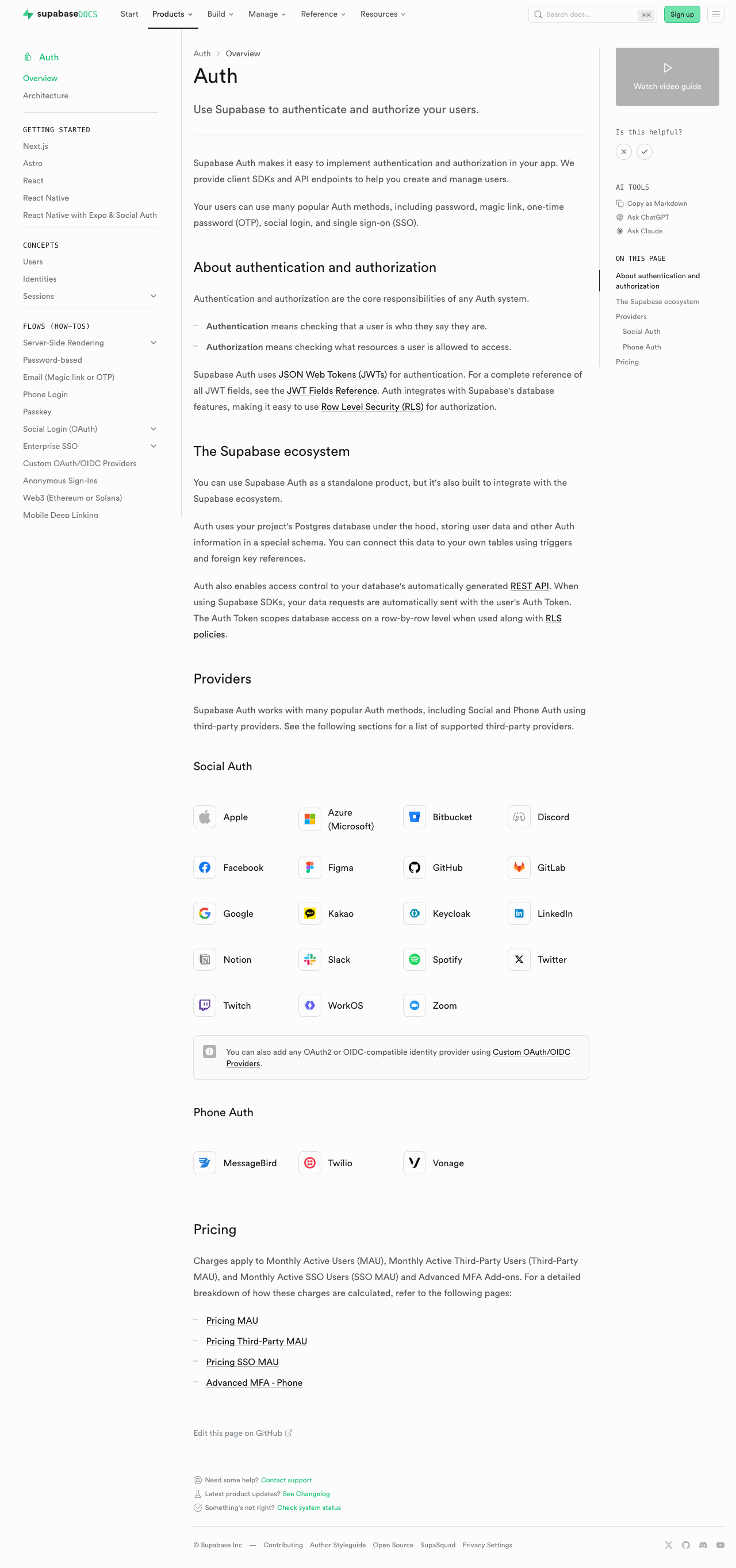 | 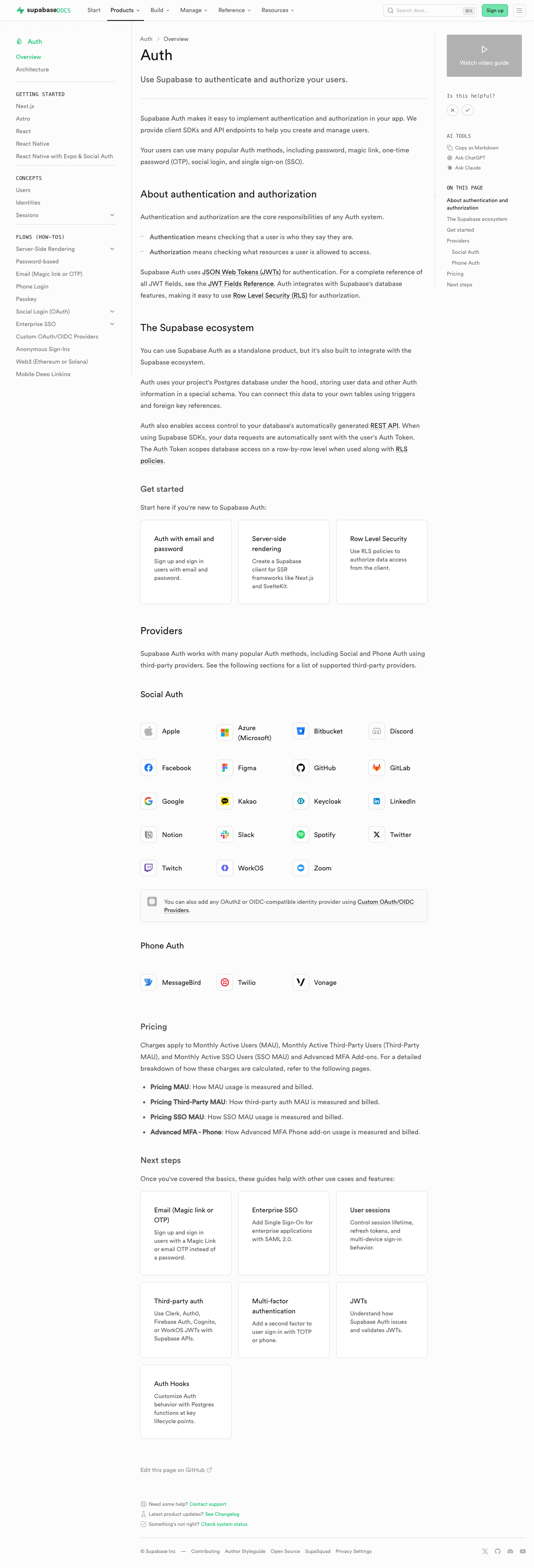 | #### Database overview | [Before (production)](https://supabase.com/docs/guides/database/overview) | [After (preview)](https://docs-git-fork-nrichers-nikrichers-docs-1032-sta-e2a8cb-supabase.vercel.app/docs/guides/database/overview) | | -------------------------------------------------------------------------------------------------------------------------------------------------- | -------------------------------------------------------------------------------------------------------------------------------------------------- | | 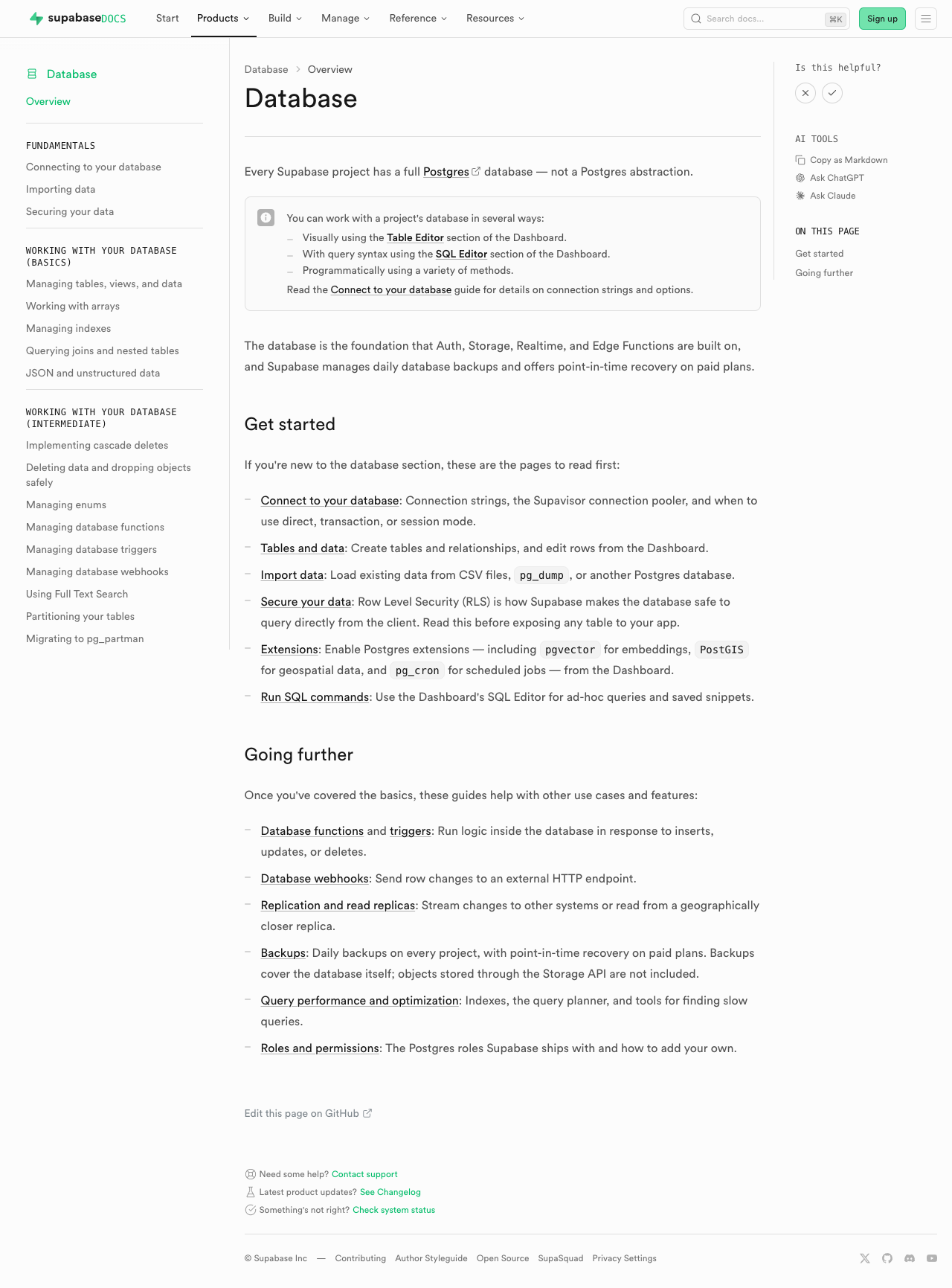 | 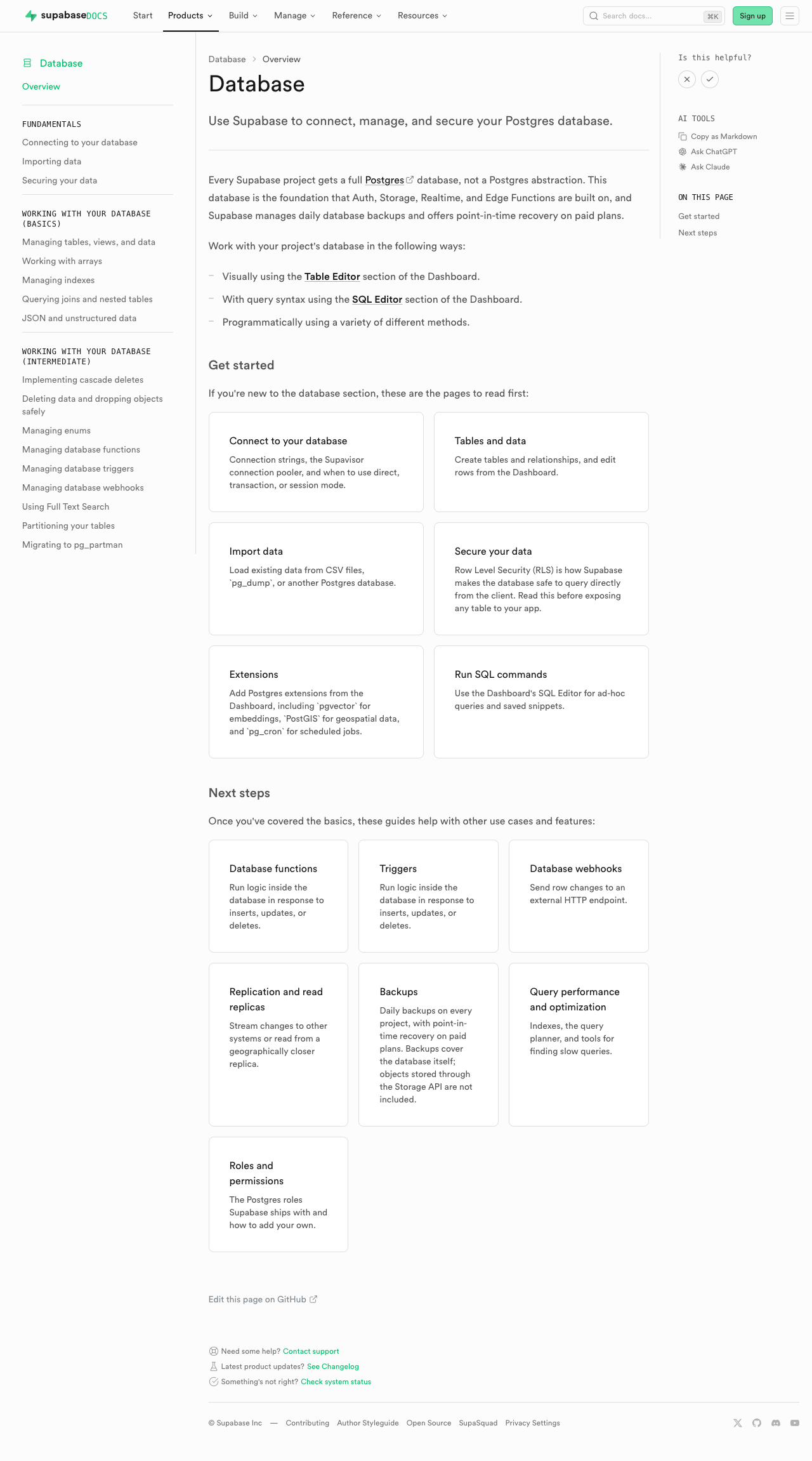 | #### Edge Functions | [Before (production)](https://supabase.com/docs/guides/functions) | [After (preview)](https://docs-git-fork-nrichers-nikrichers-docs-1032-sta-e2a8cb-supabase.vercel.app/docs/guides/functions) | | -------------------------------------------------------------------------------------------------------------------------------------------- | -------------------------------------------------------------------------------------------------------------------------------------------- | | 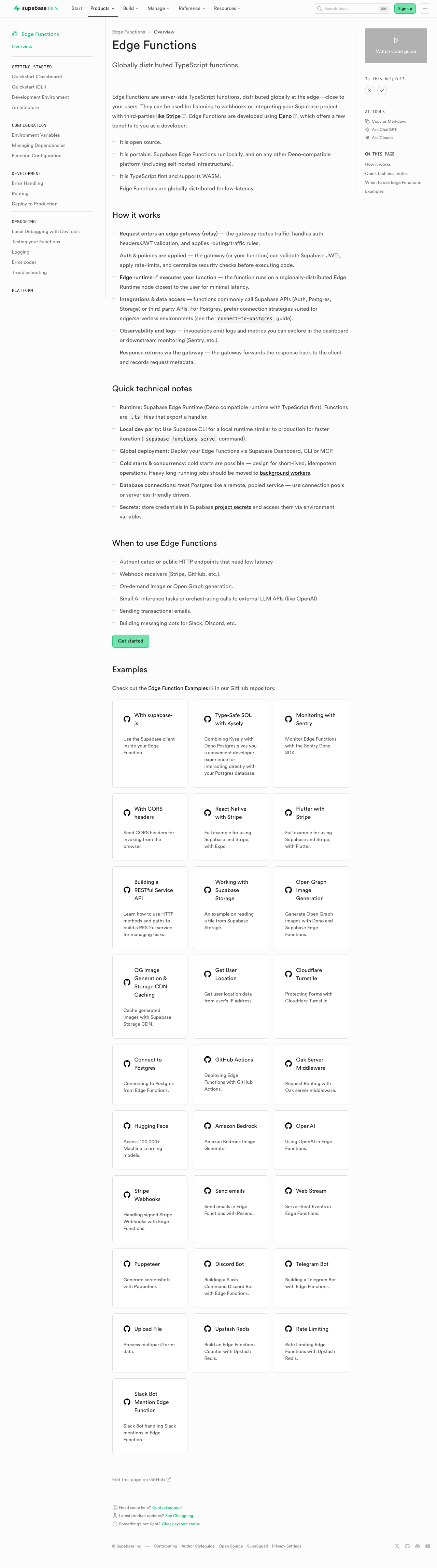 | 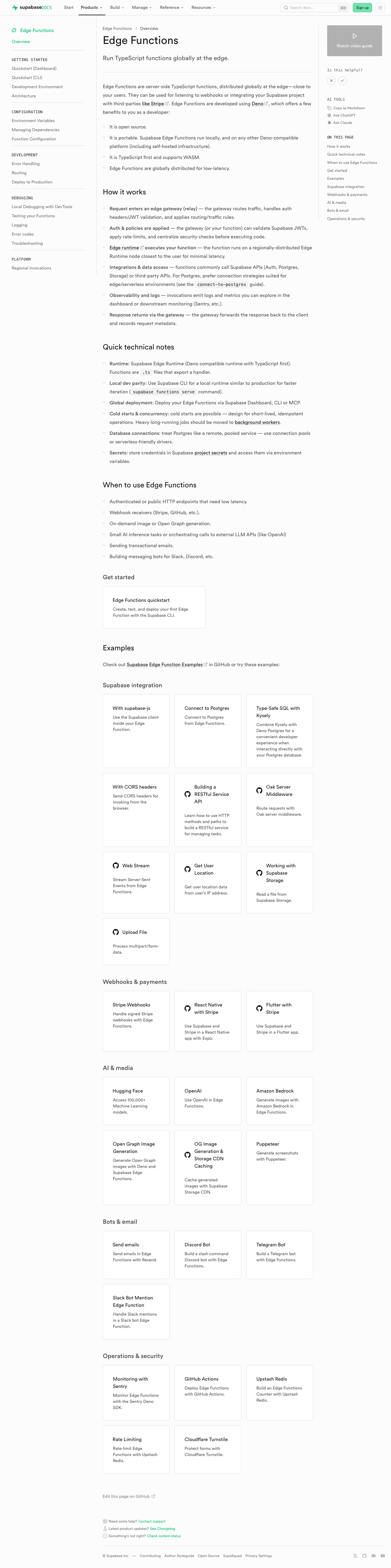 | #### Storage | [Before (production)](https://supabase.com/docs/guides/storage) | [After (preview)](https://docs-git-fork-nrichers-nikrichers-docs-1032-sta-e2a8cb-supabase.vercel.app/docs/guides/storage) | | ---------------------------------------------------------------------------------------------------------------------------------------- | ---------------------------------------------------------------------------------------------------------------------------------------- | | 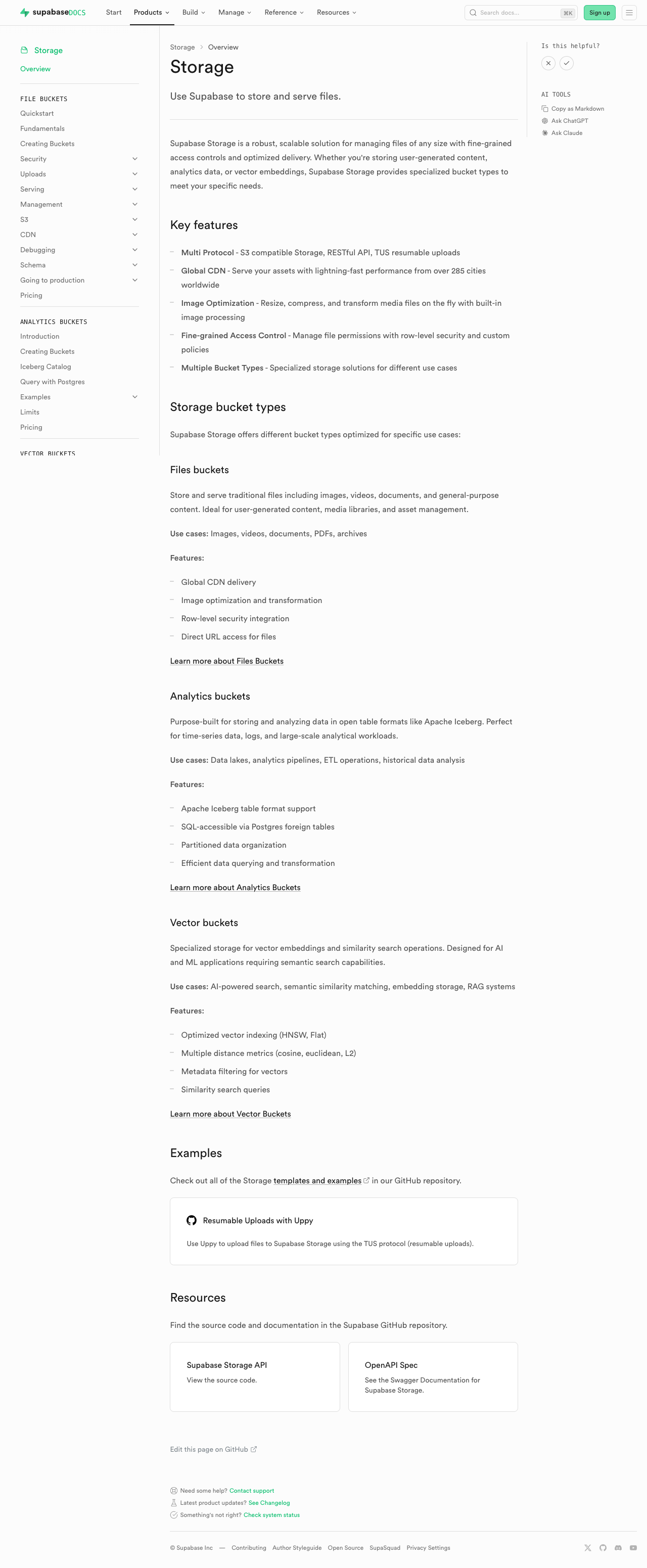 | 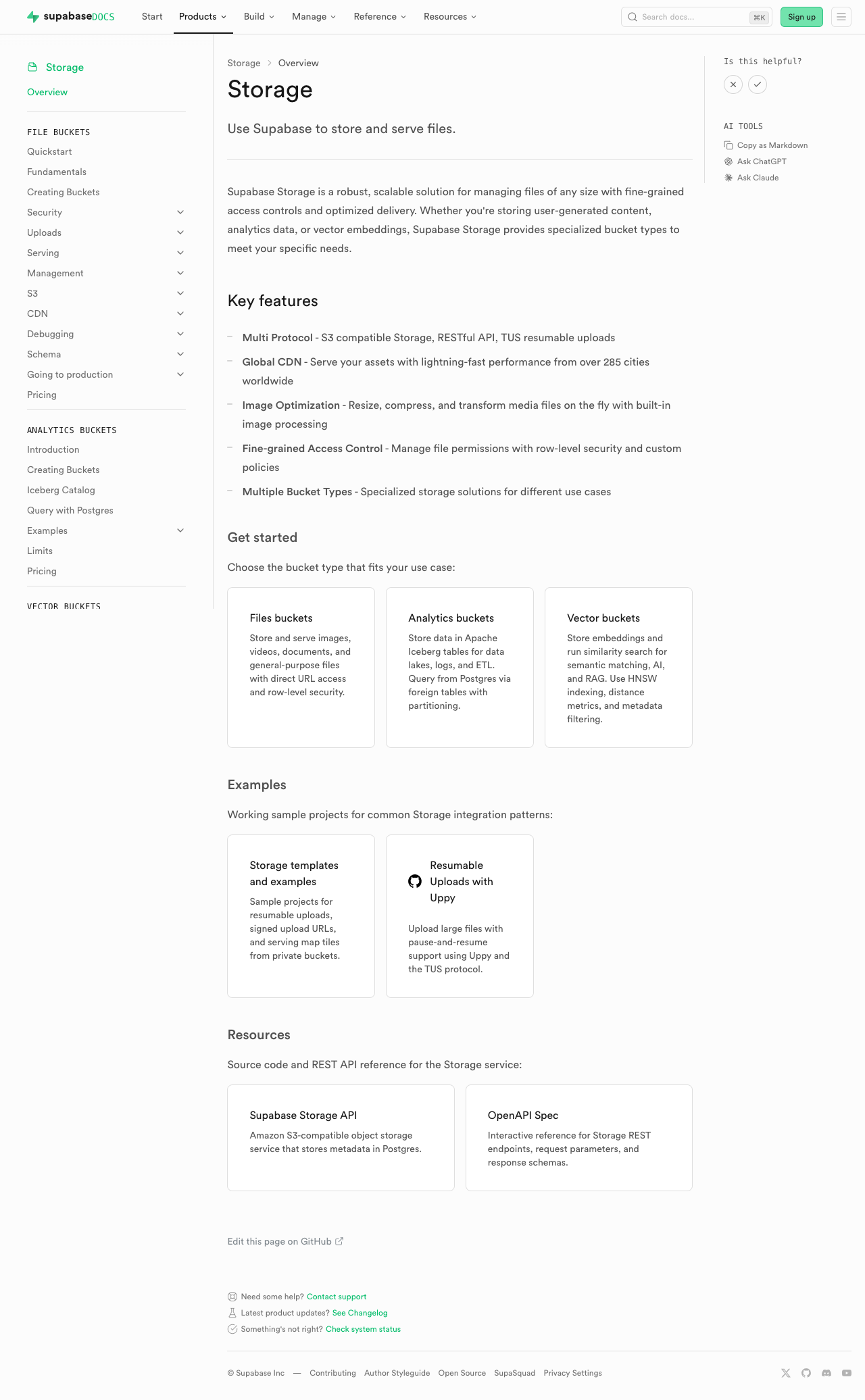 | #### Realtime | [Before (production)](https://supabase.com/docs/guides/realtime) | [After (preview)](https://docs-git-fork-nrichers-nikrichers-docs-1032-sta-e2a8cb-supabase.vercel.app/docs/guides/realtime) | | ------------------------------------------------------------------------------------------------------------------------------------------- | ------------------------------------------------------------------------------------------------------------------------------------------- | | 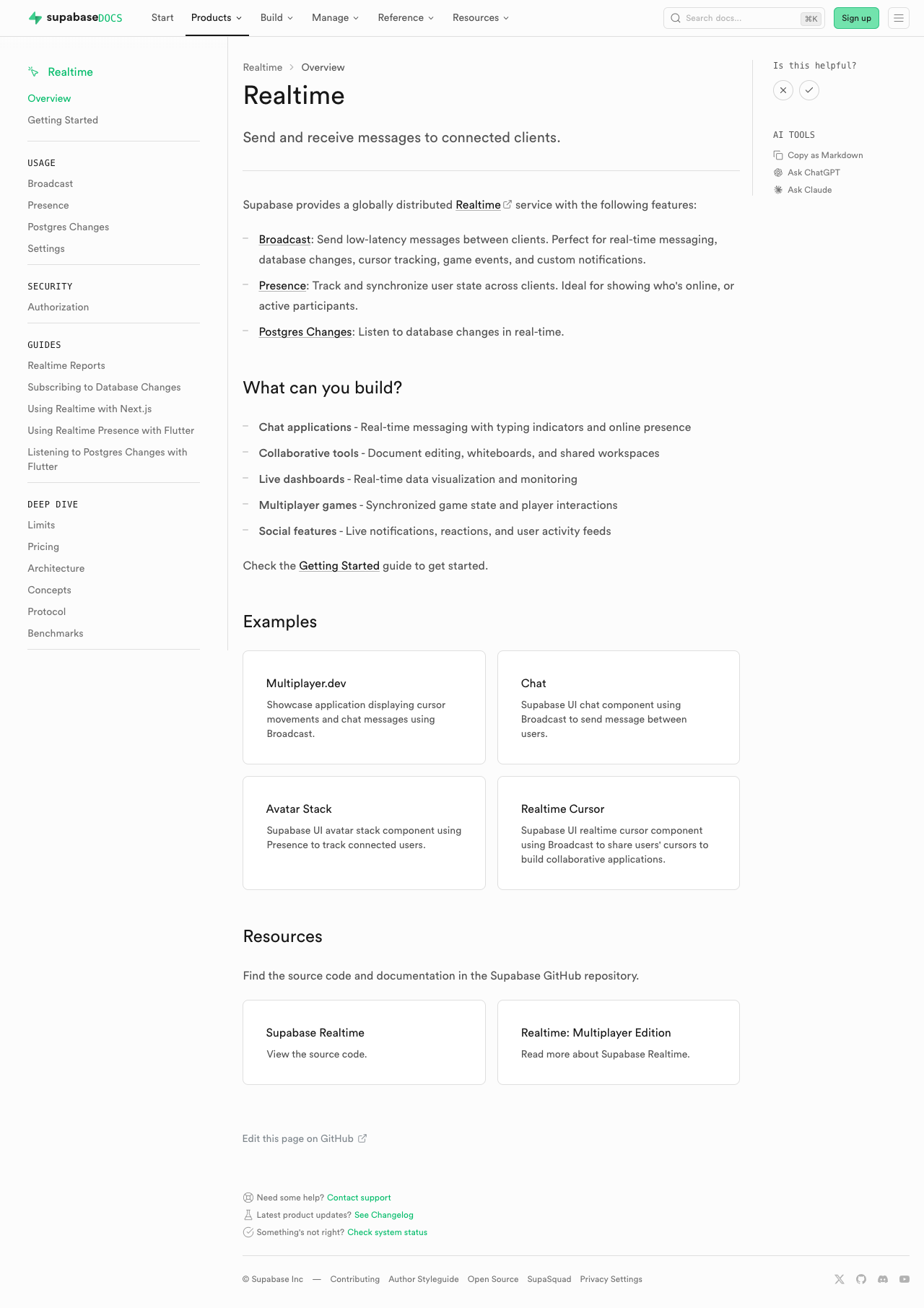 | 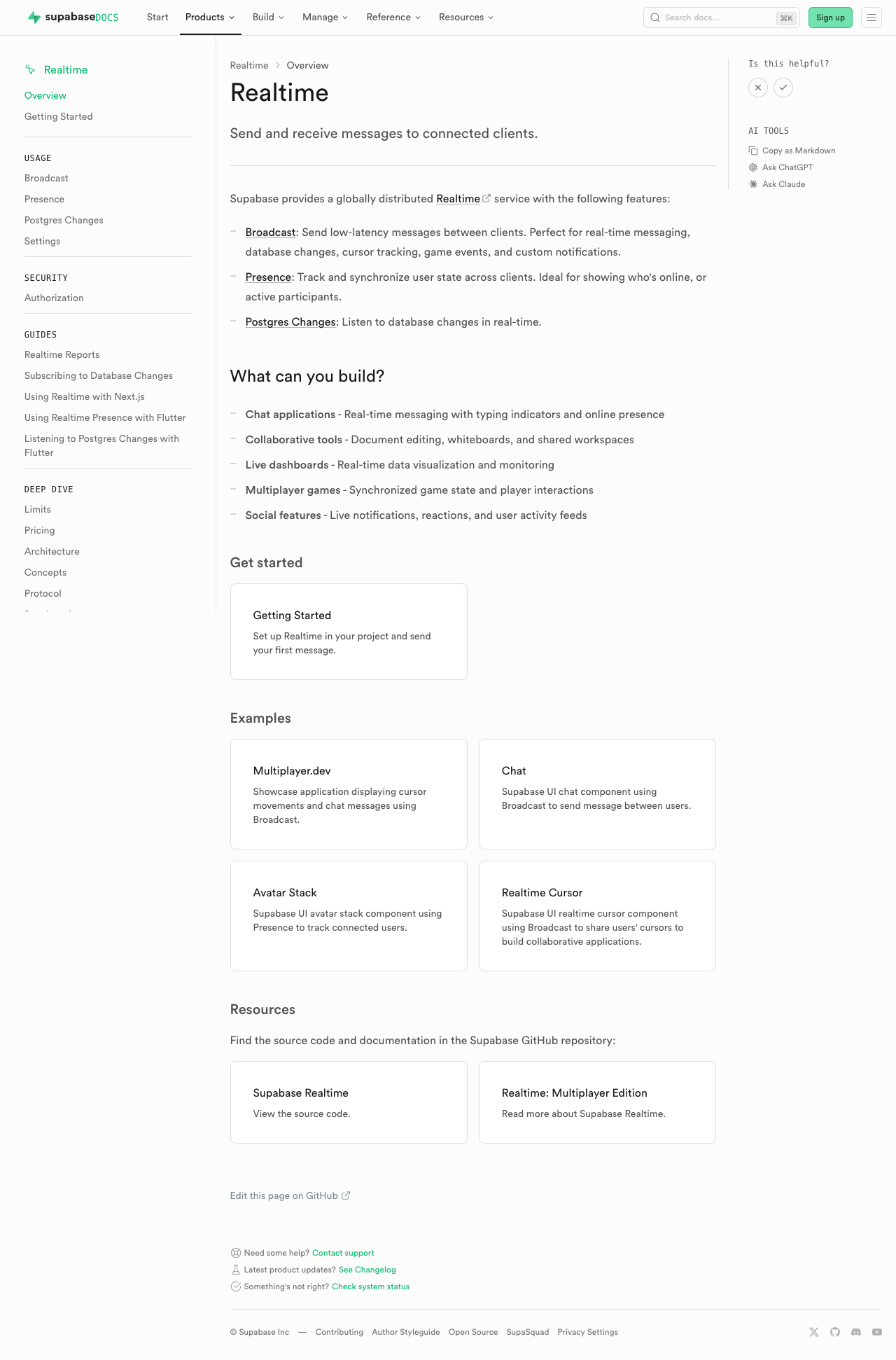 | #### Getting Started (partial migration for demoing) | [Before (production)](https://supabase.com/docs/guides/getting-started) | [After (preview)](https://docs-git-fork-nrichers-nikrichers-docs-1032-sta-e2a8cb-supabase.vercel.app/docs/guides/getting-started) | | ------------------------------------------------------------------------------------------------------------------------------------------------------ | ------------------------------------------------------------------------------------------------------------------------------------------------------ | | 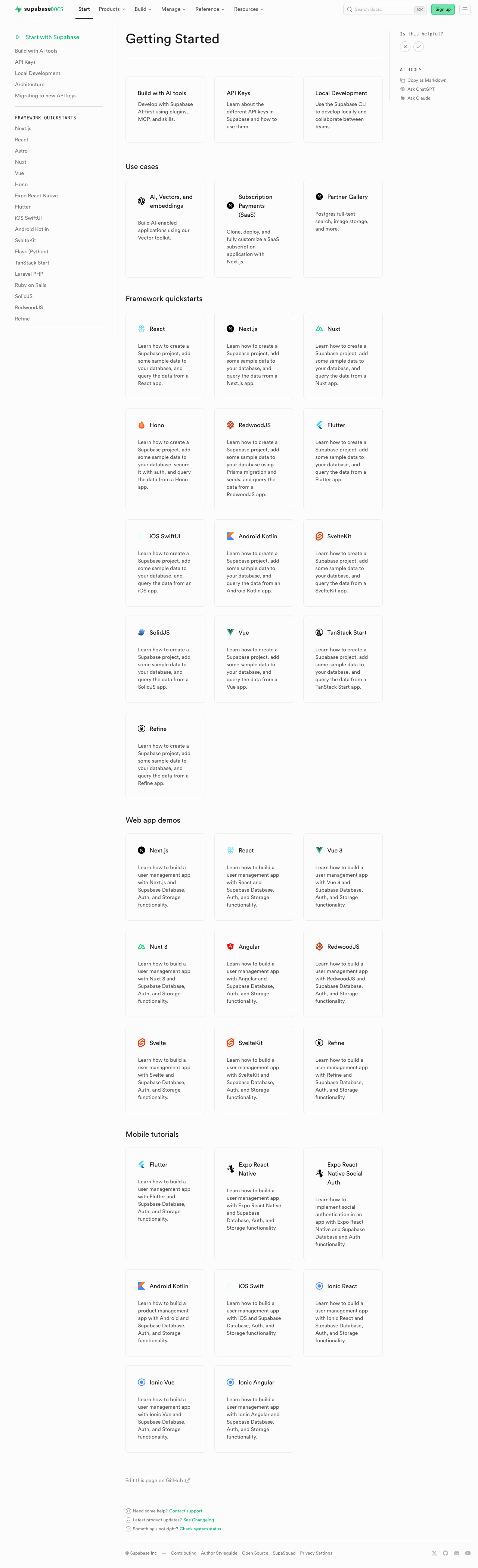 | 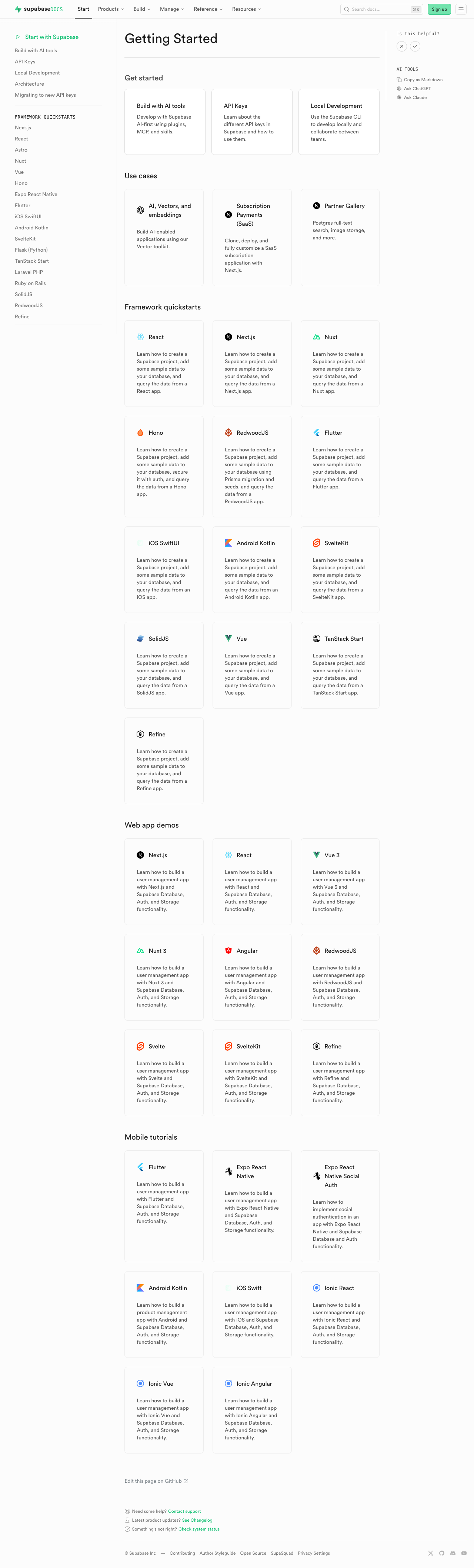 | ### Test plan - [ ] Visually verify migrated pages render correctly: - [ ] `/guides/auth` — grid "Get started", conditional pricing list, grid "Next steps" - [ ] `/guides/database/overview` — get started + next steps listings - [ ] `/guides/getting-started` — top 3-column grid - [ ] `/guides/functions` — get started + example listings - [ ] `/guides/storage` — get started, examples, resources listings - [ ] `/guides/realtime` — get started, examples, resources listings - [ ] Confirm listings render at explicit page positions - [ ] Click a content listing link and verify `docs_content_listing_clicked` fires in PostHog with expected properties (the new `listingId` is the namespaced kebab-case id, e.g. `storage-get-started`) - [ ] Build docs and confirm `.md` alternate output includes listing sections at component placement (e.g. `public/markdown/guides/storage.md`) - [ ] Run unit tests: `pnpm test:local lib/content-listings.test.ts` in `apps/docs` ## Summary by CodeRabbit ## Release Notes * **New Features** * Introduced a standardized content listings system for organizing related guides and resources. * Content listings now support both grid and list layouts for consistent presentation. * Added click telemetry for content listing interactions. * **Documentation** * Updated authentication, database, functions, getting started, realtime, and storage guide pages to use the new content listing components. * Improved MDX structure examples and listing markup formatting in contributor documentation. <!-- end of auto-generated comment: release notes by coderabbit.ai --> <!-- This is an auto-generated comment: release notes by coderabbit.ai --> ## Summary by CodeRabbit ## Release Notes * **New Features** * Introduced a new content listings component for displaying guide content in list and grid layouts across documentation pages. * Added telemetry tracking for content listing interactions to measure user engagement. * **Documentation** * Updated guide pages (Authentication, Database, Functions, Storage, Realtime, Getting Started) to use the new listings layout. * Added contribution guidelines for creating and managing content listings in documentation. * **Tests** * Added comprehensive test coverage for content listings validation, serialization, and rendering. <!-- end of auto-generated comment: release notes by coderabbit.ai --> --------- Co-authored-by: Nik Richers <nik@validmind.ai> Co-authored-by: Jeremias Menichelli <jmenichelli@gmail.com>












17 KiB
Contributing to Supabase docs
Our docs help developers to get started and keep succeeding with Supabase. We welcome contributions from everyone.
If you'd like to contribute, see our list of recommended issues. We also welcome you to open a PR or a new issue with your question.
Here are some general guidelines on writing docs for Supabase.
General principles
Docs should be helpful, quick to read, and easy to understand. We have an audience of global readers who speak different native languages.
To make docs as clear as possible:
- Write for the user. Think about what task they want to complete by reading your doc. Tell them what, and only what, they need to know.
- Write like you talk. Use words and sentences that sound natural when speaking. Cut unnecessary words. Read your writing out loud to help you choose the clearest and simplest phrases.
- Each paragraph should have one topic only. Start a new paragraph whenever you change the topic. Don't worry about paragraphs being too short.
- Avoid using idioms and colloquialisms, such as
piece of cake. These phrases are often specific to a region or culture. - Refer to the reader as
you. Don't useweto refer to the reader. Useweonly to refer to the Supabase team.
Document types
Supabase docs contain 4 types of documents. Before you start writing, think about what type of doc you need.
Explainers
Explainers help the reader to learn a topic. They are conceptual and mostly prose-based. They can include:
- A description of what a feature is
- Some reasons why it is useful
- Some examples of when to use it
- A high-level explanation of how it works
They shouldn't include:
- Instructions on how to use it
Tutorials
Tutorials are goal-oriented. They help a reader to finish a large, complex goal, such as setting up a web app that uses multiple Supabase features.
Tutorials mix prose explanations with procedures (lists of steps for the reader to follow). They provide context for why certain instructions are given.
For inspiration, see an example of a tutorial.
Guides
Guides are also goal-oriented, but they focus on shorter, more targeted tasks. For example, a guide might explain how to set up user login for an app.
Guides contain mostly procedures. Think of an instruction manual for building a desk: it's a list of concise steps that the user can go through quickly.
For inspiration, see an example of a guide.
Reference
References are factual and to the point. Think of dictionary entries.
They should include:
- Function parameters
- Return types
- Code samples
- Warnings for critical errors (for example, missteps that can cause data loss)
They shouldn't include:
- Explanations of the context for a feature
- Examples of use cases
- Multi-step instructions
Repo organization
Most docs pages are contained in the apps/docs/content directory. Some docs sections are federated from other repositories, for example pg_graphql. Reference docs are generated from spec files in the spec directory.
You can usually identify a federated or reference doc because it uses a Next.js dynamic route (for example, [[...slug]].tsx). Look for the spec file import or the repo definition to find the content location.
Example spec file import:
import specFile from '~/spec/transforms/analytics_v0_openapi_deparsed.json' with { type: 'json' }
Example repo definition:
const org = 'supabase'
const repo = 'pg_graphql'
const branch = 'master'
const docsDir = 'docs'
const externalSite = 'https://supabase.github.io/pg_graphql'
Check the sections for guide structure and reference structure to learn more about the file structures.
Guide structure
The Supabase docs use MDX. Guides are written in unstructured prose as MDX documents.
Adding a new guide requires:
- YAML frontmatter
- A navigation entry (in a separate file)
Frontmatter looks like this. title is mandatory. There are also optional properties that you can use to control the page display, including subtitle, tocVideo, and hideToc.
---
title: How to connect to Supabase
hideToc: true
---
The navigation is defined in NavigationMenu.constants.ts.
Add an entry with the name, url, and (optional) icon for your page.
Reference structure
Reference docs are produced from the reference specs and library source code. A common spec file contains shared function and endpoint definitions, and library-specific spec files contain further details.
Common spec file
Each type of library (for example, language SDK or CLI) has a common spec file. For example, see the spec file for the language SDKs. This file contains definitions for the common SDK functions:
- id - Identifies the function
- title - Human-readable title
- slug - URL slug
- product - Supabase product that owns the function. For example, database operations are owned by
database, and auth functions are owned byauth - type -
functionfor a structured function definition ormarkdownfor a prose explainer section.
To add a new function, manually add an entry to this common file.
Specific spec file
Each library also has its own spec file containing library-specific details. For example, see the JavaScript SDK spec file.
The functions listed in this file match the ones defined in the common spec file.
Each function contains a description, code examples, and optional notes. The parameters are pulled from the source code via the $ref property, which references a function definition in the source code repo. These references are pulled down and transformed using commands in the spec Makefile. Unless you're a library maintainer, you don't need to worry about this.
If you're a library maintainer, follow these steps when updating function parameters or return values:
- Get your changes merged to
masterin your library - This will kick off an action that automatically updates the spec file in the library's
gh-pagesbranch - Run
makein/specof thesupabase/supabaserepo. This will regenerate all of thetsdocfiles that the docs site uses - You should now see the changes you've made in the docs site locally
Content reuse
If you copy the same content multiple times across different files, create a partial for content reuse instead. Partials are MDX files contained in apps/docs/content/_partials. They contain reusable snippets that can be inserted in multiple pages. For example, you can create a partial to define a common setup step for a group of tutorials.
To use a partial, import it into your MDX file. You can also set up a partial to automatically import by including it in the components within apps/docs/features/docs/MdxBase.shared.tsx.
Components and elements
Docs include normal Markdown elements such as lists, and custom components such as admonitions (callouts).
Here are some guidelines for using elements:
Admonitions
Admonitions (or callouts) draw reader attention to an important point or an aside. They highlight important information, but get less effective if they're overused.
Use admonitions sparingly. Don't stack them on top of each other.
Choose the appropriate type for your admonition:
dangerto warn the user about any missteps that could cause data loss or data leaksdeprecationto notify the user about features that are (or will soon be) deprecatedcautionto warn about anything that could cause a bug or serious user inconveniencetipto point out helpful but optional actionsnotefor anything else
<Admonition type="note" title="Optional title">

Your content here

</Admonition>
Blockquotes
Don't use blockquotes.
Code blocks
Keep code lines short to avoid scrolling. For example, you can split long shell commands with \.
-
JavaScript/TypeScript
The
supabaserepo uses Prettier, which also formats JS/TS in code blocks. Your PR is blocked from merging if the Prettier check fails. Ensure that your code blocks are formatted by runningnpm run format, or by setting up auto-formatting in your IDE. -
SQL
Prefer lowercase for SQL. For example,
select * from tablerather thanSELECT * FROM table.
Optionally specify a filename for the codeblock by including it after the opening backticks and language specifier:
```ts environment.ts

```
Optionally highlight lines by using mark=${lineNumber}.
```js mark=12:13

```
Content listings
Overview and index pages use a single <ContentListings id="..." /> component for curated link sections such as "Get started", "Next steps", "Examples", or "Resources". Refer to storage.data.ts and storage.mdx for a full example.
Prompt to add content listings:
Add a content listing block for [TOPIC] / [SECTION] (for example, Storage / Examples).
Follow CONTRIBUTING § Content listings in apps/docs.
Copy structure from `storageGetStarted` in apps/docs/data/content-listings/storage.data.ts.
Pick a globally-unique kebab-case id like `[topic]-[section]`.
Run `pnpm test:local lib/content-listings.test.ts` from apps/docs.
Manually add content listings:
- Add or update a
ContentListingGroupexport indata/content-listings/[topic].data.ts. Theidfield must be globally unique across all listing groups (e.g.storage-get-started, not justget-started) — it is used both as the lookup key and as the telemetrylistingId. - Place the component inline in guide MDX, for example
<ContentListings id="storage-get-started" />. Use a partial only when the block is reused or gated with$Showat the partial level. - Run
pnpm test:local lib/content-listings.test.tsfromapps/docs.
Code snippets for manually adding content listings are available in .vscode/content-listing.code-snippets: cl-data (data export with namespaced id) and cl-inline (MDX component).
Footnotes
Don't use footnotes.
Graphs
Render diagrams (flowcharts, sequence diagrams, entity-relationship diagrams, etc.) by writing a fenced code block with mermaid as the language. The MDX renderer routes these blocks through the shared Mermaid component, so theming follows light/dark mode automatically.
For the full list of supported diagram types and their syntax, see the official Mermaid diagram reference.
Sequence diagram:
```mermaid
sequenceDiagram
  participant User
  participant Browser
  participant Supabase

  User->>Browser: Clicks "Sign in"
  Browser->>Supabase: Request authorization
  Supabase->>Browser: Return token
```
Flowchart (flowchart accepts a direction like LR, TD, etc.):
```mermaid
flowchart LR
  A["content/**/*.md"] -->|Contentlayer| B[MDX]
  B --> C[Rehype]
  C -->|Our Plugin| D[SVG]
  D -->|Base64| E[Embedded Images]
```
A few tips:
- Use the standard Mermaid diagram keywords (
sequenceDiagram,flowchart,erDiagram, etc.) on the first line of the block. - Keep diagrams focused on a single flow or concept. If a diagram gets too dense, split it into multiple smaller diagrams.
- Wrap node labels that contain special characters (
*,/, spaces, punctuation) in double quotes, for exampleA["content/**/*.md"]. - Don't hardcode colors. The component themes the diagram automatically so it matches both light and dark mode.
- Use diagrams to support the prose, not replace it. Explain the key takeaway in text near the diagram.
Images
Images are uploaded in the apps/docs/public/img folder.
For vector illustrations, use svg. For screenshots and non-vector graphics, use png. (These are automatically converted to webp for supported browsers.)
Redact any sensitive information, such as API keys.
Links
Link text should be descriptive. The reader should understand where the link goes from reading the link text alone. This is important for accessibility. For example, don't use here as link text.
But link text shouldn't be too long. Use the shortest part of the link that is descriptive enough. For example, see the [reference section](/link) rather than [see the reference section](/link).
Use relative links when linking within the supabase.com domain. For example, [link to another page in Supabase docs](/docs/guides/getting-started).
Lists
Use ordered lists for steps that must be taken one after the other. Use unordered lists when order doesn't matter.
Use Arabic numerals (1, 2, 3) for ordered lists and dashes (-) for unordered lists.
Don't nest lists more than two deep.
1. List item
2. List item
   1. List item
   2. List item
3. List item
   - List item
   - List item
     <!-- DON'T ADD ANOTHER LEVEL OF NESTING -->
     - Overly nested list item
Tabs
Use tabs to provide alternative instructions for different platforms or languages.
The queryGroup param is optional. It lets you link directly to a tab by using the query group as a query param in the URL, for example: https://supabase.com/docs/my-page?packagemanager=ts
<Tabs
  scrollable
  size="small"
  type="underlined"
  defaultActiveId="npm"
  queryGroup="packagemanager"
>
<TabPanel id="npm" label="npm">

// ...

</TabPanel>
<TabPanel id="yarn" label="Yarn">

// ...

</TabPanel>
</Tabs>
Videos
Include videos as TOC (Table of Contents) videos rather than putting them in the main text.
You can define a TOC video in the page frontmatter:
---
tocVideo: 'rzglqRdZUQE',
---
Styling, formatting, and grammar
Don't worry too much about grammar rules. Grammar is useful if, and only if, it makes your writing clearer. For example, you can use sentence fragments if they're self-explanatory.
That said, a few rules help keep the docs concise, consistent, and clear:
- Format headings in sentence case. Capitalize the first word and any proper nouns. All other words are lowercase. For example,
Set up authenticationrather thanSet Up Authentication. - Use the Oxford comma (a comma before the
andthat marks the last item in a list). For example,realtime, database, and authenticationrather thanrealtime, database and authentication. - Use the present tense as much as possible. For example,
the AI assistant answers your questionrather thanthe AI assistant will answer your question.
Word usage and spelling
Use American English. If in doubt, consult the Merriam-Webster dictionary.
Here are some exceptions and Supabase-specific guidelines.
General word usage
- Filler words: You can often make your writing more concise by removing these words. (Some of these words can also sound patronizing.) Most filler, marketing, and vague-verb phrases are flagged by
supa-mdx-lintas warnings, with suggested alternatives where a direct replacement exists. Runpnpm lint:mdxinapps/docsto check your changes.- Actually
- Easy, easily
- Just
- Let's
- Please
- Simple, simply
- UI elements
- Buttons are
clicked. - Checkboxes are
selected. - Toggles are
enabled anddisabled. - Labels of UI elements are bolded. For example,
Click **Confirm**.
- Buttons are
Word list
Frontendisn't hyphenated (notfront-end).Backendisn't hyphenated (notback-end).Loginis a noun.Log inis a verb.Postgresis capitalized, except in code, and used instead ofPostgreSQL.Setupis a noun.Set upis a verb.Supabaseis capitalized (notsupabase), except in code.Supabase Platformis in title case (notSupabase platform).
Search
Search is handled using a Supabase instance. During CI, a script aggregates all content sources (for example, guides, reference docs, etc), indexes them using OpenAI embeddings, and stores them in a Supabase database.
Search uses a hybrid of native Postgres FTS and embedding similarity search based on pgvector. At runtime, a PostgREST call triggers the RPC that runs the weighted FTS search, and an Edge Function is executed to perform the embedding search.