mirror of
https://github.com/supabase/supabase.git
synced 2026-10-09 03:15:06 +03:00

Slack Clone
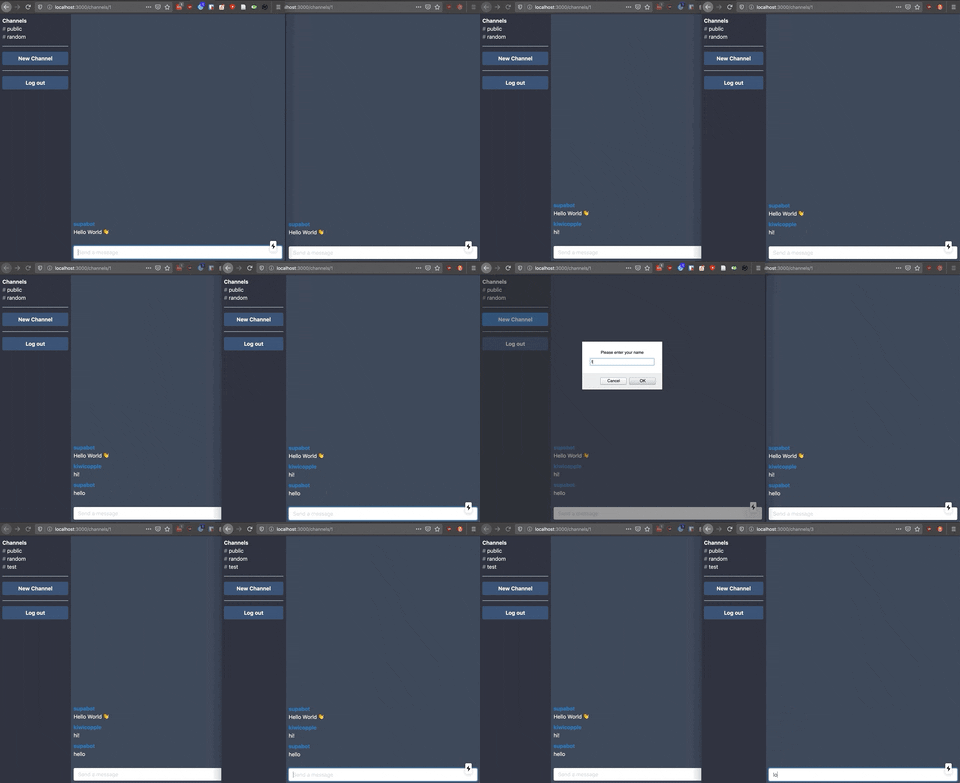
Deploy a simple slack clone using Supabase and Vercel.
How to use
Embed video.
1. Create new project
Sign up to Supabase - https://app.supabase.io and create a new project. Wait for your database to start.
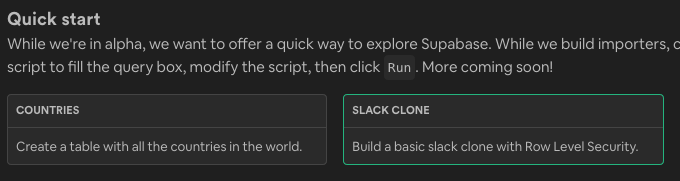
2. Run "Slack Clone" Quickstart
Once your database has started, run the "Slack Clone" quickstart.
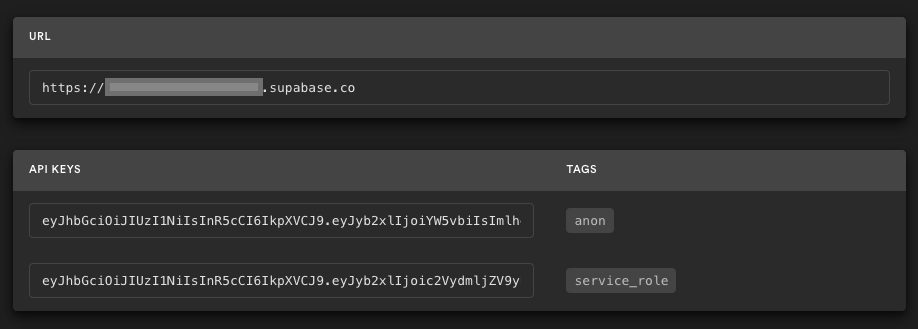
3. Get the URL and Key
Go to the Project Settings (the cog icon), and find your API URL and anon key.
4. Deploy the front end
Deploy!
You will be asked for a NEXT_PUBLIC_SUPABASE_URL and NENEXT_PUBLIC_SUPABASE_KEY. You can use the keys in step 3.
For developers
If you want to run this without deploying:
Clone this folder
# Copy the repo to your machine
git clone --no-checkout https://github.com/supabase/supabase
cd supabase

# Checkout this
git sparse-checkout init --cone
git sparse-checkout set examples/slack-clone-basic
cd examples/slack-clone-basic
Start the frontend
npm install     # install npm dependencies
npm run dev     # start Next.js
Visit http://localhost:3000 and start slacking! Open in two tabs to see everything getting updated in realtime