mirror of
https://github.com/supabase/supabase.git
synced 2026-10-05 01:15:03 +03:00
 635b2d6050
## I have read the CONTRIBUTING.md file. YES ## What kind of change does this PR introduce? This PR helps standardise link sections which is useful for overview pages that frequently use similar sections such as "Next steps", "Get started", or "Examples". Six high-traffic overview pages are migrated as a pilot, with a skill in the new [supabase/docs-agent-skills](https://github.com/supabase/docs-agent-skills) repo to audit and convert the rest in a follow-on PR. Refactored from an initial YAML front matter approach per review feedback from @jeremenichelli. Now implemented as a React component and using existing linting & Markdown export functionality. A second round of review feedback further simplified the architecture: the per-listing component registry was removed in favor of a single `<ContentListings id="..." />` component backed by an ID-keyed data lookup, the listing data moved out of `apps/docs/components/` into `apps/docs/data/content-listings/`, the listing-specific link wrapper was replaced with the existing `<Link>` + `<GlassPanel>` pattern from the rest of the docs, and the headings now defer to the shared `<Heading>` from `MdxBase.shared.tsx` (no parallel marker-to-tag mapping, no typography overrides). Great feedback, thank you! 🙏 Relates to DOCS-1032. ## What is the current behavior? Authors implement these sections however they wish. As a result, overview and index pages use inconsistent patterns for orientation links: some use hand-rolled Markdown lists, some use custom panel/grid components, some use buttons, and some have no guidance about where to go next at all. There is no shared component for these sections and no analytics on those clicks. ## What is the new behavior? Authors add orientation sections in two steps: 1. Define listing data in a `.data.ts` file under `apps/docs/data/content-listings/` (for example, `storage.data.ts`). Each `ContentListingGroup` has a globally-unique `id` like `storage-get-started`. 2. Place a single `<ContentListings id="..." />` component inline in guide MDX. The ID is also the telemetry `listingId`, so the same value disambiguates the section in PostHog dashboards. Grid and list layouts, optional icons (such as `/docs/img/icons/github-icon` with `-light.svg` variants for dark mode), and external URLs are supported. Conditionals that use `$Show` around inline components are also supported, for example for auth pricing. ### Usage example from "Storage" overview page `apps/docs/data/content-listings/storage.data.ts`: ```ts export const storageGetStarted: ContentListingGroup = { id: 'storage-get-started', heading: 'Get started', description: 'Choose the bucket type that fits your use case:', type: 'grid', items: [ { title: 'Files buckets', href: '/guides/storage/quickstart', description: 'Store and serve images, videos, documents, and general-purpose files with direct URL access and row-level security.', }, { title: 'Analytics buckets', href: '/guides/storage/analytics/introduction', description: 'Store data in Apache Iceberg tables for data lakes, logs, and ETL. Query from Postgres via foreign tables with partitioning.', }, { title: 'Vector buckets', href: '/guides/storage/vector/introduction', description: 'Store embeddings and run similarity search for semantic matching, AI, and RAG. Use HNSW indexing, distance metrics, and metadata filtering.', }, ], } ``` `apps/docs/content/guides/storage.mdx`: ```mdx <ContentListings id="storage-get-started" /> ``` Renders as: <img width="689" alt="Storage Get started listing — Files, Analytics, and Vector buckets" src="https://github.com/user-attachments/assets/0d1b9531-962f-40ae-891e-b1e93ff1c939" /> <br>Exported in Markdown as: ```md ## Get started Choose the bucket type that fits your use case: - **[Files buckets](/docs/guides/storage/quickstart):** Store and serve images, videos, documents, and general-purpose files with direct URL access and row-level security. - **[Analytics buckets](/docs/guides/storage/analytics/introduction):** Store data in Apache Iceberg tables for data lakes, logs, and ETL. Query from Postgres via foreign tables with partitioning. - **[Vector buckets](/docs/guides/storage/vector/introduction):** Store embeddings and run similarity search for semantic matching, AI, and RAG. Use HNSW indexing, distance metrics, and metadata filtering. ``` Click tracking fires via PostHog (`docs_content_listing_clicked`): ```json { "action": "docs_content_listing_clicked", "custom_properties": { "targetPath": "/guides/storage/quickstart", "linkTitle": "Files buckets", "groupTitle": "Get started", "listingId": "storage-get-started" } } ``` Still finding my way around PostHog, but I verified on preview deploy that clicking a content listing on `/docs/guides/auth` sends `docs_content_listing_clicked` to `https://api.supabase.green/platform/telemetry/event` and receives HTTP 201. ### Authoring experience Three ways to add or convert content listings: copy the agent prompt first, use snippets for manual edits, or invoke the audit skill for batch follow-on work. Refer to `CONTRIBUTING.md` for the full authoring guide. #### 1. Agent prompt Copy into Cursor or another AI assistant: ```text Add a content listing block for [TOPIC] / [SECTION] (for example, Storage / Examples). Follow CONTRIBUTING § Content listings in apps/docs. - Add data to apps/docs/data/content-listings/[topic].data.ts - Use a globally-unique kebab-case id like `[topic]-[section]` - Place inline in the guide MDX with <ContentListings id="..." /> - Copy structure from storageGetStarted in apps/docs/data/content-listings/storage.data.ts - Run pnpm test:local lib/content-listings.test.ts from apps/docs ``` #### 2. VS Code / Cursor snippets Type these prefixes in the docs workspace (`.vscode/content-listing.code-snippets`): | Prefix | Inserts | | ----------- | -------------------------------------------------------- | | `cl-data` | `ContentListingGroup` export skeleton with namespaced id | | `cl-inline` | `<ContentListings id="…" />` in guide MDX | <img width="658" height="274" alt="image" src="https://github.com/user-attachments/assets/5ef20954-7aee-4925-887d-79a5ae766b37" /> #### 3. Batch audit skill For follow-on overview page conversion or maintenance, use the [`audit-content-listings`](https://github.com/supabase/docs-agent-skills/blob/main/.claude/skills/audit-content-listings/SKILL.md) skill in `docs-agent-skills` (skill, `conversion-manifest.json`, and validation script). Example: ```text Use audit-content-listings. Audit getting-started.mdx, update conversion-manifest.json, then convert the next unconverted section only. ``` ## Additional context The implementation includes a presentational `<ContentListings />` component (grid/list layouts, GlassPanel, telemetry) backed by ID-keyed data modules, and a single markdown export handler that reads the same `id` prop from the JSX and looks up data via the shared registry. Key files: - **Data:** `apps/docs/data/content-listings/` (one `.data.ts` file per guide topic, plus `index.ts` exporting `CONTENT_LISTINGS` and `getContentListingById`) - **Renderer:** `apps/docs/components/ContentListings/` (single `<ContentListings id="…" />` component); registered in `apps/docs/features/docs/MdxBase.shared.tsx` - **Types/helpers:** `apps/docs/lib/content-listings.schema.ts` (zod schemas, type aliases, grid/heading/href helpers) - **Markdown export:** `apps/docs/internals/markdown-schema/Listings.ts` (single ID-driven handler) wired into `apps/docs/internals/generate-guides-markdown.ts` - **Telemetry:** `docs_content_listing_clicked` defined in `packages/common/telemetry-constants.ts`, fired from `ContentListings.client.tsx` - **Authoring guide:** `apps/docs/CONTRIBUTING.md` (Components and elements → Content listings) - **VS Code snippets:** `.vscode/content-listing.code-snippets` (`cl-data`, `cl-inline`) ### Before & After #### Auth | [Before (production)](https://supabase.com/docs/guides/auth) | [After (preview)](https://docs-git-fork-nrichers-nikrichers-docs-1032-sta-e2a8cb-supabase.vercel.app/docs/guides/auth) | | --------------------------------------------------------------------------------------------------------------------------- | --------------------------------------------------------------------------------------------------------------------------- | | 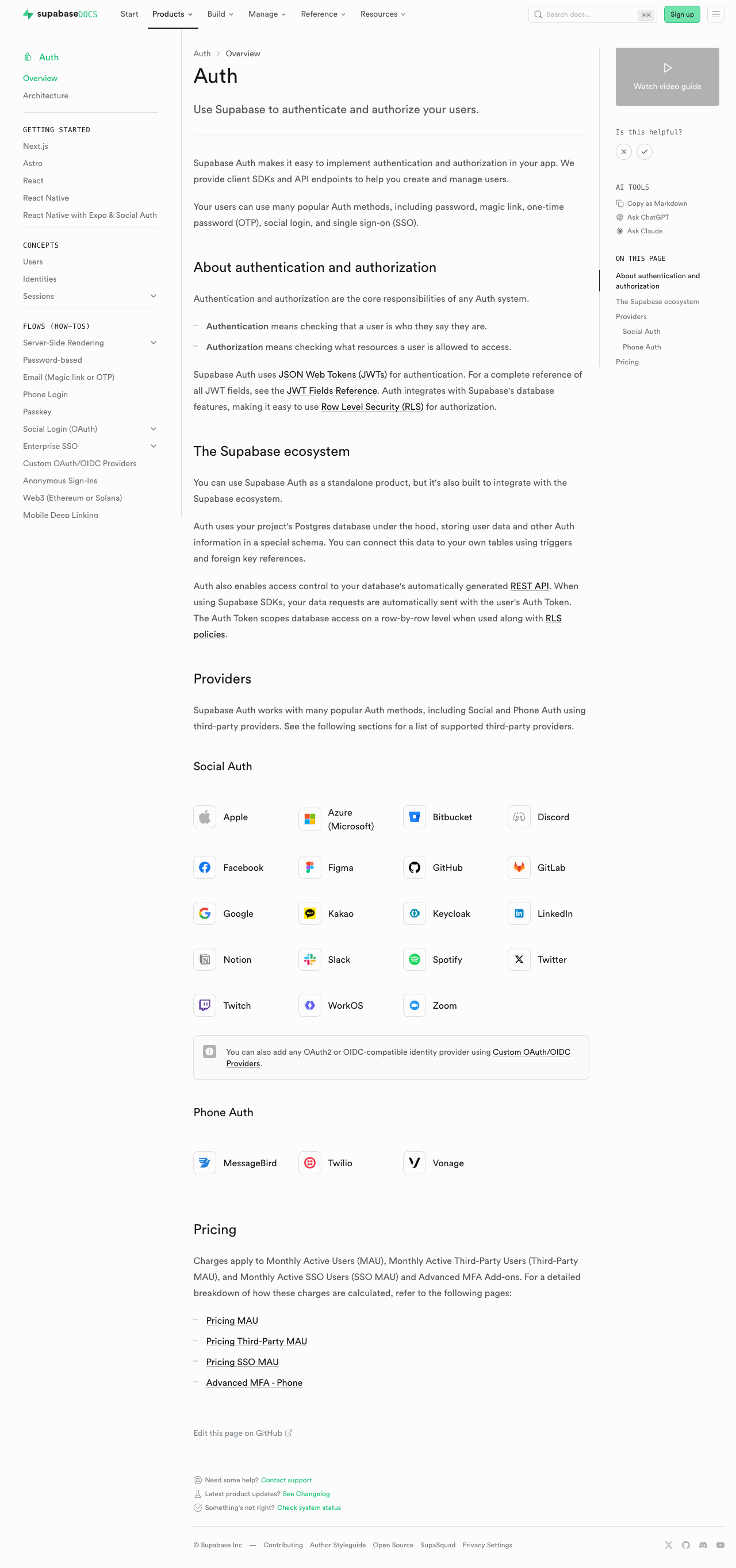 | 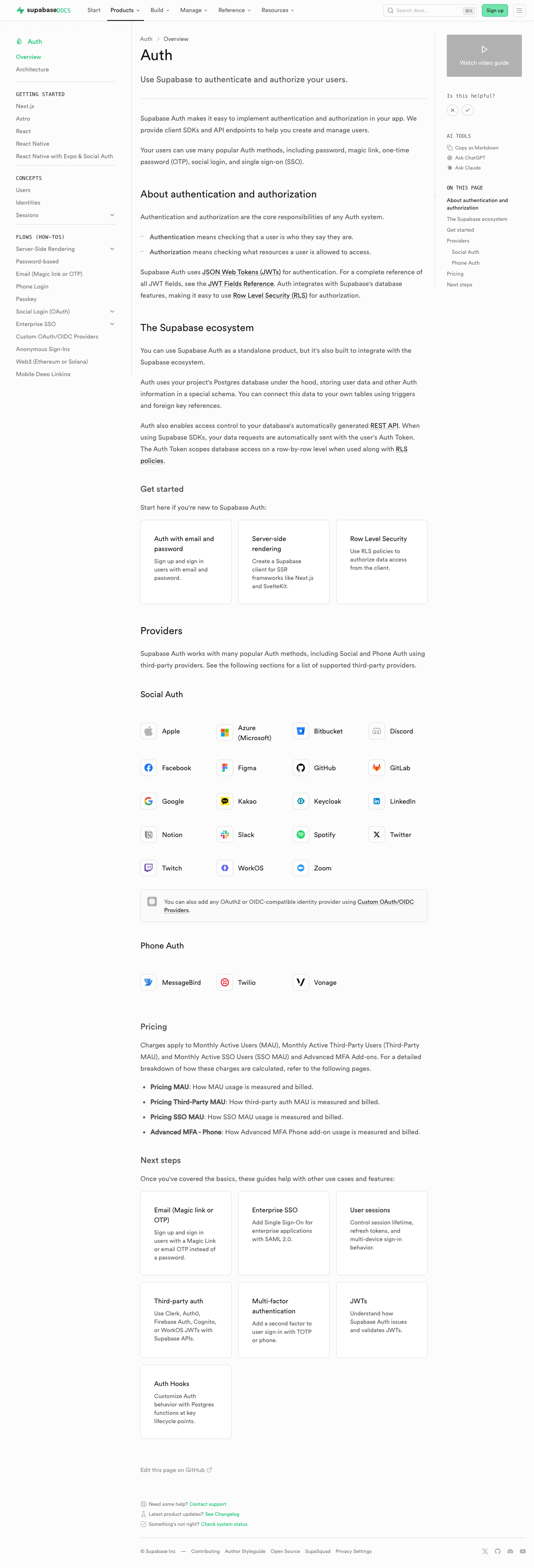 | #### Database overview | [Before (production)](https://supabase.com/docs/guides/database/overview) | [After (preview)](https://docs-git-fork-nrichers-nikrichers-docs-1032-sta-e2a8cb-supabase.vercel.app/docs/guides/database/overview) | | -------------------------------------------------------------------------------------------------------------------------------------------------- | -------------------------------------------------------------------------------------------------------------------------------------------------- | | 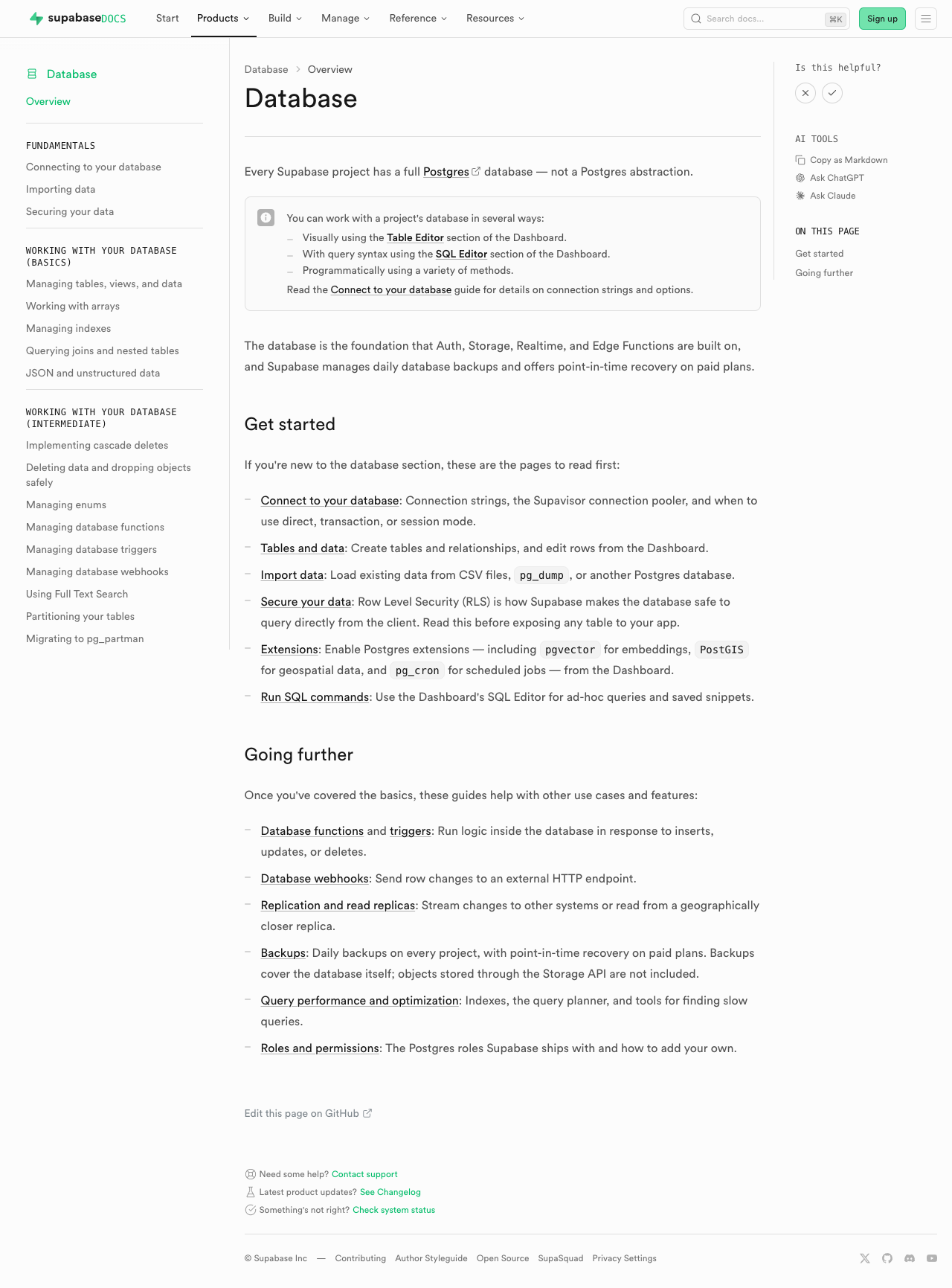 | 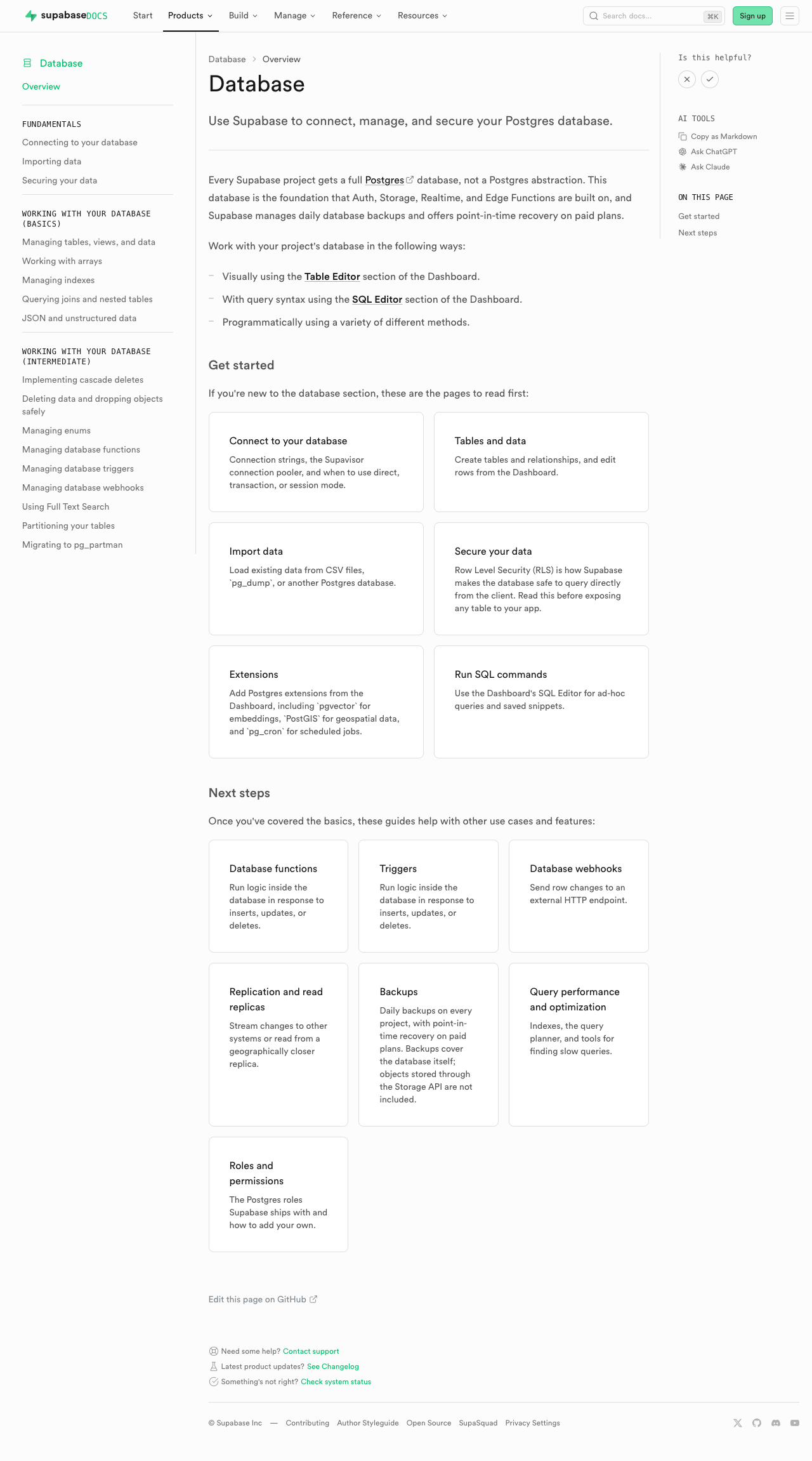 | #### Edge Functions | [Before (production)](https://supabase.com/docs/guides/functions) | [After (preview)](https://docs-git-fork-nrichers-nikrichers-docs-1032-sta-e2a8cb-supabase.vercel.app/docs/guides/functions) | | -------------------------------------------------------------------------------------------------------------------------------------------- | -------------------------------------------------------------------------------------------------------------------------------------------- | | 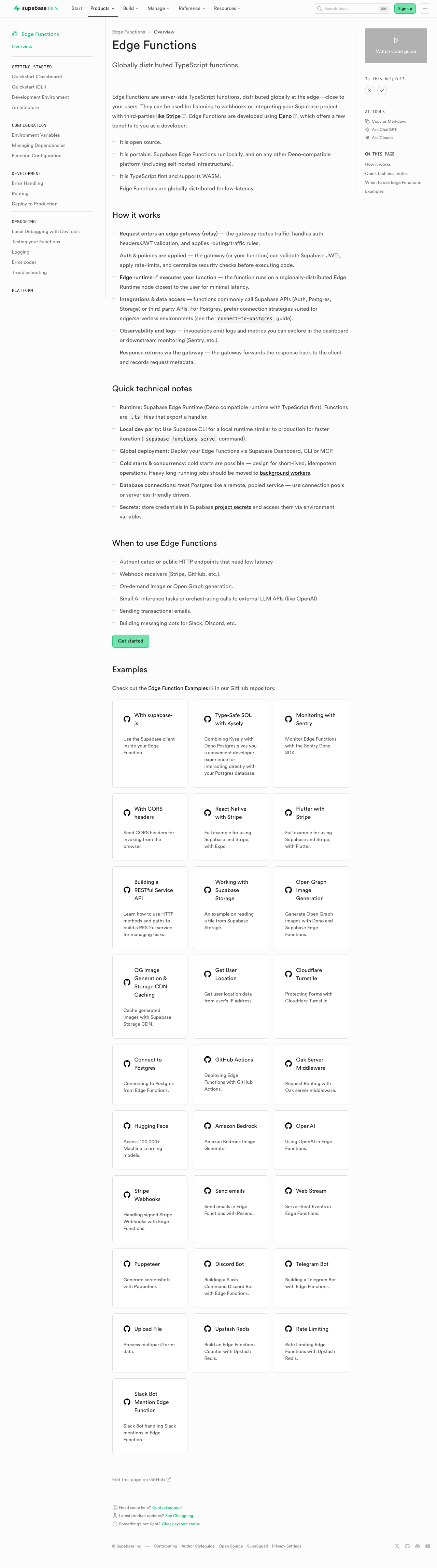 | 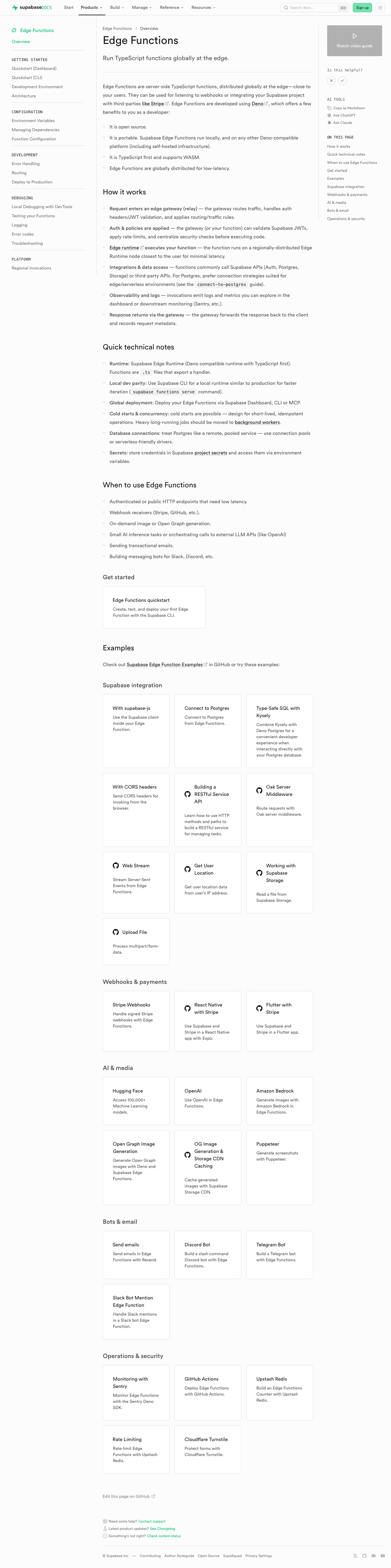 | #### Storage | [Before (production)](https://supabase.com/docs/guides/storage) | [After (preview)](https://docs-git-fork-nrichers-nikrichers-docs-1032-sta-e2a8cb-supabase.vercel.app/docs/guides/storage) | | ---------------------------------------------------------------------------------------------------------------------------------------- | ---------------------------------------------------------------------------------------------------------------------------------------- | | 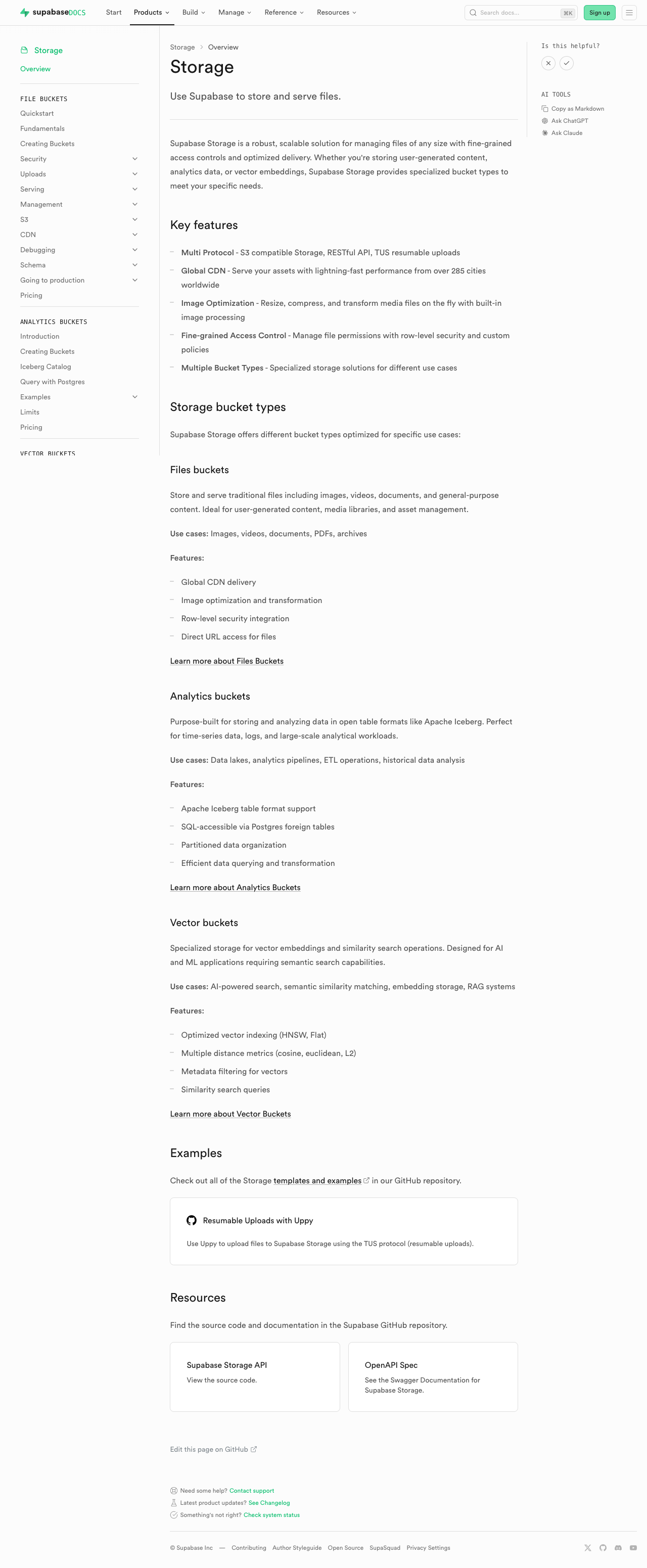 | 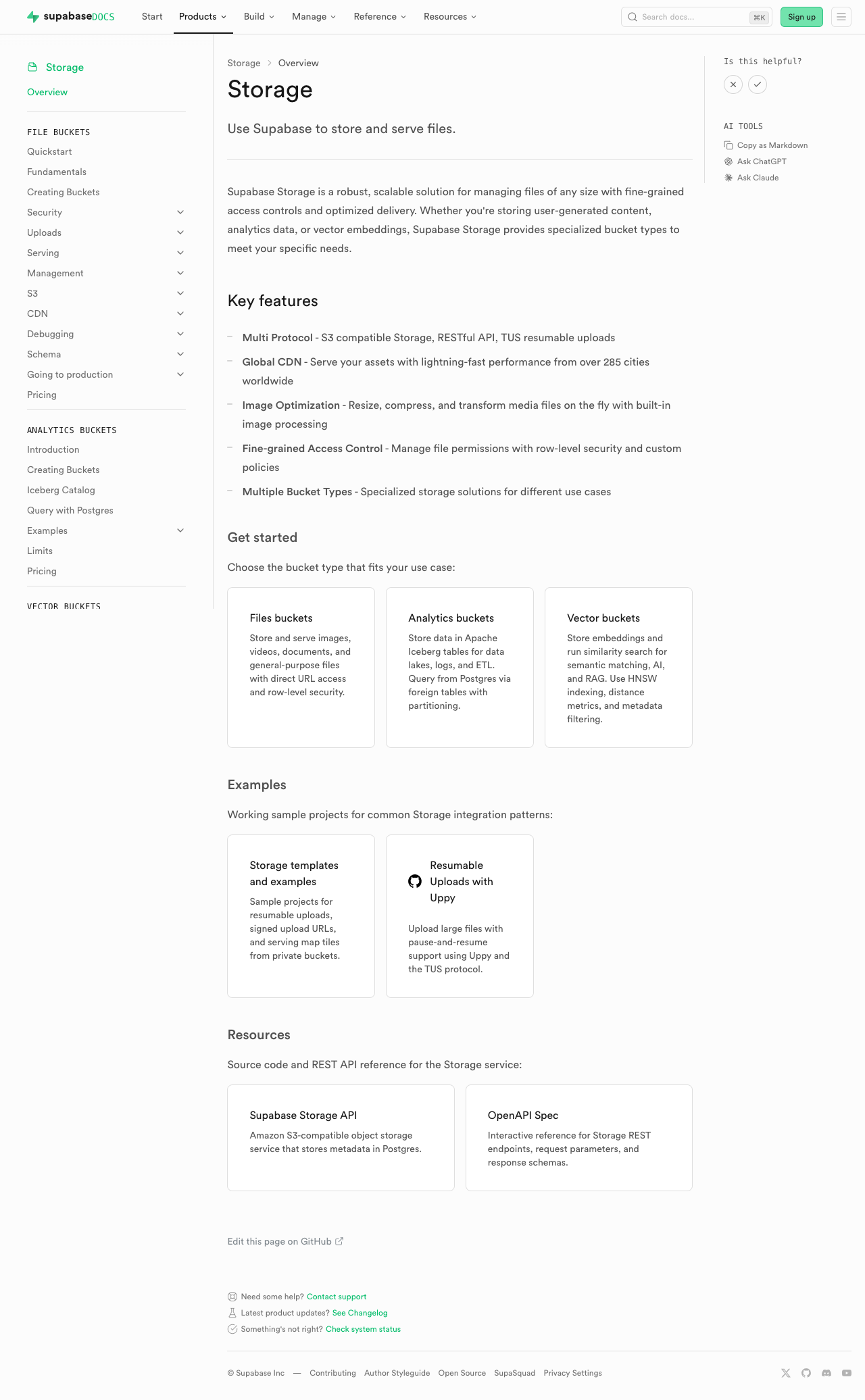 | #### Realtime | [Before (production)](https://supabase.com/docs/guides/realtime) | [After (preview)](https://docs-git-fork-nrichers-nikrichers-docs-1032-sta-e2a8cb-supabase.vercel.app/docs/guides/realtime) | | ------------------------------------------------------------------------------------------------------------------------------------------- | ------------------------------------------------------------------------------------------------------------------------------------------- | | 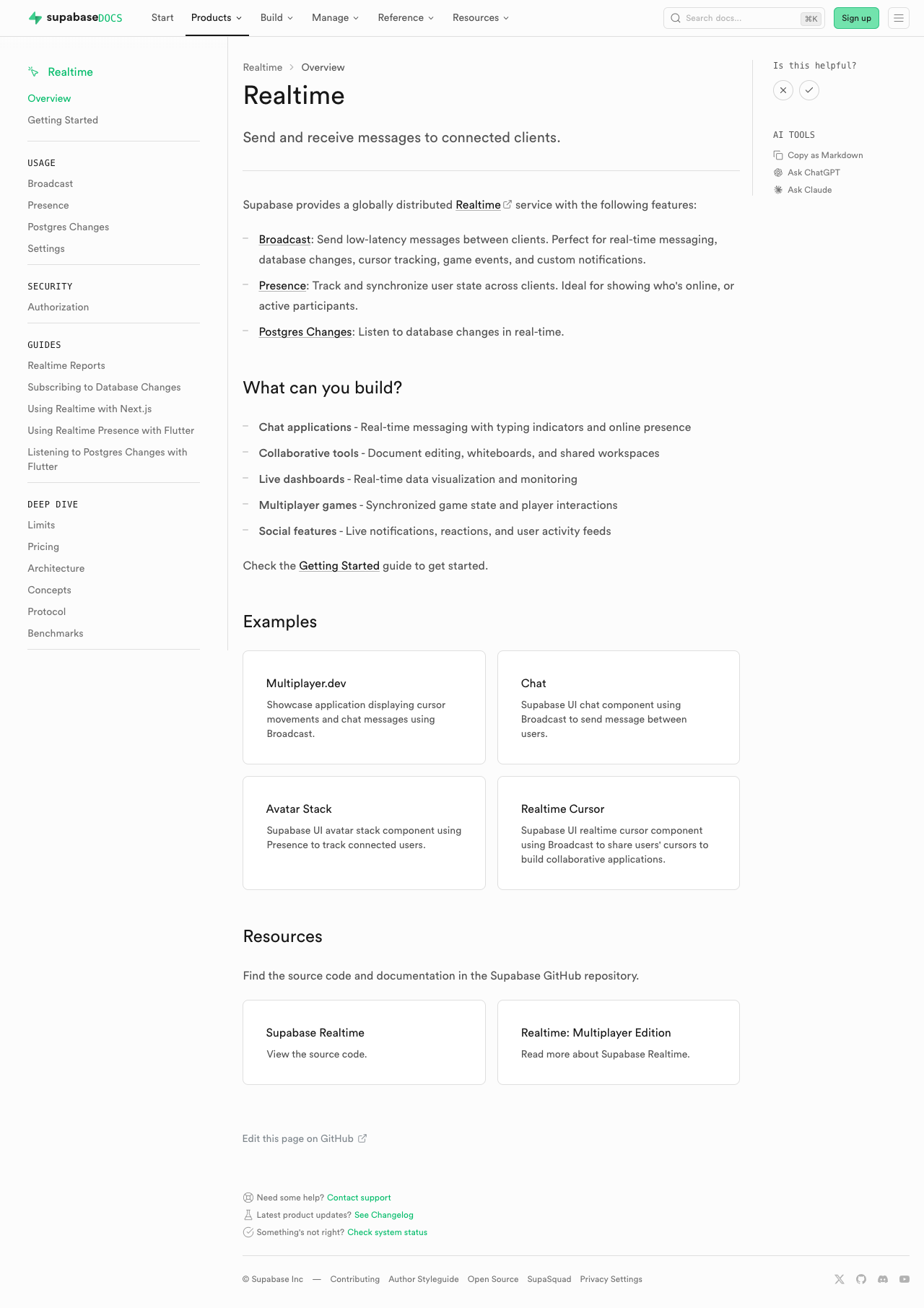 | 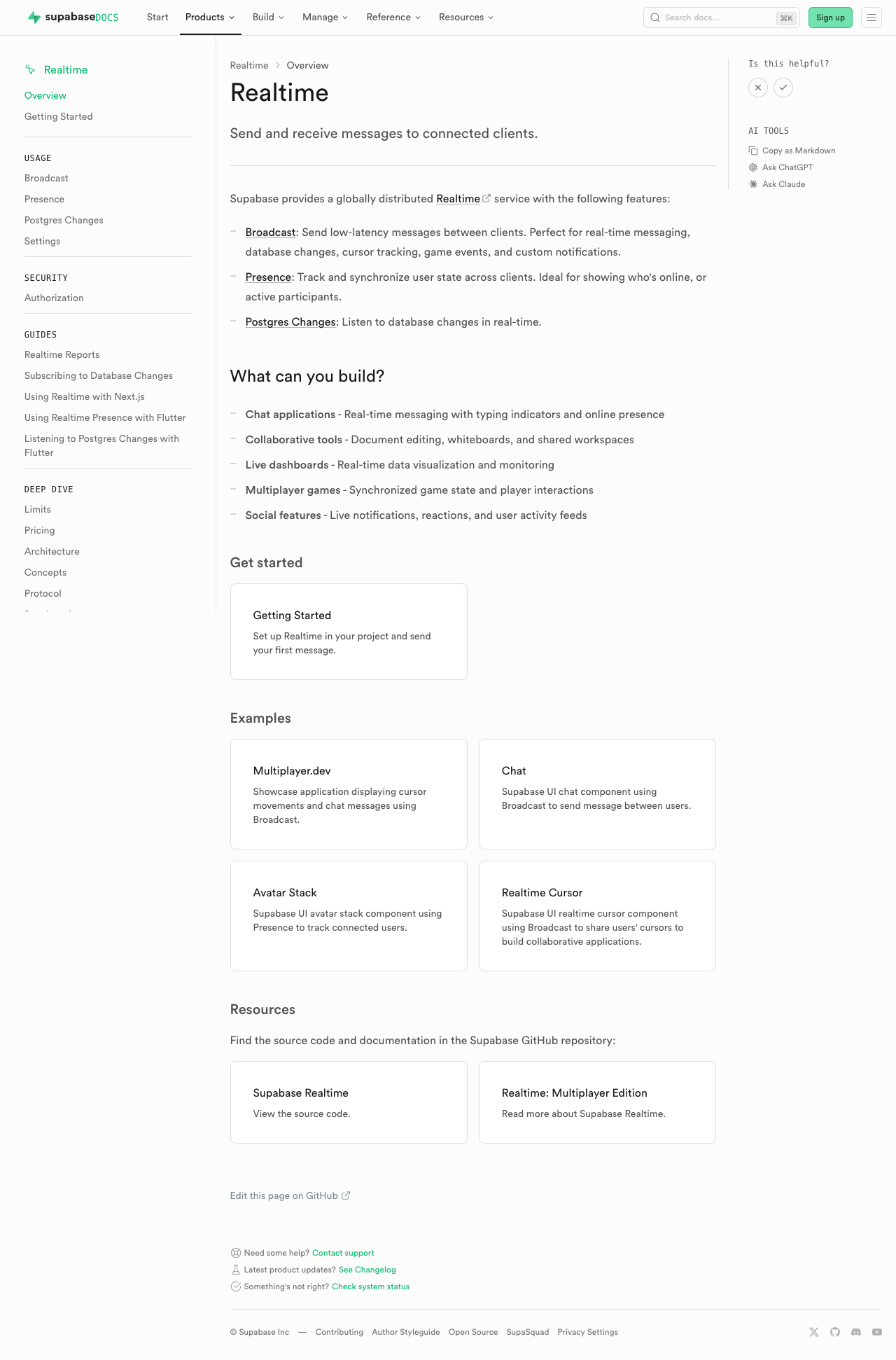 | #### Getting Started (partial migration for demoing) | [Before (production)](https://supabase.com/docs/guides/getting-started) | [After (preview)](https://docs-git-fork-nrichers-nikrichers-docs-1032-sta-e2a8cb-supabase.vercel.app/docs/guides/getting-started) | | ------------------------------------------------------------------------------------------------------------------------------------------------------ | ------------------------------------------------------------------------------------------------------------------------------------------------------ | | 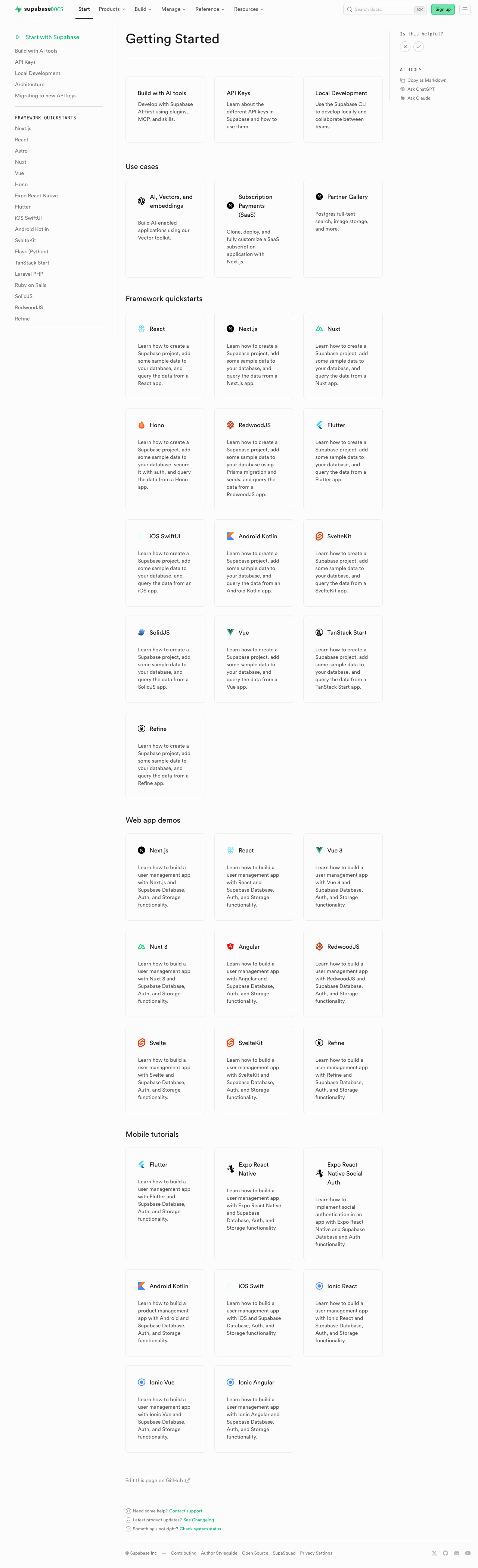 | 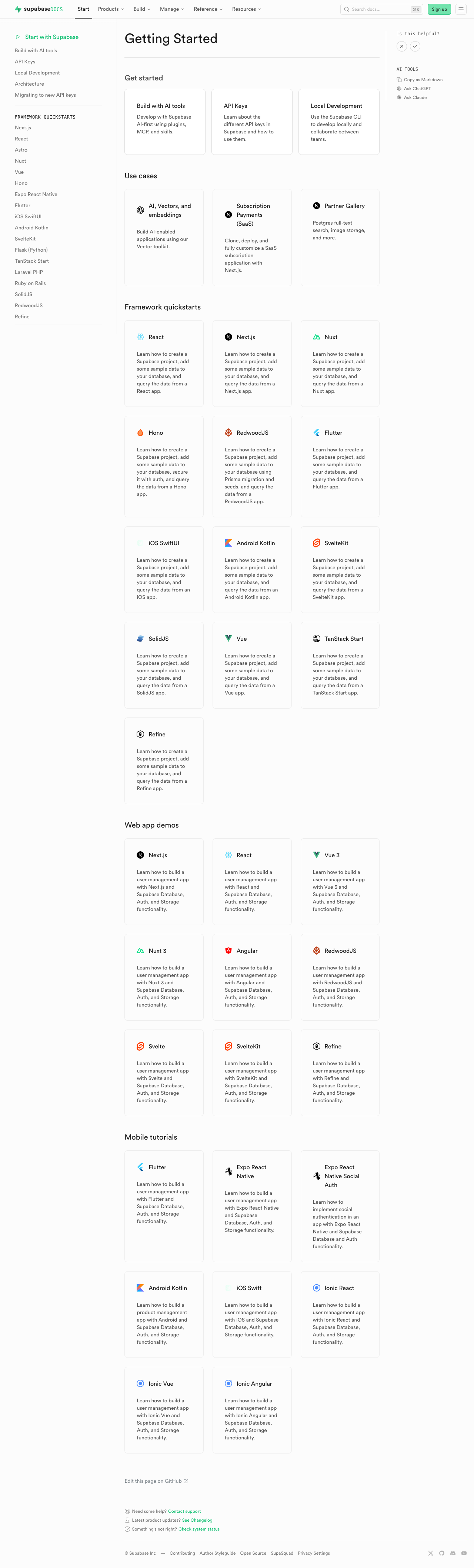 | ### Test plan - [ ] Visually verify migrated pages render correctly: - [ ] `/guides/auth` — grid "Get started", conditional pricing list, grid "Next steps" - [ ] `/guides/database/overview` — get started + next steps listings - [ ] `/guides/getting-started` — top 3-column grid - [ ] `/guides/functions` — get started + example listings - [ ] `/guides/storage` — get started, examples, resources listings - [ ] `/guides/realtime` — get started, examples, resources listings - [ ] Confirm listings render at explicit page positions - [ ] Click a content listing link and verify `docs_content_listing_clicked` fires in PostHog with expected properties (the new `listingId` is the namespaced kebab-case id, e.g. `storage-get-started`) - [ ] Build docs and confirm `.md` alternate output includes listing sections at component placement (e.g. `public/markdown/guides/storage.md`) - [ ] Run unit tests: `pnpm test:local lib/content-listings.test.ts` in `apps/docs` ## Summary by CodeRabbit ## Release Notes * **New Features** * Introduced a standardized content listings system for organizing related guides and resources. * Content listings now support both grid and list layouts for consistent presentation. * Added click telemetry for content listing interactions. * **Documentation** * Updated authentication, database, functions, getting started, realtime, and storage guide pages to use the new content listing components. * Improved MDX structure examples and listing markup formatting in contributor documentation. <!-- end of auto-generated comment: release notes by coderabbit.ai --> <!-- This is an auto-generated comment: release notes by coderabbit.ai --> ## Summary by CodeRabbit ## Release Notes * **New Features** * Introduced a new content listings component for displaying guide content in list and grid layouts across documentation pages. * Added telemetry tracking for content listing interactions to measure user engagement. * **Documentation** * Updated guide pages (Authentication, Database, Functions, Storage, Realtime, Getting Started) to use the new listings layout. * Added contribution guidelines for creating and managing content listings in documentation. * **Tests** * Added comprehensive test coverage for content listings validation, serialization, and rendering. <!-- end of auto-generated comment: release notes by coderabbit.ai --> --------- Co-authored-by: Nik Richers <nik@validmind.ai> Co-authored-by: Jeremias Menichelli <jmenichelli@gmail.com>












225 lines
7.8 KiB
TypeScript
225 lines
7.8 KiB
TypeScript
import fs from 'node:fs/promises'
|
|
import path from 'node:path'
|
|
import matter from 'gray-matter'
|
|
import type { Content, Parent, Root } from 'mdast'
|
|
import { fromMarkdown } from 'mdast-util-from-markdown'
|
|
import { gfmFromMarkdown, gfmToMarkdown } from 'mdast-util-gfm'
|
|
import { mdxFromMarkdown, mdxToMarkdown } from 'mdast-util-mdx'
|
|
import type { MdxJsxFlowElement, MdxJsxTextElement } from 'mdast-util-mdx-jsx'
|
|
import { toMarkdown } from 'mdast-util-to-markdown'
|
|
import { gfm } from 'micromark-extension-gfm'
|
|
import { mdxjs } from 'micromark-extension-mdxjs'
|
|
import { parse as parseToml } from 'smol-toml'
|
|
|
|
import { addBaseUrlPrefix } from './internal-links'
|
|
import { Admonition } from './markdown-schema/Admonition'
|
|
import { AuthProviders } from './markdown-schema/AuthProviders'
|
|
import { ComputeDiskLimitsTable } from './markdown-schema/ComputeDiskLimitsTable'
|
|
import { ErrorCodes } from './markdown-schema/ErrorCodes'
|
|
import { Link } from './markdown-schema/Link'
|
|
import { ContentListings } from './markdown-schema/ContentListings'
|
|
import { MetricsStackCards } from './markdown-schema/MetricsStackCards'
|
|
import { NavData } from './markdown-schema/NavData'
|
|
import { Panel } from './markdown-schema/Panel'
|
|
import { Price } from './markdown-schema/Price'
|
|
import { RealtimeLimitsEstimator } from './markdown-schema/RealtimeLimitsEstimator'
|
|
import { RegionsList, SmartRegionsList } from './markdown-schema/RegionsList'
|
|
import { SharedData } from './markdown-schema/SharedData'
|
|
import { StepHike } from './markdown-schema/StepHike'
|
|
import { TabPanel } from './markdown-schema/TabPanel'
|
|
import { collectMarkdownSources, type FrontmatterFormat } from './markdown-sources'
|
|
|
|
const PARTIALS_DIR = path.join(process.cwd(), 'content', '_partials')
|
|
|
|
type JsxNode = MdxJsxFlowElement | MdxJsxTextElement
|
|
type Props = Record<string, unknown>
|
|
|
|
/**
|
|
* A handler converts a single MDX component into a markdown string. It receives
|
|
* the component's props, the already-serialized markdown of its children, and
|
|
* the raw AST node (escape hatch for handlers that need to inspect structure).
|
|
*
|
|
* Any component not in the schema is treated as `({ children }) => children`,
|
|
* i.e. the wrapper is dropped and its children are kept as-is.
|
|
*/
|
|
type ComponentHandler = (ctx: { props: Props; children: string; node: JsxNode }) => string
|
|
type ComponentSchema = Record<string, ComponentHandler>
|
|
|
|
const PARSE_OPTIONS = {
|
|
extensions: [mdxjs(), gfm()],
|
|
mdastExtensions: [mdxFromMarkdown(), gfmFromMarkdown()],
|
|
}
|
|
const SERIALIZE_OPTIONS = {
|
|
extensions: [mdxToMarkdown(), gfmToMarkdown()],
|
|
bullet: '-' as const,
|
|
listItemIndent: 'one' as const,
|
|
}
|
|
|
|
const parseMdx = (source: string): Root => fromMarkdown(source, PARSE_OPTIONS)
|
|
const serializeMdx = (tree: Parent): string => toMarkdown(tree as Root, SERIALIZE_OPTIONS)
|
|
|
|
const defaultHandler: ComponentHandler = ({ children }) => children
|
|
|
|
const isJsx = (n: Content): n is JsxNode =>
|
|
n.type === 'mdxJsxFlowElement' || n.type === 'mdxJsxTextElement'
|
|
|
|
function propsFrom(node: JsxNode): Props {
|
|
const props: Props = {}
|
|
for (const attr of node.attributes) {
|
|
if (attr.type !== 'mdxJsxAttribute') continue
|
|
if (attr.value == null) props[attr.name] = true
|
|
else if (typeof attr.value === 'string') props[attr.name] = attr.value
|
|
else props[attr.name] = attr.value.value
|
|
}
|
|
return props
|
|
}
|
|
|
|
/**
|
|
* Replaces every `<$Partial path="..." />` in the tree with the parsed AST of
|
|
* the referenced file. Recurses so partials may include other partials.
|
|
*/
|
|
async function inlinePartials(parent: Parent): Promise<void> {
|
|
const next: Content[] = []
|
|
for (const child of parent.children as Content[]) {
|
|
if (isJsx(child) && child.name === '$Partial') {
|
|
const partialPath = String(propsFrom(child).path ?? '')
|
|
try {
|
|
const raw = await fs.readFile(path.join(PARTIALS_DIR, partialPath), 'utf8')
|
|
const subtree = parseMdx(matter(raw).content)
|
|
await inlinePartials(subtree)
|
|
next.push(...(subtree.children as Content[]))
|
|
} catch {
|
|
// missing or broken partials are silently dropped
|
|
}
|
|
continue
|
|
}
|
|
if ('children' in child) await inlinePartials(child as Parent)
|
|
next.push(child)
|
|
}
|
|
parent.children = next as Parent['children']
|
|
}
|
|
|
|
/**
|
|
* Walks the tree bottom-up. For each JSX element, runs its schema handler (or
|
|
* the default) and replaces the node with an `html` node holding the result.
|
|
* The `html` type passes through `mdast-util-to-markdown` verbatim, so whatever
|
|
* markdown the handler returns lands in the final output unchanged.
|
|
*/
|
|
function applySchema(parent: Parent, schema: ComponentSchema): void {
|
|
for (const child of parent.children as Content[]) {
|
|
if ('children' in child) applySchema(child as Parent, schema)
|
|
}
|
|
const next: Content[] = []
|
|
for (const child of parent.children as Content[]) {
|
|
if (
|
|
child.type === 'mdxFlowExpression' ||
|
|
child.type === 'mdxTextExpression' ||
|
|
child.type === 'mdxjsEsm'
|
|
) {
|
|
continue
|
|
}
|
|
if (isJsx(child)) {
|
|
const handler = schema[child.name ?? ''] ?? defaultHandler
|
|
const children = serializeMdx({
|
|
type: 'root',
|
|
children: child.children as Root['children'],
|
|
}).trim()
|
|
const value = handler({ props: propsFrom(child), children, node: child })
|
|
next.push({ type: 'html', value } as Content)
|
|
continue
|
|
}
|
|
next.push(child)
|
|
}
|
|
parent.children = next as Parent['children']
|
|
}
|
|
|
|
/**
|
|
* Per-component overrides. Each handler receives `{ props, children, node }`
|
|
* and returns the markdown string that should replace the JSX element. Any
|
|
* component not listed is unwrapped (children are kept, wrapper is dropped).
|
|
*/
|
|
const SCHEMA: ComponentSchema = {
|
|
Admonition,
|
|
AuthProviders,
|
|
ComputeDiskLimitsTable,
|
|
ErrorCodes,
|
|
Link,
|
|
Price,
|
|
GlassPanel: Panel,
|
|
IconPanel: Panel,
|
|
RealtimeLimitsEstimator,
|
|
RegionsList,
|
|
SmartRegionsList,
|
|
...StepHike,
|
|
TabPanel,
|
|
MetricsStackCards,
|
|
ContentListings,
|
|
NavData,
|
|
SharedData,
|
|
}
|
|
|
|
function parseFrontmatter(raw: string, frontmatter: FrontmatterFormat) {
|
|
if (frontmatter === 'toml') {
|
|
return matter(raw, { language: 'toml', engines: { toml: parseToml } })
|
|
}
|
|
return matter(raw)
|
|
}
|
|
|
|
async function transformBody(content: string, data: Record<string, unknown>): Promise<string> {
|
|
const tree = parseMdx(content)
|
|
await inlinePartials(tree)
|
|
addBaseUrlPrefix(tree)
|
|
applySchema(tree, SCHEMA)
|
|
const body = serializeMdx(tree)
|
|
|
|
const headerParts: string[] = []
|
|
if (data.title) headerParts.push(`# ${String(data.title)}`)
|
|
if (data.subtitle) headerParts.push(String(data.subtitle))
|
|
if (data.description && String(data.description) !== String(data.subtitle))
|
|
headerParts.push(String(data.description))
|
|
|
|
const header = headerParts.join('\n\n')
|
|
|
|
let output = header ? `${header}\n\n${body}` : body
|
|
|
|
return output
|
|
}
|
|
|
|
async function generateOne(sourceFile: string, frontmatter: FrontmatterFormat): Promise<string> {
|
|
const raw = await fs.readFile(sourceFile, 'utf8')
|
|
const { content, data } = parseFrontmatter(raw, frontmatter)
|
|
return transformBody(content, data)
|
|
}
|
|
|
|
async function generate() {
|
|
const sources = await collectMarkdownSources()
|
|
let warnings = 0
|
|
|
|
await Promise.all(
|
|
sources.map(async ({ sourceFile, outPath, frontmatter }) => {
|
|
let output: string
|
|
try {
|
|
output = await generateOne(sourceFile, frontmatter)
|
|
} catch (err) {
|
|
warnings++
|
|
console.warn(
|
|
`[warn] Failed to process ${sourceFile}: ${err instanceof Error ? err.message : err}`
|
|
)
|
|
try {
|
|
output = await fs.readFile(sourceFile, 'utf8')
|
|
} catch {
|
|
output = `<!-- failed to generate: ${sourceFile} -->`
|
|
}
|
|
}
|
|
|
|
await fs.mkdir(path.dirname(outPath), { recursive: true })
|
|
await fs.writeFile(outPath, output)
|
|
})
|
|
)
|
|
|
|
const summary = warnings ? ` (${warnings} with warnings)` : ''
|
|
console.log(`Generated ${sources.length} markdown files under public/markdown/guides/${summary}`)
|
|
}
|
|
|
|
generate()
|