mirror of
https://github.com/supabase/supabase.git
synced 2026-10-06 01:45:10 +03:00
 d46cc88f09
## I have read the [CONTRIBUTING.md](https://github.com/supabase/supabase/blob/master/CONTRIBUTING.md) file. YES ## What kind of change does this PR introduce? Docs enhancement: Agent-ready prompt blocks on all 18 framework quickstart pages. ## What is the current behavior? Framework quickstarts do not surface a copyable AI prompt. Readers have to assemble context themselves when asking an AI coding assistant to follow the guide. ## What is the new behavior? - Partials at `apps/docs/content/_partials/ai/quickstart_prompt_{framework}.mdx` contain `<AiPrompt prompt={...} />` (Prettier multiline single-quoted JS string with `\n` escapes). - Each quickstart includes `<$Partial path="ai/quickstart_prompt_{framework}.mdx" />`. - Runtime: `AiPrompt` → `PromptPanel` (Copy AI Prompt, expandable). - Markdown export: `apps/docs/internals/markdown-schema/AiPrompt.ts` decodes Prettier single-quoted prompt expressions so exported markdown includes an **AI Prompt** section without quote leak. - Shared `$Partial` helpers live in `lib/partials.utils.ts`. - Closes DOCS-1144. ### Example before/after | | Production | Preview | | --- | --- | --- | | Next.js quickstart | [production](https://supabase.com/docs/guides/getting-started/quickstarts/nextjs) | [preview](https://docs-git-nikrichers-docs-1144-add-ai-prompt-blo-5af4d8-supabase.vercel.app/docs/guides/getting-started/quickstarts/nextjs) | **Light** | Before | After | | --- | --- | |  |  | **Dark** | Before | After | | --- | --- | |  | 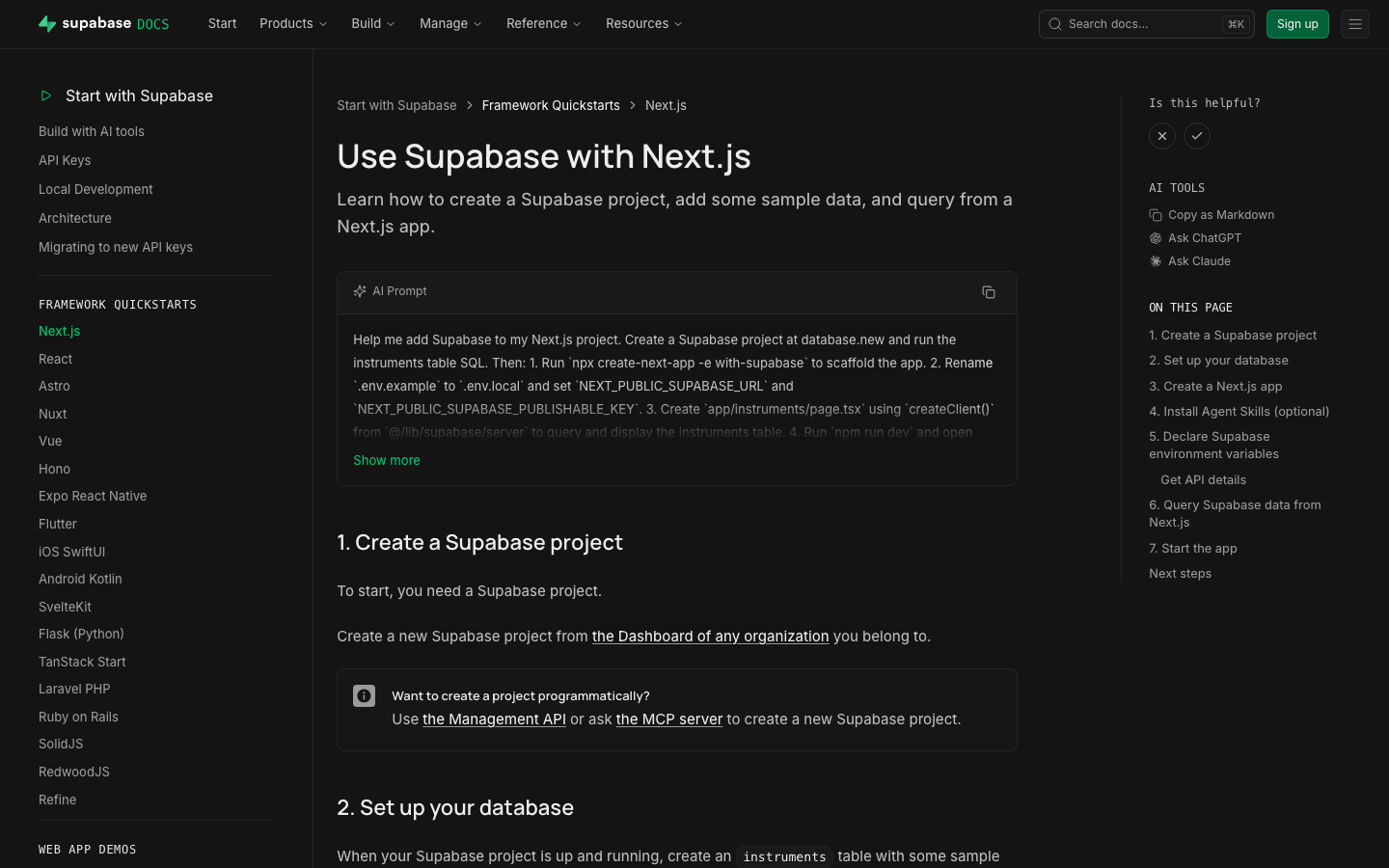 | ### Test plan - [x] Preview renders AI Prompt panel with copy - [x] Spot-check Next.js, Flutter, Expo, Vue - [x] `test-quickstart-prompts` structural - [x] Markdown export includes **AI Prompt** without quote leak - [x] Format CI green after prettier/single-quote decode fix ## Additional context - Worktree: `~/GitHub/supabase/supabase-worktrees/nikrichers/docs-1144-add-ai-prompt-blocks-to-all-18-framework-quickstarts` - Skills: `generate-quickstart-prompts` / `test-quickstart-prompts`; librarian update https://github.com/supabase/docs-agent-skills/pull/21 - `PromptPanel` replaced the older GlassPanel experiment for the expandable copy UI --------- Co-authored-by: Nik Richers <nik@validmind.ai> Co-authored-by: jeremenichelli <jeremenichelli@users.noreply.github.com>



113 lines
3.0 KiB
Plaintext
113 lines
3.0 KiB
Plaintext
---
|
|
title: 'Use Supabase with React'
|
|
subtitle: 'Learn how to create a Supabase project, add some sample data to your database, and query the data from a React app.'
|
|
breadcrumb: 'Framework Quickstarts'
|
|
---
|
|
|
|
<AiPrompt id="reactjs" />
|
|
|
|
<$Partial path="quickstart_db_setup.mdx" />
|
|
|
|
## 3. Create a React app
|
|
|
|
Create a React app using a [Vite](https://vitejs.dev/guide/) template.
|
|
|
|
```bash
|
|
npm create vite@latest my-app -- --template react
|
|
```
|
|
|
|
## 4. Install Agent Skills (optional)
|
|
|
|
Supabase's [Agent Skills](/docs/guides/ai-tools/ai-skills) is a curated set of instructions that give your AI agent procedural knowledge about working with Supabase.
|
|
|
|
To install, run the following command in the root of your project:
|
|
|
|
```bash
|
|
npx skills add supabase/agent-skills
|
|
```
|
|
|
|
## 5. Install the Supabase client library
|
|
|
|
The fastest way to get started is to use the `supabase-js` client library, which provides a convenient interface for working with Supabase from a React app.
|
|
|
|
Navigate to the React app and install `supabase-js`.
|
|
|
|
```bash
|
|
cd my-app && npm install @supabase/supabase-js
|
|
```
|
|
|
|
## 6. Declare Supabase environment variables
|
|
|
|
Create a `.env.local` file and populate it with your Supabase URL and publishable key that you can get from the helper below, or [from the project **Connect** panel](/dashboard/project/_?showConnect=true&framework=react&tab=frameworks)
|
|
|
|
<Button variant="primary" asChild>
|
|
<a href="/dashboard/project/_?showConnect=true&connectTab=frameworks&framework=react">
|
|
Open Connect panel
|
|
</a>
|
|
</Button>
|
|
|
|
```text name=.env.local
|
|
VITE_SUPABASE_URL=<SUBSTITUTE_SUPABASE_URL>
|
|
VITE_SUPABASE_PUBLISHABLE_KEY=<SUBSTITUTE_SUPABASE_PUBLISHABLE_KEY>
|
|
```
|
|
|
|
<$Partial path="api_settings.mdx" variables={{ "framework": "react", "tab": "frameworks" }} />
|
|
|
|
## 7. Query data from the app
|
|
|
|
Replace the contents of `App.jsx` with a `getInstruments` function that fetches the data and displays the query result on the page using a Supabase client.
|
|
|
|
```js name=src/App.jsx
|
|
import { createClient } from '@supabase/supabase-js'
|
|
import { useEffect, useState } from 'react'
|
|
|
|
const supabase = createClient(
|
|
import.meta.env.VITE_SUPABASE_URL,
|
|
import.meta.env.VITE_SUPABASE_PUBLISHABLE_KEY
|
|
)
|
|
|
|
function App() {
|
|
const [instruments, setInstruments] = useState([])
|
|
|
|
useEffect(() => {
|
|
getInstruments()
|
|
}, [])
|
|
|
|
async function getInstruments() {
|
|
const { data, error } = await supabase.from('instruments').select()
|
|
|
|
if (error) {
|
|
console.error(error)
|
|
return
|
|
}
|
|
|
|
setInstruments(data)
|
|
}
|
|
|
|
return (
|
|
<ul>
|
|
{instruments.map((instrument) => (
|
|
<li key={instrument.name}>{instrument.name}</li>
|
|
))}
|
|
</ul>
|
|
)
|
|
}
|
|
|
|
export default App
|
|
```
|
|
|
|
## 8. Start the app
|
|
|
|
Run the development server, go to http://localhost:5173 in a browser, and you should see the list of instruments.
|
|
|
|
```bash
|
|
npm run dev
|
|
```
|
|
|
|
## Next steps
|
|
|
|
- Explore [drop-in UI components](/ui) for your Supabase app
|
|
- Set up [Auth](/docs/guides/auth) for your app
|
|
- [Insert more data](/docs/guides/database/import-data) into your database
|
|
- Upload and serve static files using [Storage](/docs/guides/storage)
|