## I have read the CONTRIBUTING.md file.
YES
## What kind of change does this PR introduce?
This PR helps standardise link sections which is useful for overview
pages that frequently use similar sections such as "Next steps", "Get
started", or "Examples".
Six high-traffic overview pages are migrated as a pilot, with a skill in
the new
[supabase/docs-agent-skills](https://github.com/supabase/docs-agent-skills)
repo to audit and convert the rest in a follow-on PR.
Refactored from an initial YAML front matter approach per review
feedback from @jeremenichelli. Now implemented as a React component and
using existing linting & Markdown export functionality.
A second round of review feedback further simplified the architecture:
the per-listing component registry was removed in favor of a single
`<ContentListings id="..." />` component backed by an ID-keyed data
lookup, the listing data moved out of `apps/docs/components/` into
`apps/docs/data/content-listings/`, the listing-specific link wrapper
was replaced with the existing `<Link>` + `<GlassPanel>` pattern from
the rest of the docs, and the headings now defer to the shared
`<Heading>` from `MdxBase.shared.tsx` (no parallel marker-to-tag
mapping, no typography overrides). Great feedback, thank you! 🙏
Relates to DOCS-1032.
## What is the current behavior?
Authors implement these sections however they wish. As a result,
overview and index pages use inconsistent patterns for orientation
links: some use hand-rolled Markdown lists, some use custom panel/grid
components, some use buttons, and some have no guidance about where to
go next at all. There is no shared component for these sections and no
analytics on those clicks.
## What is the new behavior?
Authors add orientation sections in two steps:
1. Define listing data in a `.data.ts` file under
`apps/docs/data/content-listings/` (for example, `storage.data.ts`).
Each `ContentListingGroup` has a globally-unique `id` like
`storage-get-started`.
2. Place a single `<ContentListings id="..." />` component inline in
guide MDX.
The ID is also the telemetry `listingId`, so the same value
disambiguates the section in PostHog dashboards.
Grid and list layouts, optional icons (such as
`/docs/img/icons/github-icon` with `-light.svg` variants for dark mode),
and external URLs are supported. Conditionals that use `$Show` around
inline components are also supported, for example for auth pricing.
### Usage example from "Storage" overview page
`apps/docs/data/content-listings/storage.data.ts`:
```ts
export const storageGetStarted: ContentListingGroup = {
id: 'storage-get-started',
heading: 'Get started',
description: 'Choose the bucket type that fits your use case:',
type: 'grid',
items: [
{
title: 'Files buckets',
href: '/guides/storage/quickstart',
description:
'Store and serve images, videos, documents, and general-purpose files with direct URL access and row-level security.',
},
{
title: 'Analytics buckets',
href: '/guides/storage/analytics/introduction',
description:
'Store data in Apache Iceberg tables for data lakes, logs, and ETL. Query from Postgres via foreign tables with partitioning.',
},
{
title: 'Vector buckets',
href: '/guides/storage/vector/introduction',
description:
'Store embeddings and run similarity search for semantic matching, AI, and RAG. Use HNSW indexing, distance metrics, and metadata filtering.',
},
],
}
```
`apps/docs/content/guides/storage.mdx`:
```mdx
<ContentListings id="storage-get-started" />
```
Renders as:
<img width="689" alt="Storage Get started listing — Files, Analytics,
and Vector buckets"
src="https://github.com/user-attachments/assets/0d1b9531-962f-40ae-891e-b1e93ff1c939"
/>
<br>Exported in Markdown as:
```md
## Get started
Choose the bucket type that fits your use case:
- **[Files buckets](/docs/guides/storage/quickstart):** Store and serve images, videos, documents, and general-purpose files with direct URL access and row-level security.
- **[Analytics buckets](/docs/guides/storage/analytics/introduction):** Store data in Apache Iceberg tables for data lakes, logs, and ETL. Query from Postgres via foreign tables with partitioning.
- **[Vector buckets](/docs/guides/storage/vector/introduction):** Store embeddings and run similarity search for semantic matching, AI, and RAG. Use HNSW indexing, distance metrics, and metadata filtering.
```
Click tracking fires via PostHog (`docs_content_listing_clicked`):
```json
{
"action": "docs_content_listing_clicked",
"custom_properties": {
"targetPath": "/guides/storage/quickstart",
"linkTitle": "Files buckets",
"groupTitle": "Get started",
"listingId": "storage-get-started"
}
}
```
Still finding my way around PostHog, but I verified on preview deploy
that clicking a content listing on `/docs/guides/auth` sends
`docs_content_listing_clicked` to
`https://api.supabase.green/platform/telemetry/event` and receives HTTP
201.
### Authoring experience
Three ways to add or convert content listings: copy the agent prompt
first, use snippets for manual edits, or invoke the audit skill for
batch follow-on work. Refer to `CONTRIBUTING.md` for the full authoring
guide.
#### 1. Agent prompt
Copy into Cursor or another AI assistant:
```text
Add a content listing block for [TOPIC] / [SECTION] (for example, Storage / Examples).
Follow CONTRIBUTING § Content listings in apps/docs.
- Add data to apps/docs/data/content-listings/[topic].data.ts
- Use a globally-unique kebab-case id like `[topic]-[section]`
- Place inline in the guide MDX with <ContentListings id="..." />
- Copy structure from storageGetStarted in apps/docs/data/content-listings/storage.data.ts
- Run pnpm test:local lib/content-listings.test.ts from apps/docs
```
#### 2. VS Code / Cursor snippets
Type these prefixes in the docs workspace
(`.vscode/content-listing.code-snippets`):
| Prefix | Inserts |
| ----------- | --------------------------------------------------------
|
| `cl-data` | `ContentListingGroup` export skeleton with namespaced id |
| `cl-inline` | `<ContentListings id="…" />` in guide MDX |
<img width="658" height="274" alt="image"
src="https://github.com/user-attachments/assets/5ef20954-7aee-4925-887d-79a5ae766b37"
/>
#### 3. Batch audit skill
For follow-on overview page conversion or maintenance, use the
[`audit-content-listings`](https://github.com/supabase/docs-agent-skills/blob/main/.claude/skills/audit-content-listings/SKILL.md)
skill in `docs-agent-skills` (skill, `conversion-manifest.json`, and
validation script).
Example:
```text
Use audit-content-listings. Audit getting-started.mdx, update conversion-manifest.json, then convert the next unconverted section only.
```
## Additional context
The implementation includes a presentational `<ContentListings />`
component (grid/list layouts, GlassPanel, telemetry) backed by ID-keyed
data modules, and a single markdown export handler that reads the same
`id` prop from the JSX and looks up data via the shared registry.
Key files:
- **Data:** `apps/docs/data/content-listings/` (one `.data.ts` file per
guide topic, plus `index.ts` exporting `CONTENT_LISTINGS` and
`getContentListingById`)
- **Renderer:** `apps/docs/components/ContentListings/` (single
`<ContentListings id="…" />` component); registered in
`apps/docs/features/docs/MdxBase.shared.tsx`
- **Types/helpers:** `apps/docs/lib/content-listings.schema.ts` (zod
schemas, type aliases, grid/heading/href helpers)
- **Markdown export:** `apps/docs/internals/markdown-schema/Listings.ts`
(single ID-driven handler) wired into
`apps/docs/internals/generate-guides-markdown.ts`
- **Telemetry:** `docs_content_listing_clicked` defined in
`packages/common/telemetry-constants.ts`, fired from
`ContentListings.client.tsx`
- **Authoring guide:** `apps/docs/CONTRIBUTING.md` (Components and
elements → Content listings)
- **VS Code snippets:** `.vscode/content-listing.code-snippets`
(`cl-data`, `cl-inline`)
### Before & After
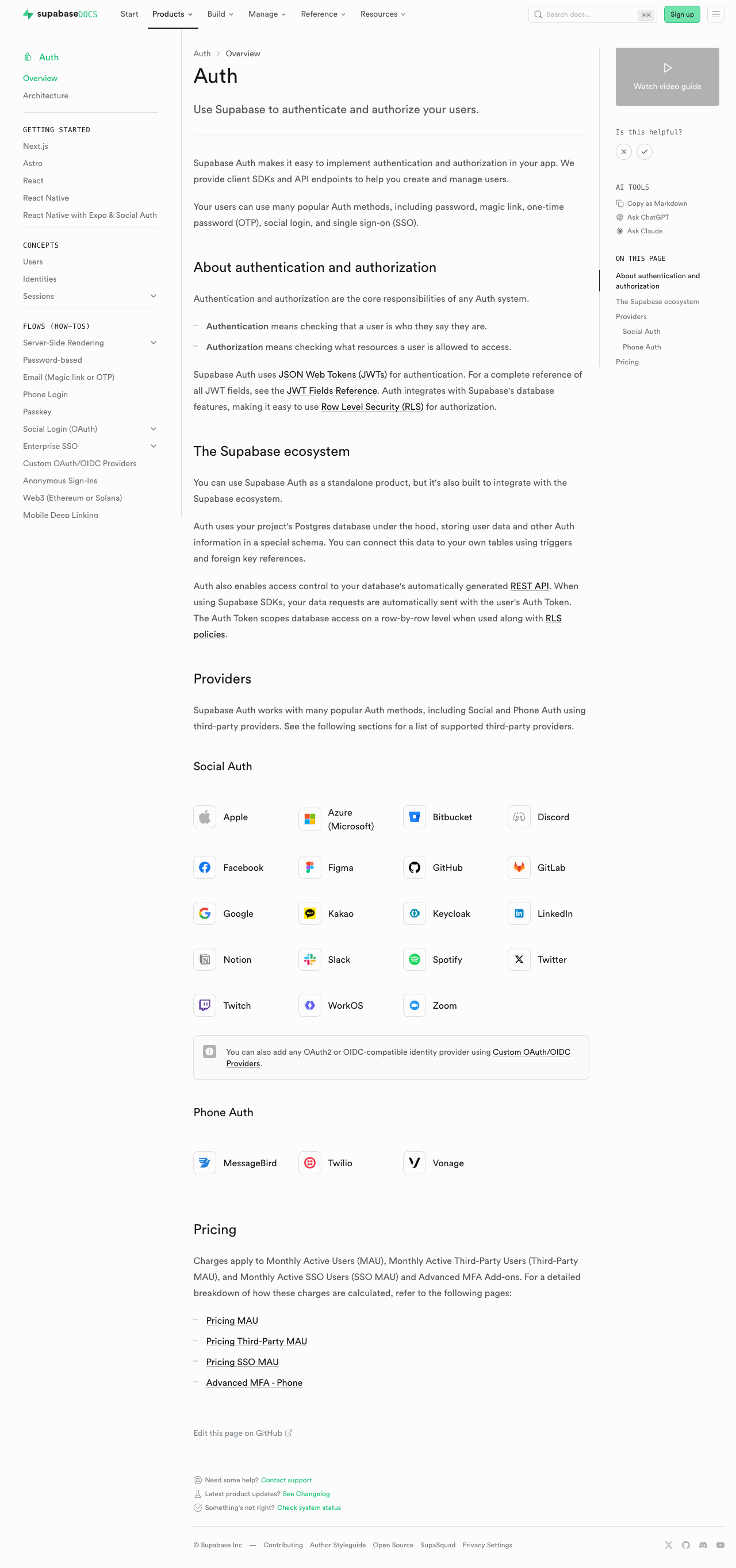
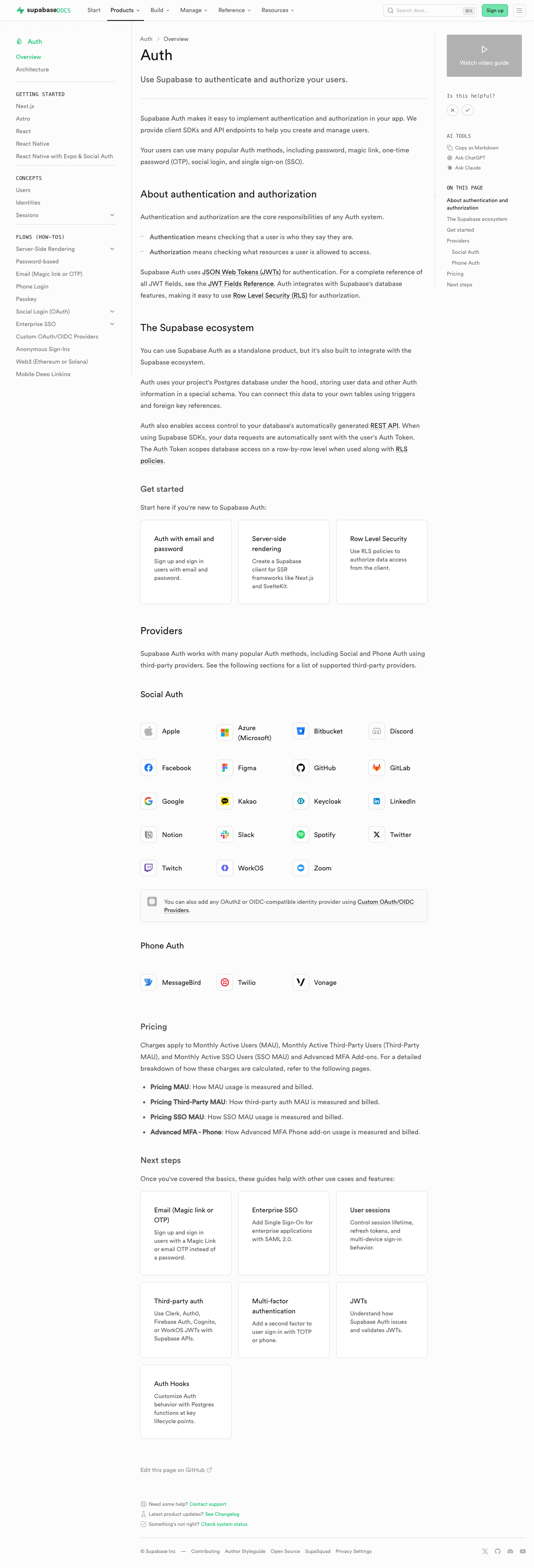
#### Auth
| [Before (production)](https://supabase.com/docs/guides/auth) | [After
(preview)](https://docs-git-fork-nrichers-nikrichers-docs-1032-sta-e2a8cb-supabase.vercel.app/docs/guides/auth)
|
|
---------------------------------------------------------------------------------------------------------------------------
|
---------------------------------------------------------------------------------------------------------------------------
|
| 
| 
|
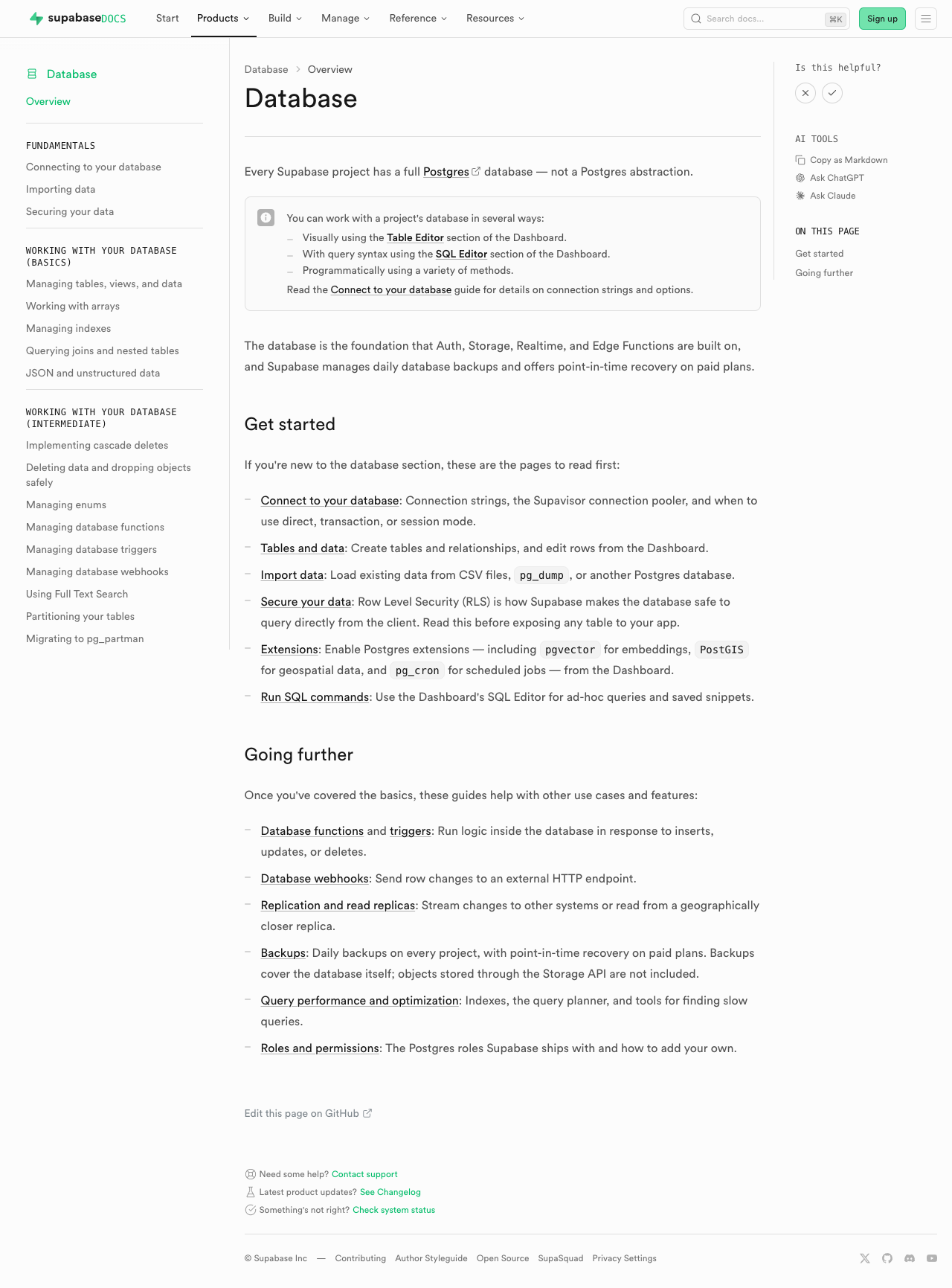
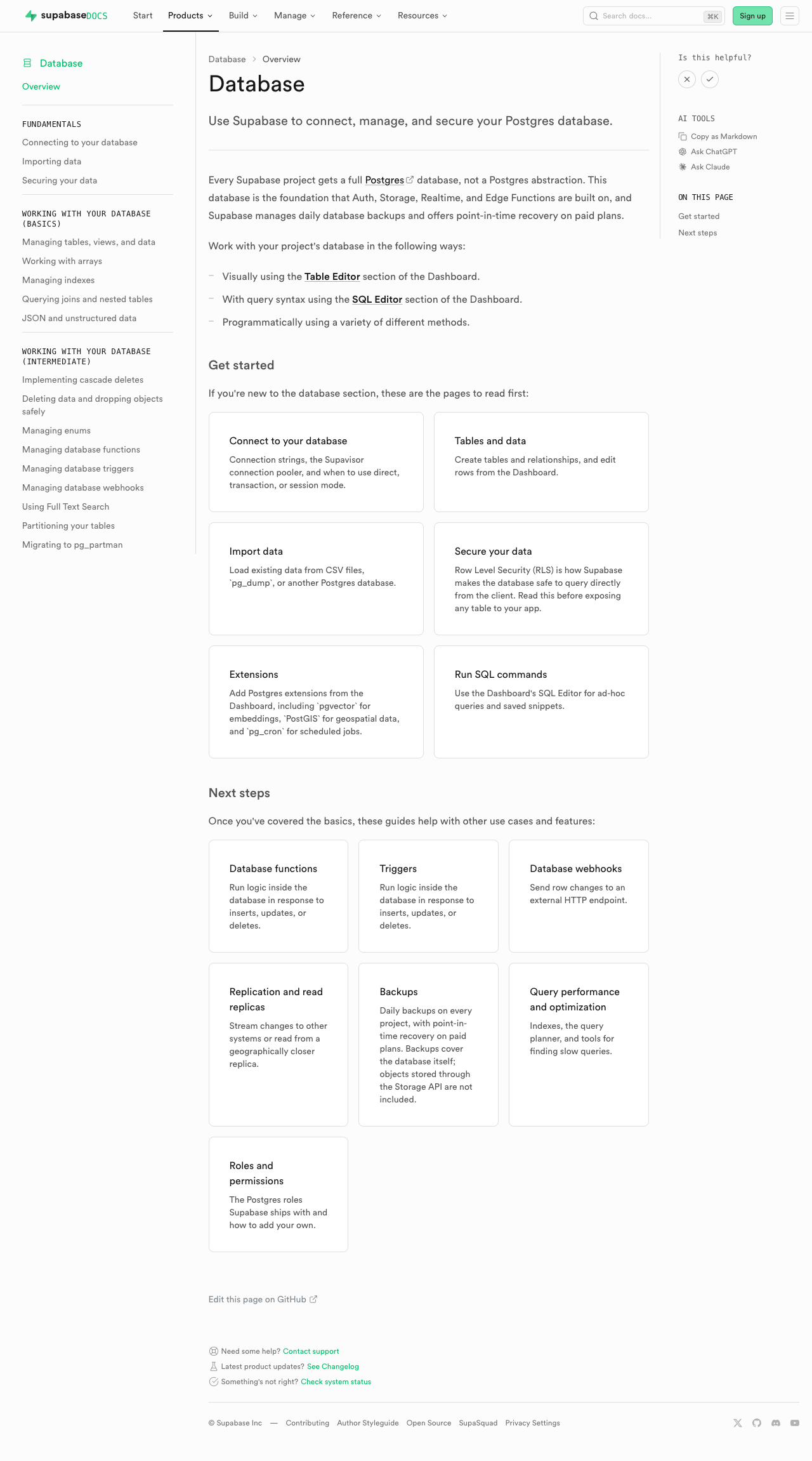
#### Database overview
| [Before
(production)](https://supabase.com/docs/guides/database/overview) |
[After
(preview)](https://docs-git-fork-nrichers-nikrichers-docs-1032-sta-e2a8cb-supabase.vercel.app/docs/guides/database/overview)
|
|
--------------------------------------------------------------------------------------------------------------------------------------------------
|
--------------------------------------------------------------------------------------------------------------------------------------------------
|
| 
| 
|
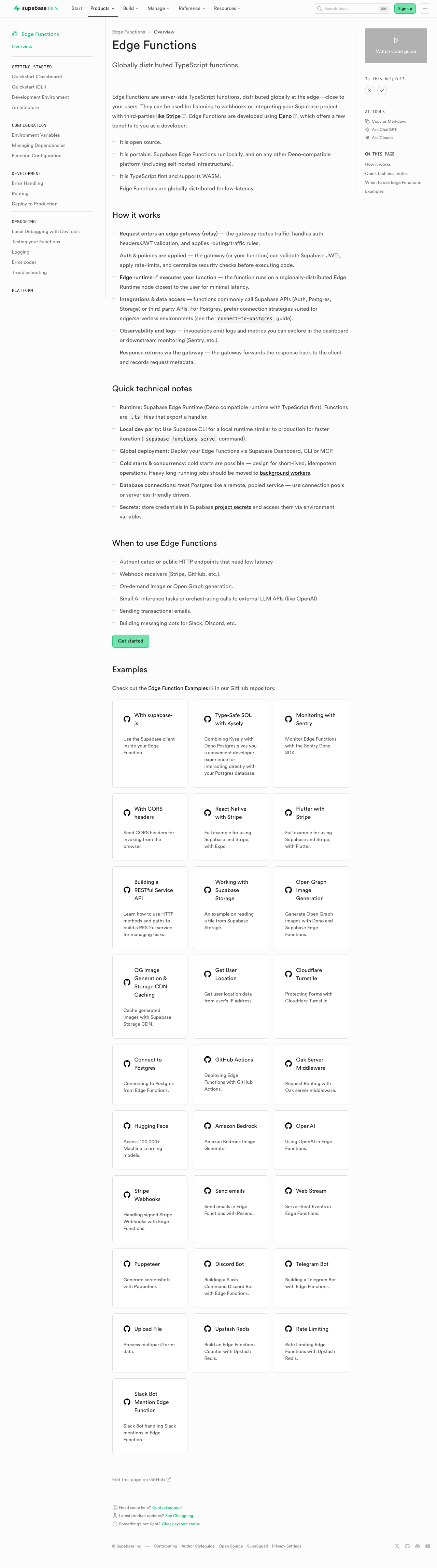
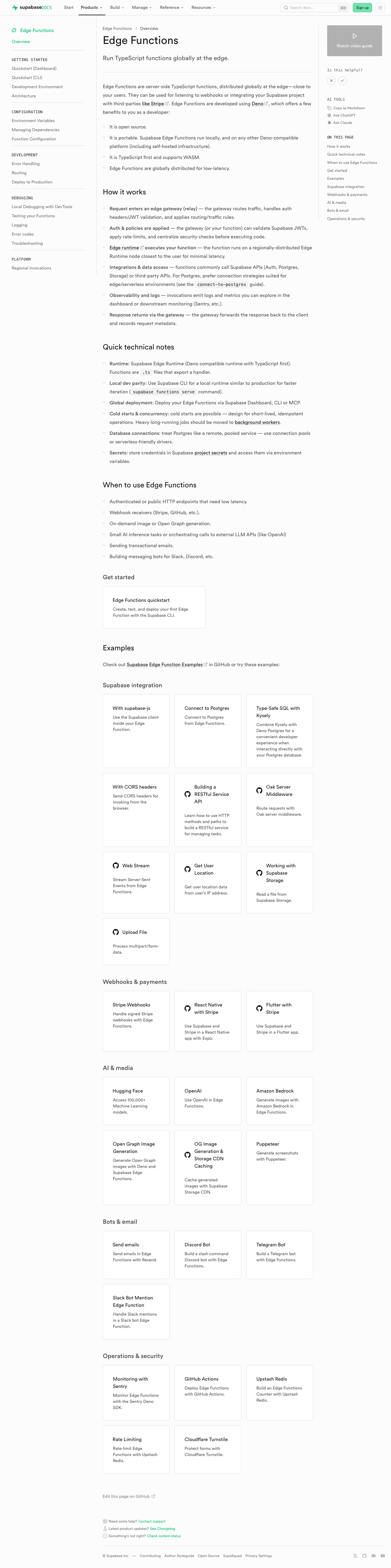
#### Edge Functions
| [Before (production)](https://supabase.com/docs/guides/functions) |
[After
(preview)](https://docs-git-fork-nrichers-nikrichers-docs-1032-sta-e2a8cb-supabase.vercel.app/docs/guides/functions)
|
|
--------------------------------------------------------------------------------------------------------------------------------------------
|
--------------------------------------------------------------------------------------------------------------------------------------------
|
| 
| 
|
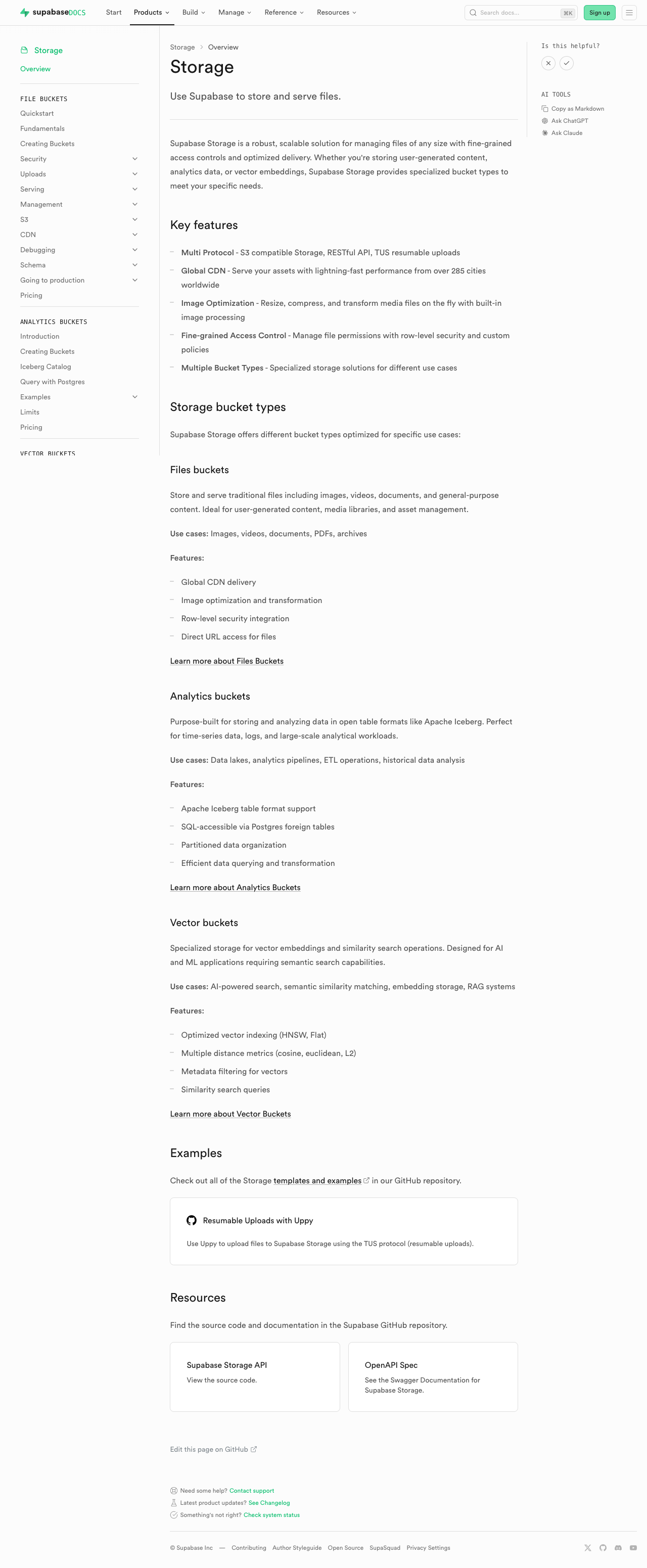
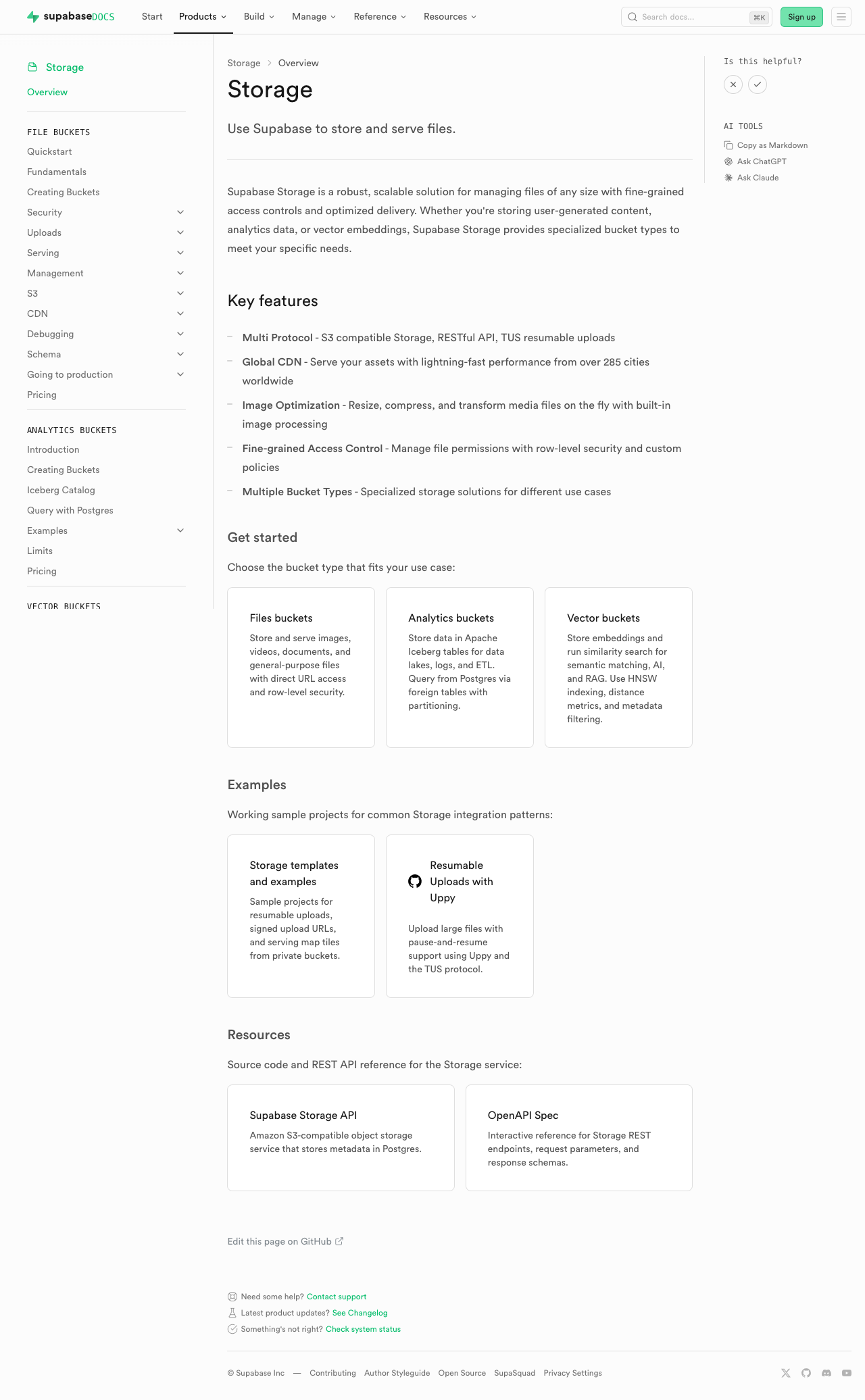
#### Storage
| [Before (production)](https://supabase.com/docs/guides/storage) |
[After
(preview)](https://docs-git-fork-nrichers-nikrichers-docs-1032-sta-e2a8cb-supabase.vercel.app/docs/guides/storage)
|
|
----------------------------------------------------------------------------------------------------------------------------------------
|
----------------------------------------------------------------------------------------------------------------------------------------
|
| 
| 
|
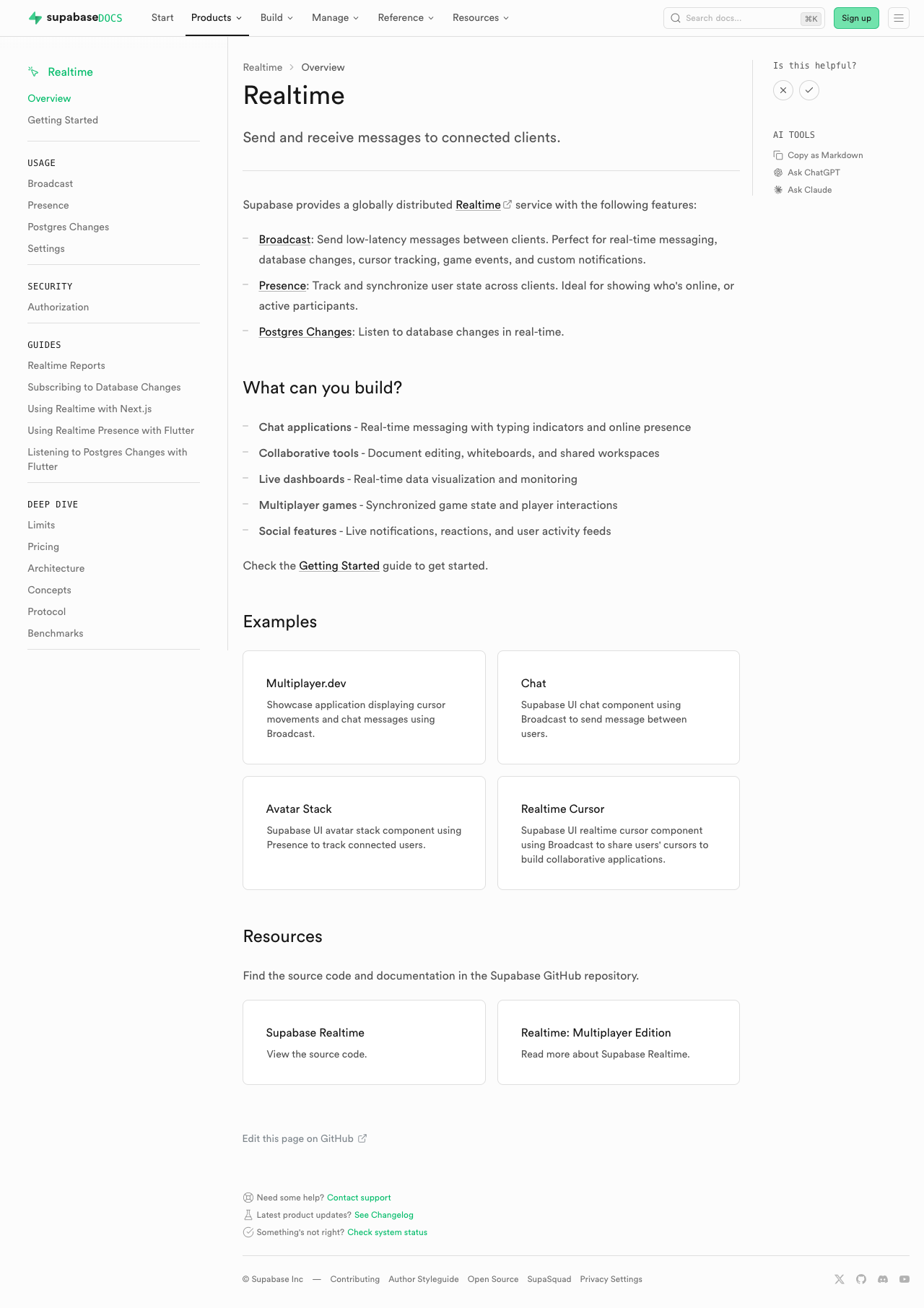
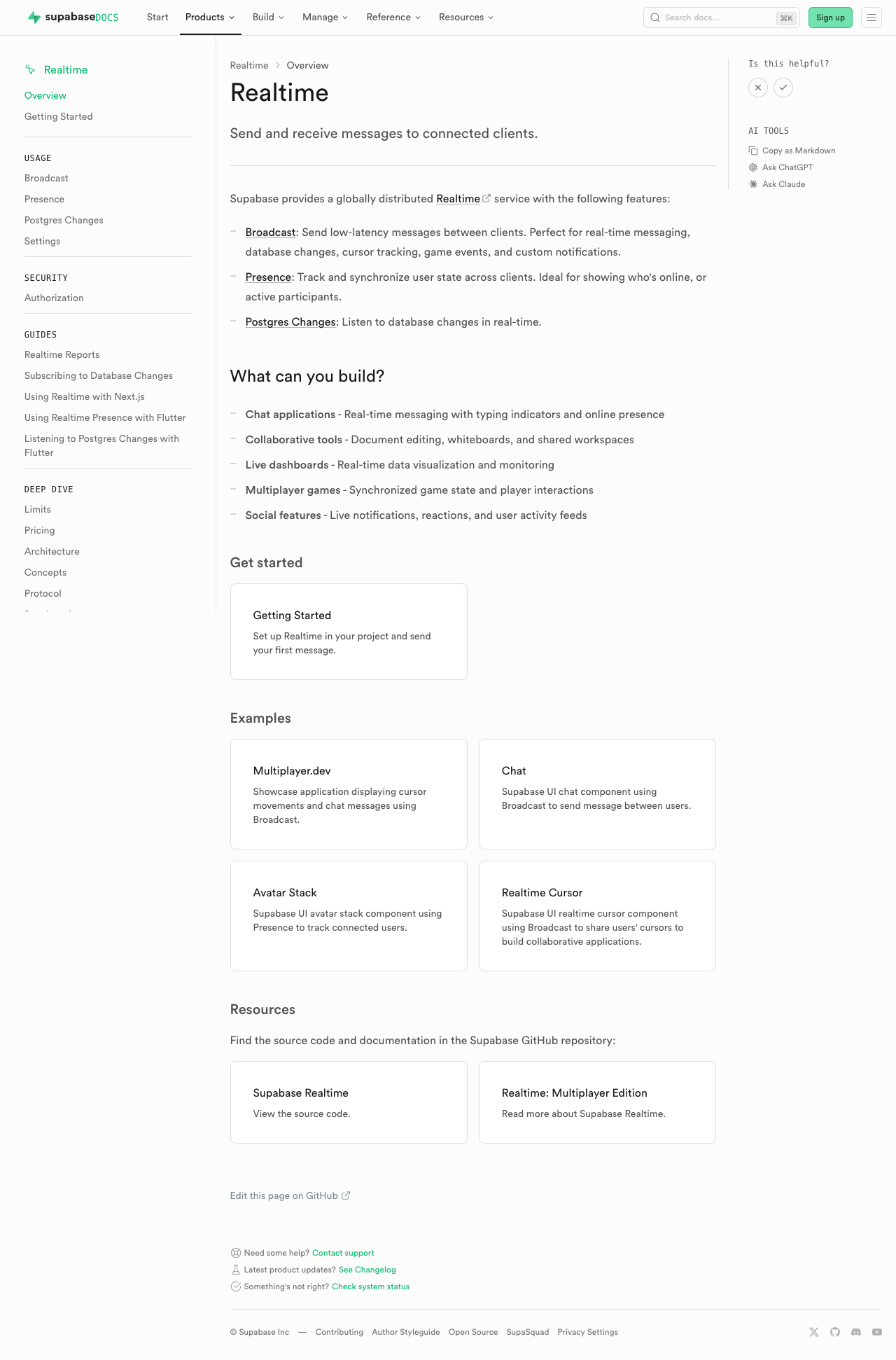
#### Realtime
| [Before (production)](https://supabase.com/docs/guides/realtime) |
[After
(preview)](https://docs-git-fork-nrichers-nikrichers-docs-1032-sta-e2a8cb-supabase.vercel.app/docs/guides/realtime)
|
|
-------------------------------------------------------------------------------------------------------------------------------------------
|
-------------------------------------------------------------------------------------------------------------------------------------------
|
| 
| 
|
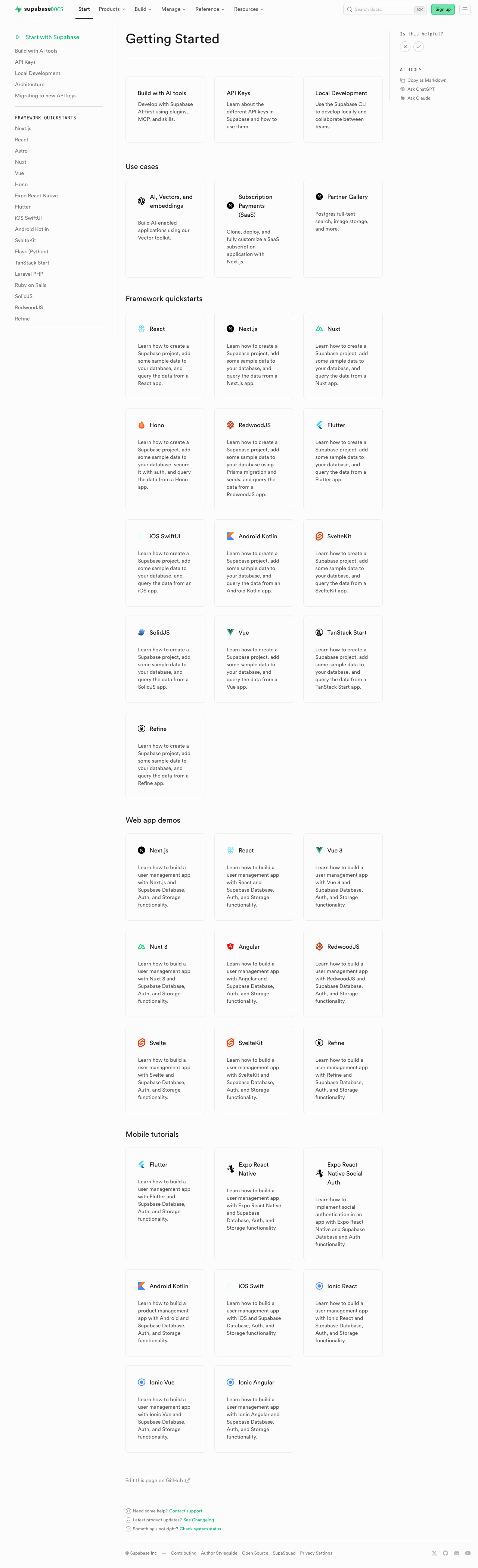
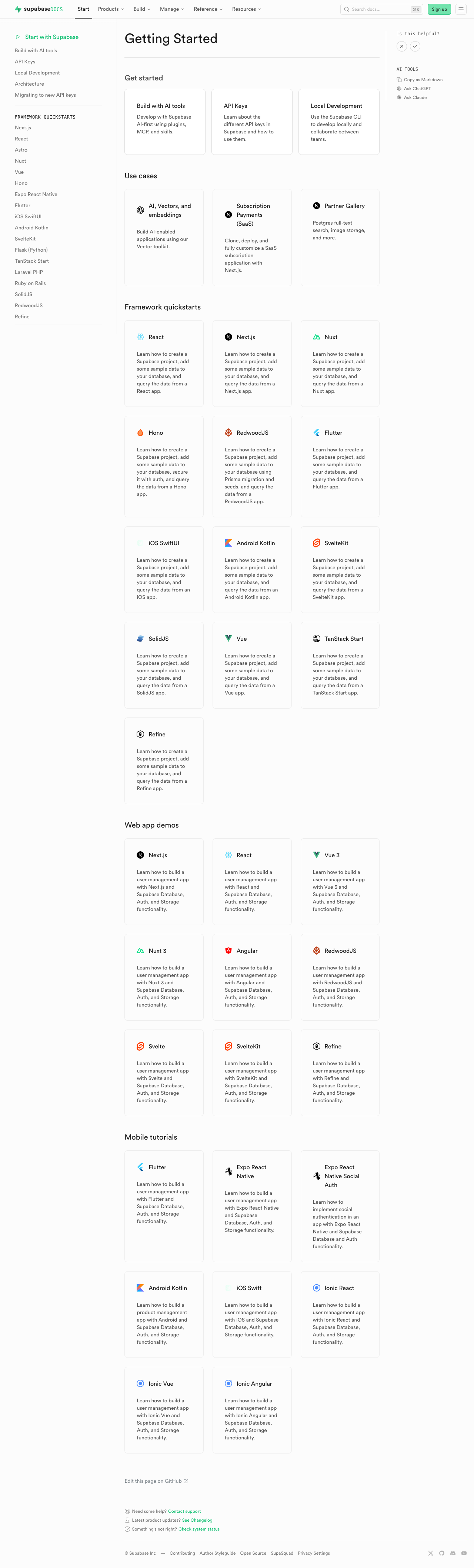
#### Getting Started (partial migration for demoing)
| [Before
(production)](https://supabase.com/docs/guides/getting-started) | [After
(preview)](https://docs-git-fork-nrichers-nikrichers-docs-1032-sta-e2a8cb-supabase.vercel.app/docs/guides/getting-started)
|
|
------------------------------------------------------------------------------------------------------------------------------------------------------
|
------------------------------------------------------------------------------------------------------------------------------------------------------
|
| 
| 
|
### Test plan
- [ ] Visually verify migrated pages render correctly:
- [ ] `/guides/auth` — grid "Get started", conditional pricing list,
grid "Next steps"
- [ ] `/guides/database/overview` — get started + next steps listings
- [ ] `/guides/getting-started` — top 3-column grid
- [ ] `/guides/functions` — get started + example listings
- [ ] `/guides/storage` — get started, examples, resources listings
- [ ] `/guides/realtime` — get started, examples, resources listings
- [ ] Confirm listings render at explicit page positions
- [ ] Click a content listing link and verify
`docs_content_listing_clicked` fires in PostHog with expected properties
(the new `listingId` is the namespaced kebab-case id, e.g.
`storage-get-started`)
- [ ] Build docs and confirm `.md` alternate output includes listing
sections at component placement (e.g.
`public/markdown/guides/storage.md`)
- [ ] Run unit tests: `pnpm test:local lib/content-listings.test.ts` in
`apps/docs`
## Summary by CodeRabbit
## Release Notes
* **New Features**
* Introduced a standardized content listings system for organizing
related guides and resources.
* Content listings now support both grid and list layouts for consistent
presentation.
* Added click telemetry for content listing interactions.
* **Documentation**
* Updated authentication, database, functions, getting started,
realtime, and storage guide pages to use the new content listing
components.
* Improved MDX structure examples and listing markup formatting in
contributor documentation.
<!-- end of auto-generated comment: release notes by coderabbit.ai -->
<!-- This is an auto-generated comment: release notes by coderabbit.ai
-->
## Summary by CodeRabbit
## Release Notes
* **New Features**
* Introduced a new content listings component for displaying guide
content in list and grid layouts across documentation pages.
* Added telemetry tracking for content listing interactions to measure
user engagement.
* **Documentation**
* Updated guide pages (Authentication, Database, Functions, Storage,
Realtime, Getting Started) to use the new listings layout.
* Added contribution guidelines for creating and managing content
listings in documentation.
* **Tests**
* Added comprehensive test coverage for content listings validation,
serialization, and rendering.
<!-- end of auto-generated comment: release notes by coderabbit.ai -->
---------
Co-authored-by: Nik Richers <nik@validmind.ai>
Co-authored-by: Jeremias Menichelli <jmenichelli@gmail.com>
* Use latest 2.x version of `@supabase/supabase-js` in all examples
* Use `latest` version of `@supabase/ssr` in all examples
* Remove lock files from examples
* Add examples lock files in .gitignore

The rationale is:
- Lock files are not actively maintained/updated (or the versions in the
package.json files for that matter)
- They pin an arbitrary version (from the end-user perspective)
- Removes the need to manually update the versions and reinstall
- Consistency

<!-- This is an auto-generated comment: release notes by coderabbit.ai
-->

## Summary by CodeRabbit

## Release Notes

* **Chores**
* Broadened Supabase SDK dependency version constraints across example
projects for greater flexibility with compatible updates
  * Updated some SSR package dependencies to track latest releases
* Added gitignore rules for dependency lock files in example directories

<!-- end of auto-generated comment: release notes by coderabbit.ai -->
Migrates all studio-related Cursor rules to Claude skills and adds a
top-level `.claude/CLAUDE.md` for project context. Docs rules left in
place.

**Decisions:**
- Only studio + testing rules migrated — docs rules intentionally left
in `.cursor/rules/docs/`
- Vitest skill already shared via symlink (`.claude/skills/vitest` →
`.agents/skills/vitest`) — nothing to migrate
- Grouped ~21 granular cursor rules into 5 new skills + 1 updated skill
by topic
- `studio-architecture` skill fully merged into `CLAUDE.md` and deleted
to avoid overlap
- Skills are self-contained (content inlined, not relying on sub-files)
since Claude reads SKILL.md first
- Skills cross-reference each other inline where relevant (e.g.
best-practices → testing, error-handling, queries)
- No `paths` frontmatter — would auto-inject full skill content on every
matching file. Current description-based matching is more selective and
token-efficient.

**Removed:**
- `.cursor/rules/studio/` (21 rule files covering architecture, best
practices, UI patterns, queries, styling, etc.)
- `.cursor/rules/testing/` (e2e-studio + unit-integration rules)
- `.cursor/rules/studio-useStaticEffectEvent.mdc`
- `.claude/skills/studio-architecture/` — fully merged into CLAUDE.md to
avoid duplication
- `.claude/skills/studio-testing/rules/` — orphaned sub-files after
inlining content into SKILL.md

**Added:**
- `.claude/CLAUDE.md` — concise monorepo overview with structure,
commands, and conventions. Absorbs studio-architecture content.
References `studio-*` skills for detail.
- `.claude/skills/studio-best-practices/` — boolean naming, component
structure, loading/error/success patterns, state management, hooks,
TypeScript conventions. Cross-references `vercel-composition-patterns`,
`studio-ui-patterns`, `studio-queries`, `studio-error-handling`, and
`studio-testing` inline where relevant.
- `.claude/skills/studio-ui-patterns/` — layout, forms, tables, charts,
empty states, navigation, cards, alerts, sheets. Grouped from ~10
separate cursor rules into one cohesive skill.
- `.claude/skills/studio-queries/` — React Query `queryOptions` pattern,
`keys.ts` structure, mutation hook template, imperative fetching.
- `.claude/skills/use-static-effect-event/` — the `useStaticEffectEvent`
hook: when to use, when not to, patterns, implementation.

**Changed:**
- `.claude/skills/studio-e2e-tests/` — renamed from `e2e-studio-tests`
for `studio-*` naming consistency. Merged race condition, waiting
strategy, test structure, assertion, and cleanup patterns from the
cursor e2e rule.
- `.claude/skills/studio-testing/` — inlined key content from sub-rule
files directly into SKILL.md so it's self-contained. Removed broken
`AGENTS.md` reference. Deleted orphaned `rules/` sub-files.
- `.claude/skills/vercel-composition-patterns/` — added note that Studio
uses React 18, so React 19 patterns should be skipped.
- `.gitignore` — added `!.claude/CLAUDE.md` exception so it's tracked.

## To test

- Open Claude Code in the repo, verify `.claude/CLAUDE.md` loads as
project context
- Ask Claude about Studio conventions and verify it references the right
skills
- Check that `studio-*` skills appear in the skill list

---------

Co-authored-by: Alaister Young <10985857+alaister@users.noreply.github.com>
Co-authored-by: Claude Opus 4.6 (1M context) <noreply@anthropic.com>
## I have read the
[CONTRIBUTING.md](https://github.com/supabase/supabase/blob/master/CONTRIBUTING.md)
file.

YES

## What kind of change does this PR introduce?

Trying agents with multiple git worktrees, want the ability to run
multiple instances of dev

## Context

For agent scripts that support git worktrees, you can set STUDIO_PORT to
0 and have the OS assign a port so they don't conflict with each other
## I have read the
[CONTRIBUTING.md](https://github.com/supabase/supabase/blob/master/CONTRIBUTING.md)
file.

YES

## What kind of change does this PR introduce?

E2E for table operations because the logic can be very hard to test
manually

<!-- This is an auto-generated comment: release notes by coderabbit.ai
-->
## Summary by CodeRabbit

* **Tests**
* Added a comprehensive end-to-end test suite validating queue-based
table workflows: edits, inserts, batch actions, deletions, keyboard
shortcuts, pending-change tracking, save/cancel flows, persistence
across tables, and cleanup.

* **Chores**
  * Updated .gitignore to exclude Playwright MCP artifacts.
<!-- end of auto-generated comment: release notes by coderabbit.ai -->
## I have read the
[CONTRIBUTING.md](https://github.com/supabase/supabase/blob/master/CONTRIBUTING.md)
file.

YES

## What kind of change does this PR introduce?

LLM configuration

## What is the current behavior?

No skills for E2E tests

## What is the new behavior?

Claude skill for E2E tests


<!-- This is an auto-generated comment: release notes by coderabbit.ai
-->
## Summary by CodeRabbit

* **Documentation**
* Added comprehensive end-to-end testing guidelines for Studio
Playwright tests, covering test execution, environment setup, robust
selector patterns, common pitfalls, debugging workflows, and CI
troubleshooting.

* **Chores**
* Updated repository ignore settings so skills-related documentation
files are tracked and can be committed.

<sub>✏️ Tip: You can customize this high-level summary in your review
settings.</sub>
<!-- end of auto-generated comment: release notes by coderabbit.ai -->
To use Claude Code on web, we need the LLM to have access to
dependencies. This creates a install_pkgs.sh script that runs `pnpm
install` only in the Claude Code remove environment.
* Add description for supabase-config-push

* docs: Add descriptions to a few cli commands and command groups

* delete the unnecessary note about linking a project

* fix/add cli-latest file to gitignore
Improve the way docs are indexed and FTS results are ranked, so results are more relevant.

Also improve debouncing and searching UX so it feels a bit faster and you can scan the results more easily.












